
Inform internal and external stakeholders of urgent issues with Customer Service Incident Management broadcast communications. You can notify the appropriate groups via alerts, Slack messages, emails, or site banners.
Required Editions
| View supported editions. |
Your Salesforce admin must first enable and set up the broadcast communication types.


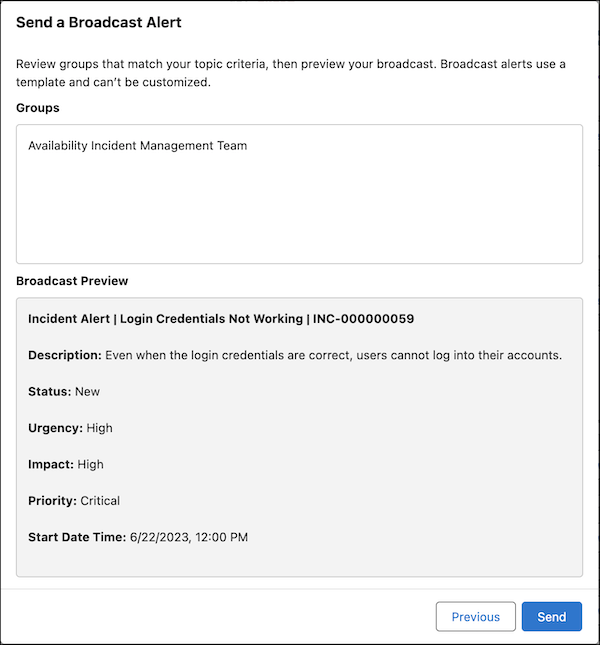
You can use a broadcast alert to notify team members when an incident occurs so that they can take direct action. A broadcast alert uses a defined template that you can’t modify.
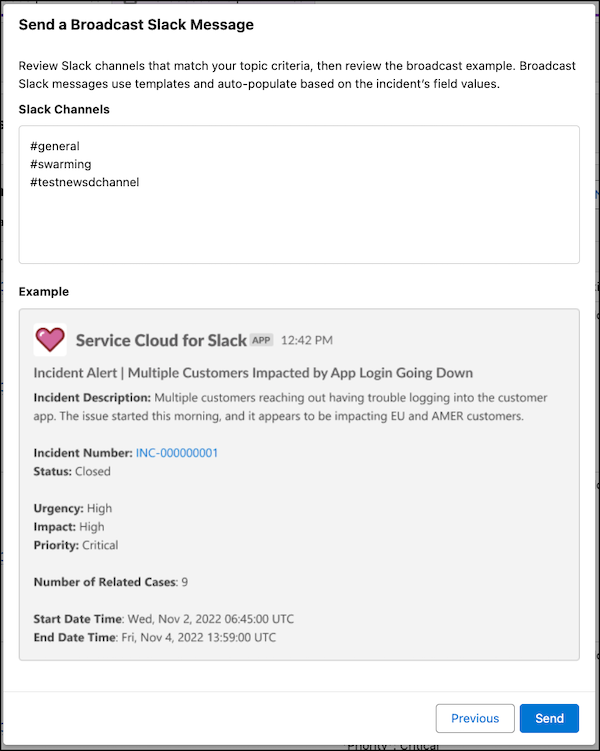
Use Slack messages to streamline reporting of ongoing incidents. The message autofills based on the incident’s field values.
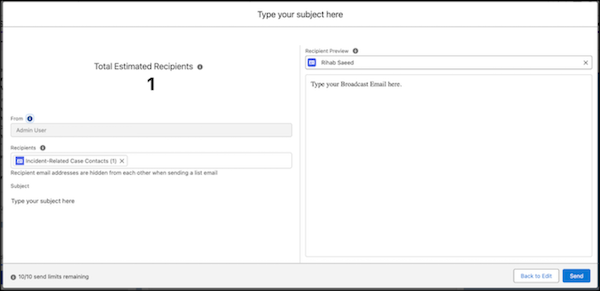
You can use broadcast emails to inform customers of ongoing incidents and keep them up to date as the incident evolves.
A broadcast site banner proactively warns customers of incidents and helps deflect new cases related to the incident.

- Notify Internal Stakeholders with Broadcast Communications
To notify incident teams or internal stakeholders of an ongoing incident, use broadcast alerts or Slack messages. - Notify External Stakeholders with Broadcast Communications
To notify customers of an ongoing incident, use external broadcast communications such as site banners and emails.