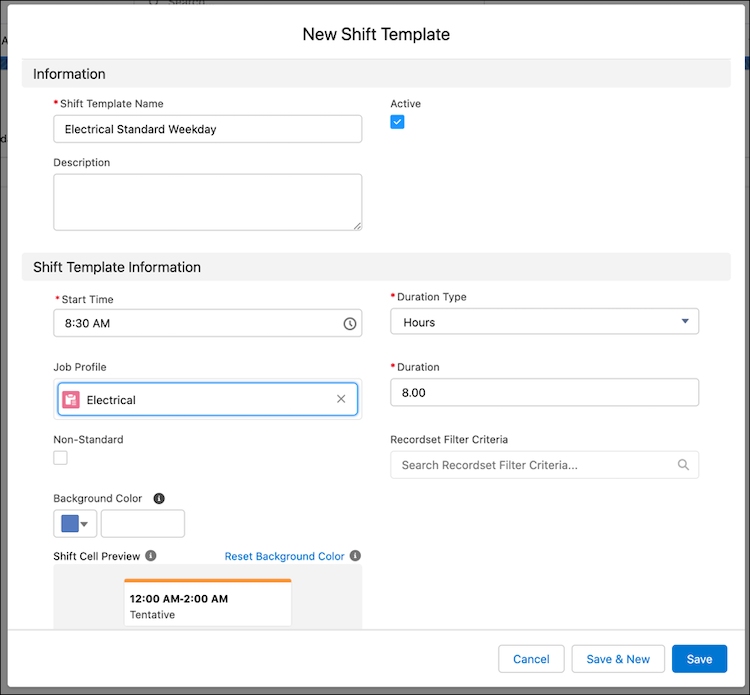
Use shift templates to help manage your team’s schedule. Store the details of commonly used shifts such as the duration, start time, and job profile.
Required Editions
| Available in: Lightning Experience |
| The Field Service core features, managed package, and mobile app are available in Enterprise, Unlimited, and Developer Editions. |
| User Permissions Needed | |
|---|---|
| To view, create, and update shift templates |
View, create, and edit on Shift Templates, AND View on Job Profiles, Service Territories |
- From the App Launcher, click Shift Templates.
- Click New.
- Enter a name and description for the template.
- Enter the start time and duration.
- Optionally, select a job profile.
-
Save the template.