After you’ve set up monitoring, you can use the Omni-Channel component to monitor and
handle escalated conversations from Field Service customers. We recommend using the Omni-Channel
sidebar.
Required Editions
| Available in: Lightning Experience |
| Available in: Enterprise, Performance, Unlimited, and
Developer Editions with Field Service and Foundations. Also available with
Einstein 1 Field Service Edition or Agentforce 1 Field Service
Edition.
|
-
Log in to Omni to start receiving escalated conversations. See Support Customers Using the Omni-Channel Component.
-
Click a message to view the conversation.
-
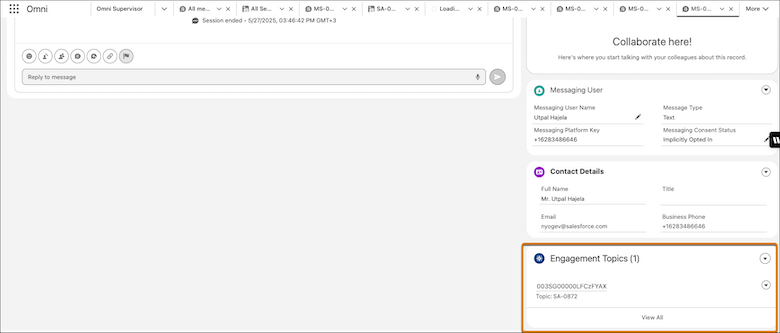
From the Engagement Topics related list, click the link to view the service appointment
associated with this conversation.
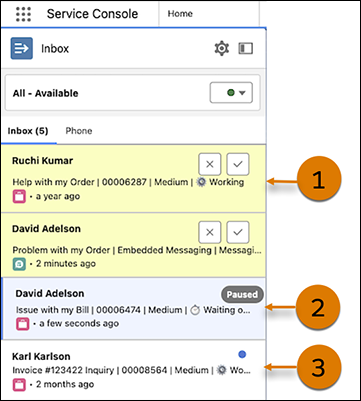
This image shows new work (1), selected work that’s paused (2), and work with an update
notification (3) in the Omni-Channel component.