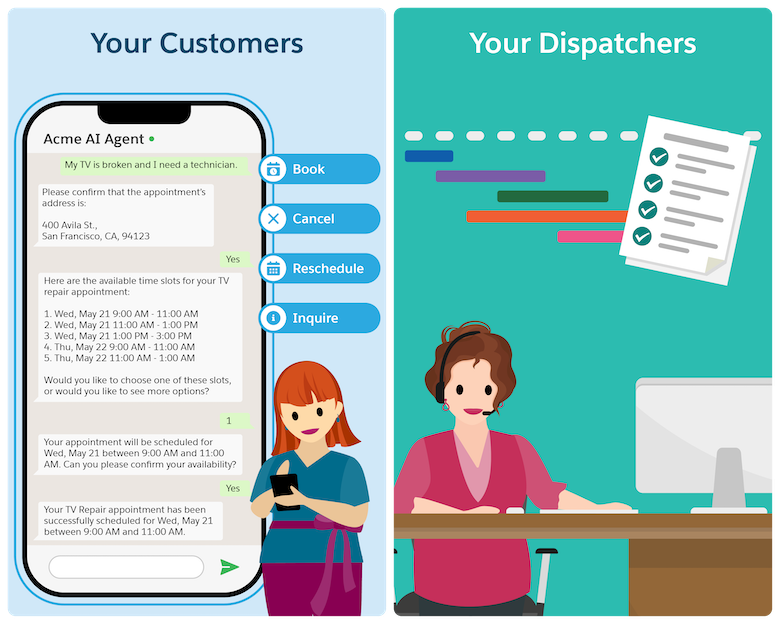
Let your customers schedule, reschedule, cancel, or inquire about appointments on their
own at any time. Customers can directly interact with the AI agent, which shortens appointment
management to a third of the time. Agentforce understands your customers’ preferences and
handles the request accordingly, while considering your business needs. Customer-Initiated
Scheduling helps you meet growing customer demand by reducing the burden on customer service
teams so they can work on more complex tasks.
Required Editions
| Available in: Lightning Experience |
| Available in: Enterprise, Performance, Unlimited, and
Developer Editions with Field Service and Foundations. Also available with
Einstein 1 Field Service Edition or Agentforce 1 Field Service
Edition.
|
By default, Customer-Initiated Scheduling works as described here. However, you can
configure the solution to suit your needs.
-
A customer approaches the AI agent with one of these requests:
- Schedule a service appointment
- Reschedule an existing service appointment
- Cancel an existing appointment
- Show me information about existing scheduled appointments
-
The omni-channel flow recognizes that this is an inbound messaging session and directs
the request to the Customer-Initiated Scheduling agent.
The agent shows the welcome message and proceeds to verify the customer’s identity.
-
If the customer has asked to reschedule or cancel an appointment, the agent checks that
the appointment:
- Doesn’t have an active messaging session
- Isn’t part of a complex work chain
- Isn’t pinned
- Isn’t a bundle service appointment
- Isn’t a bundle member service appointment
- Isn’t in the Canceled or Completed status category
-
An engagement topic that connects the messaging session to the service
appointment is created.
-
The agent then triggers the subagents and assists the customer.
-
If the request is successful, the Gantt is updated.