---
schema_version: "1"
id: ccf6da5d0958eaa70237d4c30f9a6511a7387008d2fc79908104c420e99d6ed9
title: Translate a Service Email
collection: admin
version: current
locale: en-us
portal_url: https://docs.salesforce.com/admin/current/en-us/service/264-0-0/email_translate.md
canonical_url: https://help.salesforce.com/s/articleView?id=service.email_translate.htm&release=264.0.0&type=5
source_site: help.salesforce.com
content_type: documentation
content_hash: aedde01ba4ee72efbf1e2e87c82e0e570fdedf3634a13536a29ca16325fc257a
description: Translate end user emails and send translated replies in the case feed or email composer.
products:
  - Service Cloud
  - Digital Engagement
release: "264"
---
# Translate a Service Email

Translate end user emails and send translated replies in the case feed or email composer.

### Required Editions

<table class="slds-table slds-table_bordered slds-max-medium-table_stacked slds-m-bottom_small edition"><colgroup><col style="width:100%"></colgroup><tbody><tr class=""><td class="slds-cell-wrap" style="vertical-align:top;"><a href="https://help.salesforce.com/s/articleView?id=service.customizesupport_email_editions.htm&amp;release=264.0.0&amp;type=5" title="Learn about the Salesforce editions and user interfaces that support Email-to-Case.">View supported editions</a>.</td></tr></tbody></table>

<table class="slds-table slds-table_bordered slds-max-medium-table_stacked slds-m-bottom_small permission">
        <colgroup>
          <col style="width:50%">
          <col style="width:50%">
        </colgroup>
        <thead class="slds-text-title_caps ">
          <tr class="">
            <th scope="colgroup" class="slds-cell-wrap" colspan="2" style="text-align:center;vertical-align:top;" id="d95528e63">User Permissions Needed</th>
          </tr>
        </thead>
        <tbody>
          <tr class="">
            <td data-label="User Permissions Needed" class="slds-cell-wrap" style="vertical-align:top;" headers="d95528e63 ">To translate inbound emails in the case feed and email replies in the email
              composer:</td>

            <td class="slds-cell-wrap" style="vertical-align:top;" headers="d95528e63 ">Real-Time Translations for Service Email permission set AND Translate Service Emails
              permission</td>

          </tr>
        </tbody>
      </table>

## Translate Emails in the Case Feed

To read an email in your preferred language, translate it in the case feed.

1. On the Cases tab, click a case number to open an email exchange in the case feed.
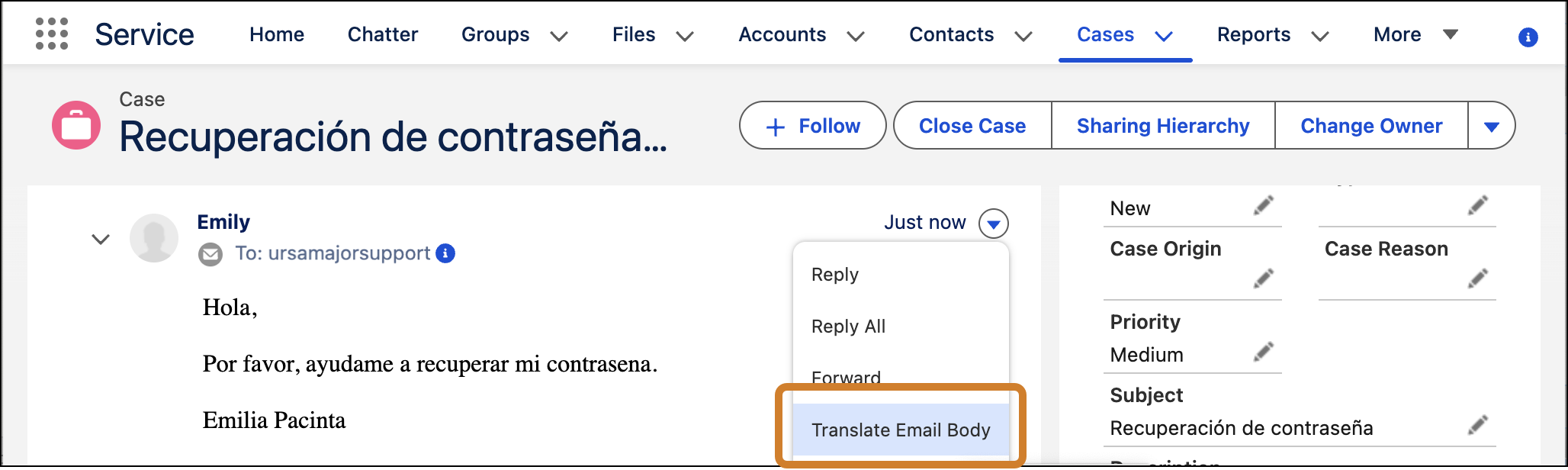
2. Click the arrow to the right of an email, and select Translate Email Body.
    
    ![Case feed with Translate email body highlighted.](https://sf-zdocs-cdn-prod.zoominsoftware.com/tdta-service-support_channels-264-0-0-production-enus/f3c4b3d2-ff86-4f7c-9fe2-3d8b23d35109/support_channels/images/email/email_rtt_feed.png)
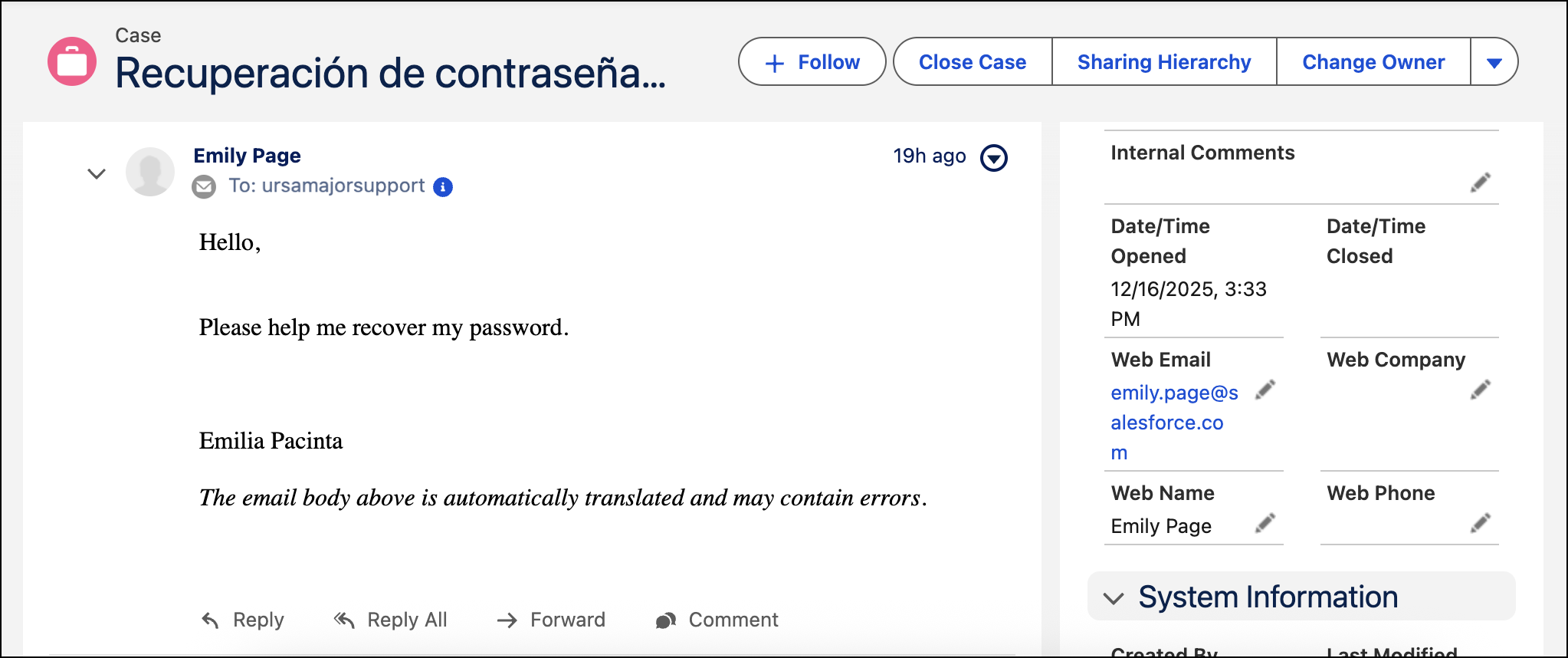
3. Review the translated version of the email.
    
    ![Translated email in case feed.](https://sf-zdocs-cdn-prod.zoominsoftware.com/tdta-service-support_channels-264-0-0-production-enus/f3c4b3d2-ff86-4f7c-9fe2-3d8b23d35109/support_channels/images/email/email_rtt_feed_results.png)

## Translate Emails in the Email Composer

To reply to an email in your preferred language, translate your response in the Email Composer and then send it.

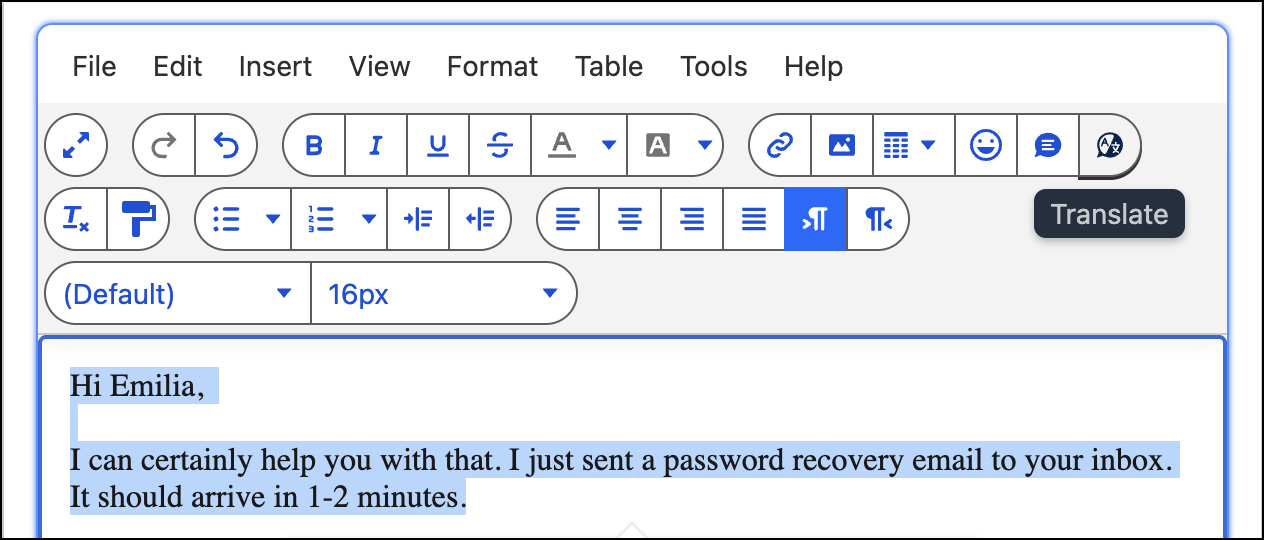
1. Highlight the text that you want to translate. This should be text above the previously quoted email.
    
    ![Email composer with text highlighted, ready to translate.](https://sf-zdocs-cdn-prod.zoominsoftware.com/tdta-service-support_channels-264-0-0-production-enus/f3c4b3d2-ff86-4f7c-9fe2-3d8b23d35109/support_channels/images/email/email_rtt_ec_1.png)
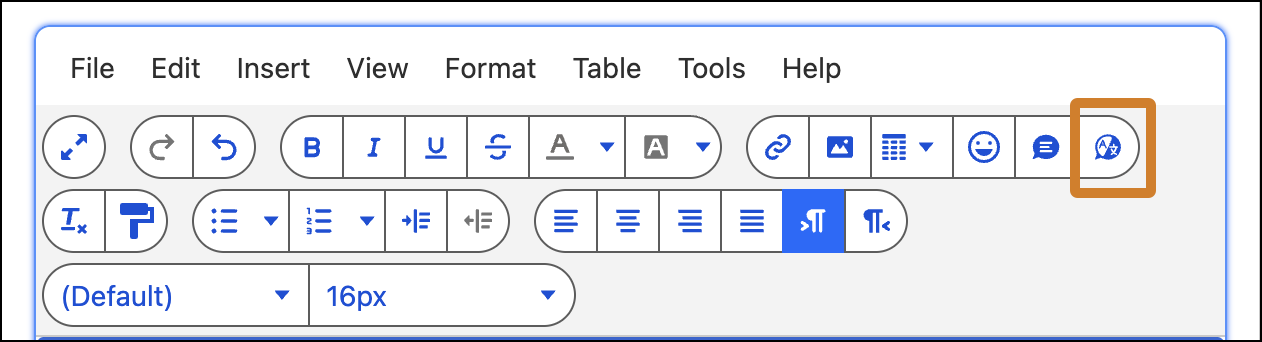
2. Click the Translate button in the email toolbar.
    
    ![Email composer with translate button highlighted.](https://sf-zdocs-cdn-prod.zoominsoftware.com/tdta-service-support_channels-264-0-0-production-enus/f3c4b3d2-ff86-4f7c-9fe2-3d8b23d35109/support_channels/images/email/email_rtt_ec_button.png)
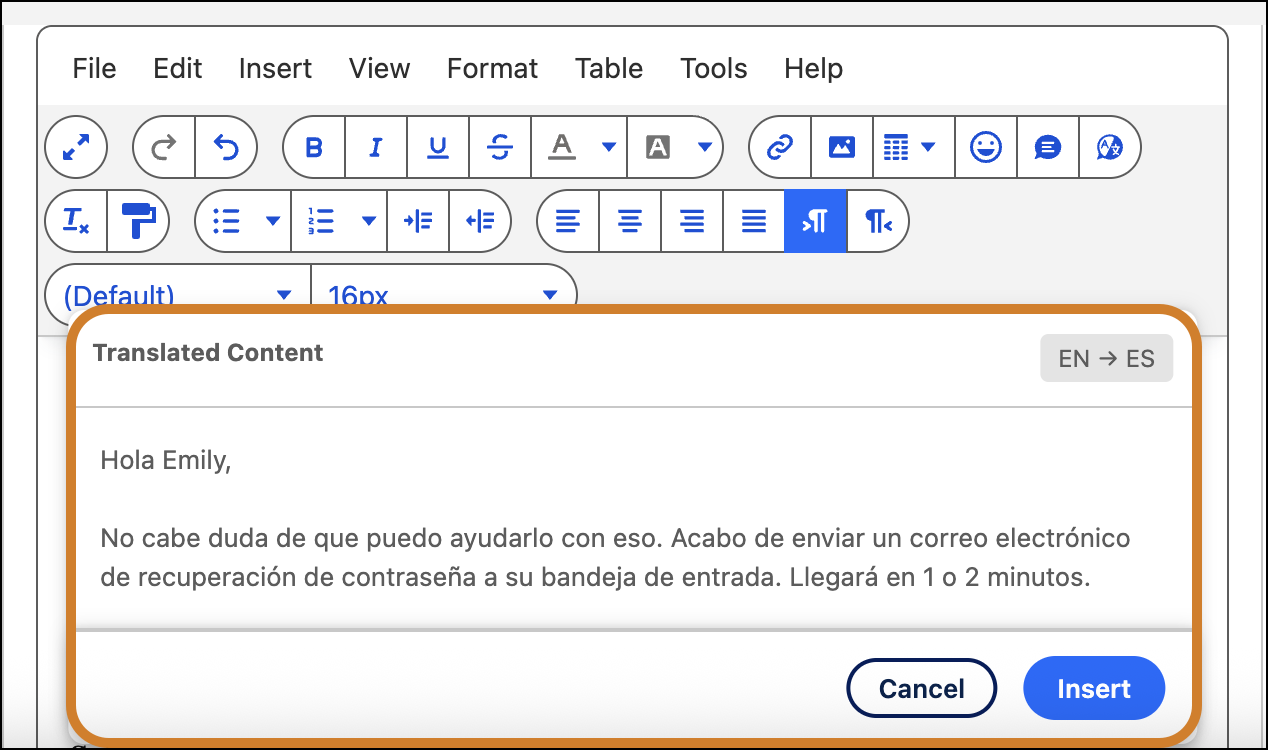
3. Review the translated version of the highlighted text in the modal, and click **Insert**.
    
    ![Email composer with translation preview modal open.](https://sf-zdocs-cdn-prod.zoominsoftware.com/tdta-service-support_channels-264-0-0-production-enus/f3c4b3d2-ff86-4f7c-9fe2-3d8b23d35109/support_channels/images/email/email_rtt_ec_2.png)
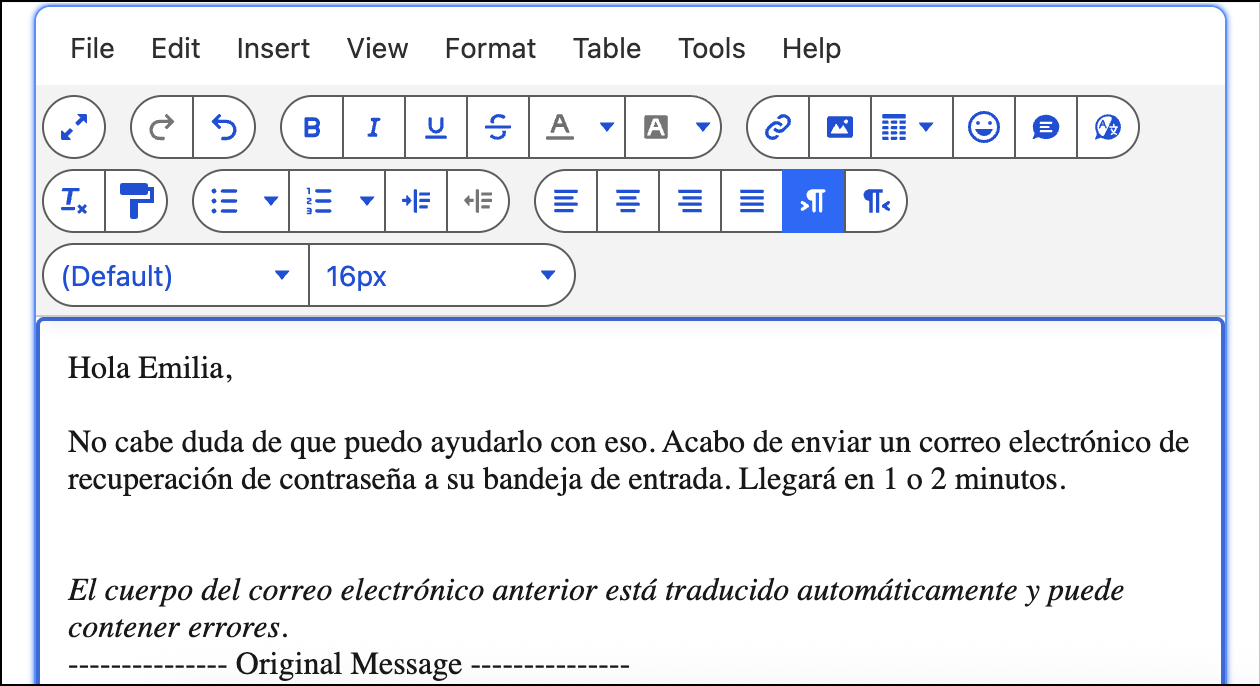
4. Make final edits to your response, and send it.
    
    ![Email composer with translated response ready to send.](https://sf-zdocs-cdn-prod.zoominsoftware.com/tdta-service-support_channels-264-0-0-production-enus/f3c4b3d2-ff86-4f7c-9fe2-3d8b23d35109/support_channels/images/email/email_rtt_ec_3.png)