
When a customer opens a new case, this flow sends case-relevant knowledge articles in an auto-response email.
Required Editions
| View supported editions. |
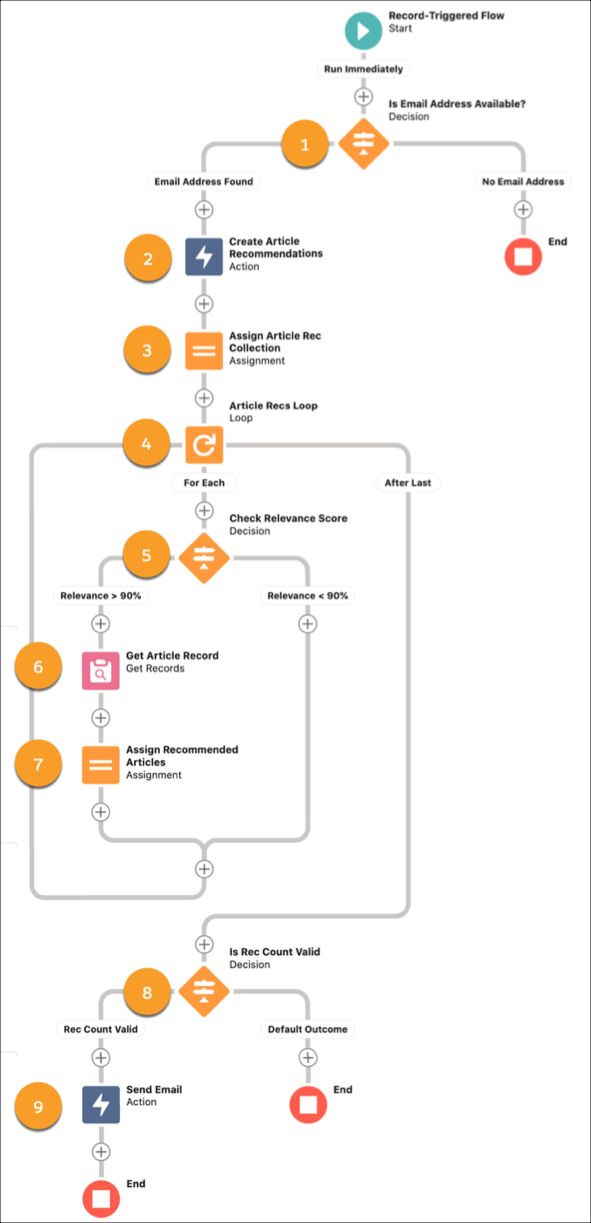
In this example flow, we verify there’s a valid email address (1), create the article recommendations (2), assign the recommendations to a collection variable (3), loop over the items in the collection (4), get the recommended knowledge article version (6), and assign it to a text variable (7).
Next, these recommendations are automatically sent in an email template (9). Use text templates to include merge fields from the articles and to add rich formatting to customize emails sent via the flow. Visit Salesforce Help to learn how to use text templates in a flow.
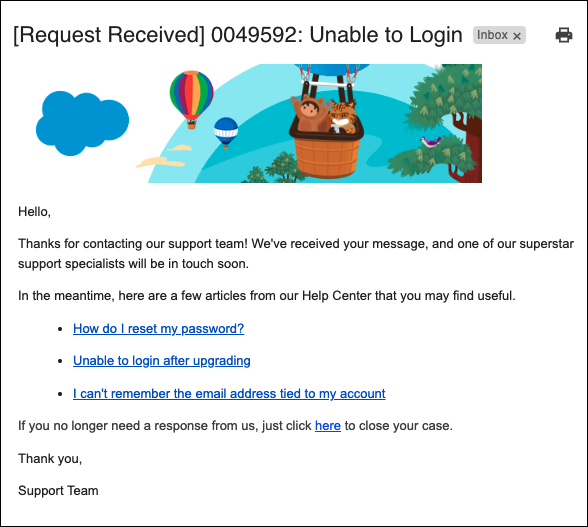
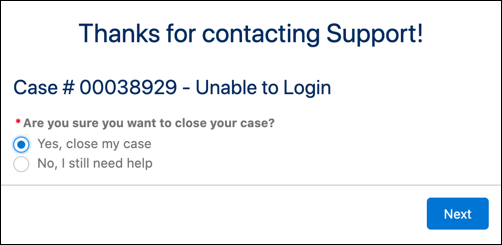
If your customers resolve their issue from the recommended knowledge articles, you can embed a link to a second flow that updates and closes their case record.


In the example flow, several checks verify that: there’s a valid email address (1), the identified knowledge articles meet the relevance threshold (5), and at least one knowledge article is included in the email (8).