---
schema_version: "1"
id: 501c1ba62d04c3c0357239b0c304a265743e082d8b7f1e809732c0020c060598
title: Branding Elements Guide for Enhanced Chat
collection: admin
version: current
locale: en-us
portal_url: https://docs.salesforce.com/admin/current/en-us/service/264-0-0/ec_brand_elements_2.md
canonical_url: https://help.salesforce.com/s/articleView?id=service.ec_brand_elements_2.htm&release=264.0.0&type=5
source_site: help.salesforce.com
content_type: documentation
content_hash: 7fc781ed12a134fec5f6fb8544c8453f7df8d1599005beb13526612793aacba4
description: Use branding tokens to match the look of your chat window to your website. Choose colors and fonts, and upload logos and avatars without any engineering effort.
products:
  - Service Cloud
  - Digital Engagement
release: "264"
---
# Branding Elements Guide for Enhanced Chat

Use branding tokens to match the look of your chat window to your website. Choose colors and fonts, and upload logos and avatars without any engineering effort.

### Required Editions

<table class="slds-table slds-table_bordered slds-max-medium-table_stacked slds-m-bottom_small edition">
        <colgroup>
          <col style="width:50%">
          <col style="width:50%">
        </colgroup>
        <tbody>
          <tr class="">
            <td class="slds-cell-wrap" colspan="2" style="vertical-align:top;"><a href="https://help.salesforce.com/s/articleView?id=service.messaging_editions.htm&amp;type=5&amp;language=en_US" target="_blank">View supported editions.</a></td>

          </tr>
          <tr class="">
            <td class="slds-cell-wrap" style="vertical-align:top;">
              <a name="ec_brand_elements_2__d700e335"><!-- --></a><span style="vertical-align:text-bottom;display:inline-block;"><img style="margin-bottom:0;" id="ec_brand_elements_2__d700e335" src="https://sf-zdocs-cdn-prod.zoominsoftware.com/tdta-service-support_channels-264-0-0-production-enus/f3c4b3d2-ff86-4f7c-9fe2-3d8b23d35109/resources-global/_corporate/images/checkmark.png" alt="Checkmark"></span>
              <strong>This article applies to:</strong>
            </td>

            <td class="slds-cell-wrap" style="vertical-align:top;">Enhanced In-App Chat and Enhanced Web Chat channels</td>

          </tr>
          <tr class="">
            <td class="slds-cell-wrap" style="vertical-align:top;">
              <span style="vertical-align:text-bottom;display:inline-block;"><img style="margin-bottom:0;" src="https://sf-zdocs-cdn-prod.zoominsoftware.com/tdta-service-support_channels-264-0-0-production-enus/f3c4b3d2-ff86-4f7c-9fe2-3d8b23d35109/resources-global/_corporate/images/crossmark.png" alt="X icon"></span>
              <strong>This article doesn’t apply to:</strong>
            </td>

            <td class="slds-cell-wrap" style="vertical-align:top;">Enhanced WhatsApp, Enhanced Facebook Messenger, Standard and Enhanced SMS,
              Enhanced Apple Messages for Business, Enhanced LINE, and Bring Your Own
              Channel</td>

          </tr>
        </tbody>
      </table> <table class="slds-table slds-table_bordered slds-max-medium-table_stacked slds-m-bottom_small permission">
        <colgroup>
          <col style="width:50%">
          <col style="width:50%">
        </colgroup>
        <thead class="slds-text-title_caps ">
          <tr class="">
            <th scope="colgroup" class="slds-cell-wrap" colspan="2" style="text-align:center;vertical-align:top;" id="d51509e95">User Permissions Needed</th>
          </tr>
        </thead>
        <tbody>
          <tr class="">
            <td data-label="User Permissions Needed" class="slds-cell-wrap" style="vertical-align:top;" headers="d51509e95 ">To set up Omni-Channel Flow and Messaging:</td>

            <td class="slds-cell-wrap" style="vertical-align:top;" headers="d51509e95 ">Customize Application</td>

          </tr>
          <tr class="">
            <td data-label="User Permissions Needed" class="slds-cell-wrap" style="vertical-align:top;" headers="d51509e95 ">To modify permission sets and profiles:</td>

            <td class="slds-cell-wrap" style="vertical-align:top;" headers="d51509e95 ">Manage Profiles and Permission Sets</td>

          </tr>
        </tbody>
      </table>

## Customize Colors, Fonts, Images, and Window Size

Make your selections on the Embedded Service Deployment Settings page. Learn more about the selections that you can make further down in this help topic.

1. From Setup, in the Quick Find box, enter Deployments, and select **Embedded Service Deployments**.
2. To the right of your deployment, click the downward arrow, and select **View**. Click **Select Branding**.
3. Make your selections. See information about colors, fonts and images further down in this help topic.
4. Save your changes.
5. When you return to the Embedded Service Deployment Settings landing page, click **Publish**.

## Color Guide

To select a color, click the dropdown and scroll through the color picker or enter a hex code into the # field. Save your changes and republish your deployment.

<table class="slds-table slds-table_bordered slds-max-medium-table_stacked slds-m-bottom_small ">
          <colgroup>
            <col>
            <col>
            <col>
          </colgroup>
          <thead class="slds-text-title_caps ">
            <tr class="">
              <th scope="col" class="slds-cell-wrap" style="vertical-align:top;" id="d51509e221">Colors</th>
              <th scope="col" class="slds-cell-wrap" style="vertical-align:top;" id="d51509e224">Elements</th>
              <th scope="col" class="slds-cell-wrap" style="vertical-align:top;" id="d51509e227">Example</th>
            </tr>
          </thead>
          <tbody>
            <tr class="">
              <td data-label="Colors" class="slds-cell-wrap" style="vertical-align:top;" headers="d51509e221 ">
                <div style="text-align:left;"><img style="width:100px;" src="https://sf-zdocs-cdn-prod.zoominsoftware.com/tdta-service-support_channels-264-0-0-production-enus/f3c4b3d2-ff86-4f7c-9fe2-3d8b23d35109/support_channels/images/miaw/Color_1.png" alt="Chat button and invitation colors"></div>
              </td>

              <td data-label="Elements" class="slds-cell-wrap" style="vertical-align:top;" headers="d51509e224 ">
                <ul>
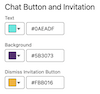
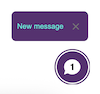
                  <li><strong>Text:</strong> The words inside the notification pop-up.</li>

                  <li><strong>Background:</strong> The chat button and the notification pop-up.</li>

                  <li><strong>Dismiss Invitation Button:</strong> The X on the notification pop-up</li>

                </ul>
              </td>

              <td data-label="Example" class="slds-cell-wrap" style="vertical-align:top;" headers="d51509e227 ">
                <div style="text-align:left;"><img style="width:100px;" src="https://sf-zdocs-cdn-prod.zoominsoftware.com/tdta-service-support_channels-264-0-0-production-enus/f3c4b3d2-ff86-4f7c-9fe2-3d8b23d35109/support_channels/images/miaw/Color_2.png" alt="Chat button and New message pop-up with custom colors in place"></div>
              </td>

            </tr>
            <tr class="">
              <td data-label="Colors" class="slds-cell-wrap" style="vertical-align:top;" headers="d51509e221 "><span style="vertical-align:text-bottom;display:inline-block;"><img style="margin-bottom:0;" alt="Header colors"></span></td>

              <td data-label="Elements" class="slds-cell-wrap" style="vertical-align:top;" headers="d51509e224 ">
                <ul>
                  <li><strong>Background:</strong> The banner across the header.</li>

                  <li><strong>Text and Navigation Icons: </strong>Header text,Minimize button, and Menu icon.</li>

                </ul>
              </td>

              <td data-label="Example" class="slds-cell-wrap" style="vertical-align:top;" headers="d51509e227 ">
                <div style="text-align:left;"><img style="width:100px;" src="https://sf-zdocs-cdn-prod.zoominsoftware.com/tdta-service-support_channels-264-0-0-production-enus/f3c4b3d2-ff86-4f7c-9fe2-3d8b23d35109/support_channels/images/miaw/Color_4.png" alt="Chat header with custom colors in place"></div>
              </td>

            </tr>
            <tr class="">
              <td data-label="Colors" class="slds-cell-wrap" style="vertical-align:top;" headers="d51509e221 ">
                <div style="text-align:left;"><img style="width:100px;" src="https://sf-zdocs-cdn-prod.zoominsoftware.com/tdta-service-support_channels-264-0-0-production-enus/f3c4b3d2-ff86-4f7c-9fe2-3d8b23d35109/support_channels/images/miaw/Color_5.png" alt="AI Agent and Service Rep colors"></div>
              </td>

              <td data-label="Elements" class="slds-cell-wrap" style="vertical-align:top;" headers="d51509e224 ">
                <ul>
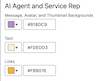
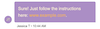
                  <li><strong>Message, Avatar, and Thumbnail Backgrounds:</strong> The text message bubble;; the Rep,
                    Agent or Bot avatar if an image hasn't been uploaded; and the Enhanced link
                    background.</li>

                  <li><strong>Text:</strong> Text message; rep, agent or bot initials if an image hasn't been
                    uploaded; Enhanced link text; and text in a Form Messaging Component.</li>

                  <li><strong>Links:</strong> Links sent within the text message bubble by a rep, agent or bot. </li>

                </ul>
              </td>

              <td data-label="Example" class="slds-cell-wrap" style="vertical-align:top;" headers="d51509e227 ">
                <div style="text-align:left;"><img style="width:100px;" src="https://sf-zdocs-cdn-prod.zoominsoftware.com/tdta-service-support_channels-264-0-0-production-enus/f3c4b3d2-ff86-4f7c-9fe2-3d8b23d35109/support_channels/images/miaw/Color_6.png" alt="rep-initiated text message bubble and avater with custom colors in place"></div>
              </td>

            </tr>
            <tr class="">
              <td data-label="Colors" class="slds-cell-wrap" style="vertical-align:top;" headers="d51509e221 ">
                <div style="text-align:left;"><img style="width:100px;" src="https://sf-zdocs-cdn-prod.zoominsoftware.com/tdta-service-support_channels-264-0-0-production-enus/f3c4b3d2-ff86-4f7c-9fe2-3d8b23d35109/support_channels/images/miaw/Color_7.png" alt="End User colors"></div>
              </td>

              <td data-label="Elements" class="slds-cell-wrap" style="vertical-align:top;" headers="d51509e224 ">
                <ul>
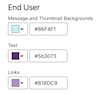
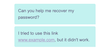
                  <li><strong>Message and Thumbnail Backgrounds:</strong> End-user-sent text message bubble;
                    End-user-sent Enhanced link background; Form Messaging Component icon background; File
                    Attachments Sent and File Attachments Sending notification backgrounds.</li>

                  <li><strong>Text:</strong> End-user-sent message text; End-user-sent Enhanced Link text; label text
                    for File Attachments Sent and File Attachments Sending notifications.</li>

                  <li><strong>Links:</strong> A link sent by an end-user in a text message.</li>

                </ul>
              </td>

              <td data-label="Example" class="slds-cell-wrap" style="vertical-align:top;" headers="d51509e227 ">
                <div style="text-align:left;"><img style="width:100px;" src="https://sf-zdocs-cdn-prod.zoominsoftware.com/tdta-service-support_channels-264-0-0-production-enus/f3c4b3d2-ff86-4f7c-9fe2-3d8b23d35109/support_channels/images/miaw/Color_8.png" alt="end-user-initiated text message bubbles with custom colors in place"></div>
              </td>

            </tr>
            <tr class="">
              <td data-label="Colors" class="slds-cell-wrap" style="vertical-align:top;" headers="d51509e221 ">
                <div style="text-align:left;"><img style="width:100px;" src="https://sf-zdocs-cdn-prod.zoominsoftware.com/tdta-service-support_channels-264-0-0-production-enus/f3c4b3d2-ff86-4f7c-9fe2-3d8b23d35109/support_channels/images/miaw/Color_9.png" alt="Conversation Body colors"></div>
              </td>

              <td data-label="Elements" class="slds-cell-wrap" style="vertical-align:top;" headers="d51509e224 ">
                <ul>
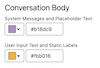
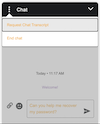
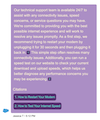
                  <li><strong>System Messages and Placeholder Text:</strong>System messages; conversation start
                    timestamp; text information below the end-user text message bubble; placeholder text for
                    the Send Message input field.</li>

                  <li><strong>User Input Text and Static Labels: </strong>Input text for Send Message field; Input
                    text for Pre-Chat form field; Field name and Terms and Conditions text for Pre-Chat form;
                    progress indicator animation and text; arrow for jumping to bottom of chat thread; chat
                    menu options; Carousel Messaging Component text; field name and field input text for Form
                    Messaging Components; the file name of a pending file attachment.</li>

                </ul>
              </td>

              <td data-label="Example" class="slds-cell-wrap" style="vertical-align:top;" headers="d51509e227 ">
                <div style="text-align:left;"><img style="width:100px;" src="https://sf-zdocs-cdn-prod.zoominsoftware.com/tdta-service-support_channels-264-0-0-production-enus/f3c4b3d2-ff86-4f7c-9fe2-3d8b23d35109/support_channels/images/miaw/Color_10.png" alt="Chat window with system messages, Send Message input text and chat menu options displayed with custom colors."></div>
              </td>

            </tr>
            <tr class="">
              <td data-label="Colors" class="slds-cell-wrap" style="vertical-align:top;" headers="d51509e221 "><span style="vertical-align:text-bottom;display:inline-block;"><img style="margin-bottom:0;" src="https://sf-zdocs-cdn-prod.zoominsoftware.com/tdta-service-support_channels-264-0-0-production-enus/f3c4b3d2-ff86-4f7c-9fe2-3d8b23d35109/support_channels/images/miaw/Color_11.png" alt="Footer"></span></td>

              <td data-label="Elements" class="slds-cell-wrap" style="vertical-align:top;" headers="d51509e224 ">
                <ul>
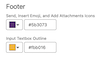
                  <li><strong>Send, Insert Emoji, and Add Attachments Icons: </strong>Add attachment, emoji picker,
                    and Send Message buttons; Carousel Messaging Component Next arrow, Back arrow, and
                    breadcrumb; Cancel button and sending animation for pending file attachment.</li>

                  <li><strong>Input Text Outline:</strong>Send Message field outline; pending file transfer outline;
                    file attachments in progress and file attachments sent outlines.</li>

                </ul>
              </td>

              <td data-label="Example" class="slds-cell-wrap" style="vertical-align:top;" headers="d51509e227 ">
                <div style="text-align:left;"><img style="width:100px;" src="https://sf-zdocs-cdn-prod.zoominsoftware.com/tdta-service-support_channels-264-0-0-production-enus/f3c4b3d2-ff86-4f7c-9fe2-3d8b23d35109/support_channels/images/miaw/Color_12.png" alt="Chat Send Message field highlighted with custom colors. Attachment and Emoji action buttons with custom colors."></div>
              </td>

            </tr>
            <tr class="">
              <td data-label="Colors" class="slds-cell-wrap" style="vertical-align:top;" headers="d51509e221 "><span style="vertical-align:text-bottom;display:inline-block;"><img style="margin-bottom:0;" src="https://sf-zdocs-cdn-prod.zoominsoftware.com/tdta-service-support_channels-264-0-0-production-enus/f3c4b3d2-ff86-4f7c-9fe2-3d8b23d35109/support_channels/images/miaw/Color_13.png" alt="Badges and Buttons colors"></span></td>

              <td data-label="Elements" class="slds-cell-wrap" style="vertical-align:top;" headers="d51509e224 ">
                <ul>
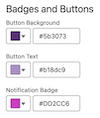
                  <li><strong>Notification Badge:</strong>The missed messages icon on the chat button when you've
                    scrolled back too far; or the button that takes you back to the most recent message in
                    the thread.</li>

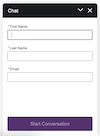
                  <li><strong>Button Background: </strong>The background of the pre-chat start button; post-chat
                    primary button; Form messaging component Next button; Forms messaging component progress
                    bar; or the Forms messaging component Selected icon. </li>

                  <li><strong>Button Text:</strong> The text of the pre-chat start button; the post-chat primary
                    button; or the Forms messaging component Next button.</li>

                </ul>
              </td>

              <td data-label="Example" class="slds-cell-wrap" style="vertical-align:top;" headers="d51509e227 ">
                <div style="text-align:left;"><img style="width:100px;" src="https://sf-zdocs-cdn-prod.zoominsoftware.com/tdta-service-support_channels-264-0-0-production-enus/f3c4b3d2-ff86-4f7c-9fe2-3d8b23d35109/support_channels/images/miaw/Color_14.png" alt="Start Conversation button on the Pre-Chat form with custom colors in place."></div>
                <div style="text-align:left;"><img style="width:100px;" src="https://sf-zdocs-cdn-prod.zoominsoftware.com/tdta-service-support_channels-264-0-0-production-enus/f3c4b3d2-ff86-4f7c-9fe2-3d8b23d35109/support_channels/images/miaw/color_17.png" alt="Notification badge with custom color in place."></div>
              </td>

            </tr>
            <tr class="">
              <td data-label="Colors" class="slds-cell-wrap" style="vertical-align:top;" headers="d51509e221 "><span style="vertical-align:text-bottom;display:inline-block;"><img style="margin-bottom:0;" src="https://sf-zdocs-cdn-prod.zoominsoftware.com/tdta-service-support_channels-264-0-0-production-enus/f3c4b3d2-ff86-4f7c-9fe2-3d8b23d35109/support_channels/images/miaw/Color_15.png" alt="Citations colors"></span></td>

              <td data-label="Elements" class="slds-cell-wrap" style="vertical-align:top;" headers="d51509e224 ">
                <ul>
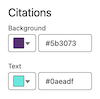
                  <li><strong>Background:</strong> The background highlight of the source title.</li>

                  <li><strong>Text:</strong>The link title of the citation source.</li>

                </ul>
              </td>

              <td data-label="Example" class="slds-cell-wrap" style="vertical-align:top;" headers="d51509e227 ">
                <div style="text-align:left;"><img style="width:100px;" src="https://sf-zdocs-cdn-prod.zoominsoftware.com/tdta-service-support_channels-264-0-0-production-enus/f3c4b3d2-ff86-4f7c-9fe2-3d8b23d35109/support_channels/images/miaw/Color_16.png" alt="Citations sources with custom colors in place"></div>
              </td>

            </tr>
          </tbody>
        </table>

## Font Guide

Use any of these pre-defined fonts: Arial, Salesforce Sans, Georgia, Palatino Linotype, Times New Roman, Arial Black, Comic Sans MS, Impact, Lucinda Sans Unicode, Tacoma, Trebuchet MS, Veranda, Courier New, Lucinda Console.

To use a custom font instead, first upload it as a [Static Resource](https://developer.salesforce.com/docs/atlas.en-us.210.0.pages.meta/pages/pages_resources_create.htm). Then select Custom Font from the Font dropdown menu. In the Custom Font Family Name field that appears, enter the name of the static resource.

In the Font Size field, select small, medium or large. Here’s an example of a Chat header in Comic Sans in the three font sizes:

 
| Size | Example |
| --- | --- |
| Small | ![Chat header with small font](https://sf-zdocs-cdn-prod.zoominsoftware.com/tdta-service-support_channels-264-0-0-production-enus/f3c4b3d2-ff86-4f7c-9fe2-3d8b23d35109/support_channels/images/miaw/font_small.png) |
| Medium | ![Chat header with medium font](https://sf-zdocs-cdn-prod.zoominsoftware.com/tdta-service-support_channels-264-0-0-production-enus/f3c4b3d2-ff86-4f7c-9fe2-3d8b23d35109/support_channels/images/miaw/font_medium.png) |
| Large | ![Chat header with large font](https://sf-zdocs-cdn-prod.zoominsoftware.com/tdta-service-support_channels-264-0-0-production-enus/f3c4b3d2-ff86-4f7c-9fe2-3d8b23d35109/support_channels/images/miaw/font_large.png) |

After you customize your fonts, save your changes and republish your deployment.

## Image Guide

Use an image hosting service, such as Github, to convert an image to a URL. Then add your URL to a field in the Images section. Save your changes and republish your deployment.

 
| Image | Example |
| --- | --- |
| Service Rep | Appears to the left of a rep-initiated text message bubble. |
| Bot and AI Agent | Appears to the left of a bot or AI-agent-initiated text message bubble. |
| Logo | Appears in the chat header. |
| Chat Button | Appears in the Chat Button. |

## Chat Window Dimensions

Customize the Width and Height fields up to a maximum of 320px (width) by 480 px (height). Save your changes and republish your deployment.