
To ingest objects and fields into Data 360, update the Data Cloud Connector permission set in your org .
Required Editions
| Available in: Lightning Experience |
| Available in: Enterprise, Performance, and Unlimited Editions with Data 360, and the Customer Signals Intelligence add-on |
| User Permissions Needed | |
|---|---|
| To enable Customer Signals Intelligence: |
Data Cloud Admin permission set |
- From Setup, in the Quick Find box, enter users, and then select Permission Sets.
- Click Data Cloud Salesforce Connector.
- Select System Permissions.
- Click Edit.
- Search for Enable Chatter and enable it.
-
Open Object Settings.
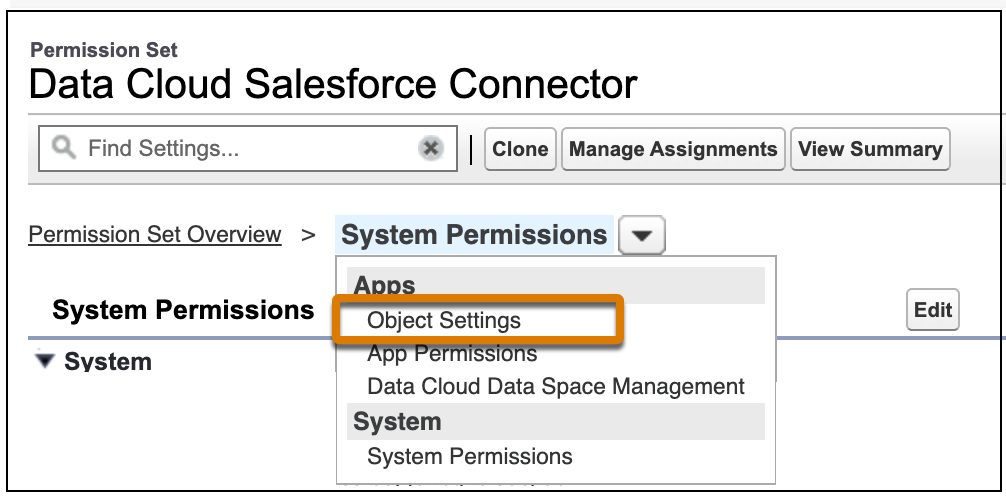
- Select the object that you want to ingest into Data 360.
- To change the object permissions, click Edit.
- Click Edit.
- Enable View All Records permissions for these objects ensuring Read Access for each field: