
Configure your org so the Service Assistant widget is available for Cases, Messaging, and Voice.
Required Editions
| Available in: Lightning Experience |
| Available in: Enterprise Edition with Data 360 enabled, and the Customer Experience Intelligence and Einstein GPT Copilot, Service Planner and Adaptive Experience add-ons |
| User Permissions Needed | |
|---|---|
| To configure real-time insights: |
Agentforce Default Admin AND Data Cloud Admin AND Service Planner Builder |
- From Setup, use Quick Find to go to Service Assistant.
- From the Case tab, turn on Turn On Service Assistant for Cases.
- For chat, in the Messaging tab, turn on Service Assistant for Messaging. For Voice, go to the Turn on Service Assistant for Voice section, and then turn on the toggle.
-
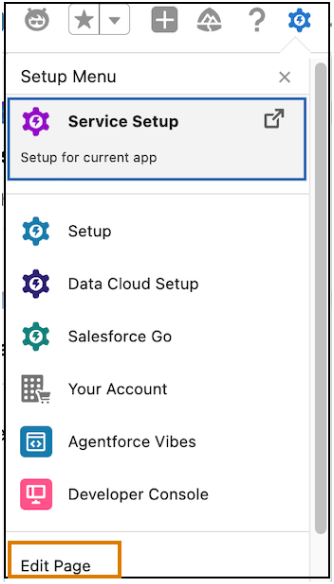
To see the Service Assistant widget for Cases, Chat and Voice, from Setup, click
Edit Page.
-
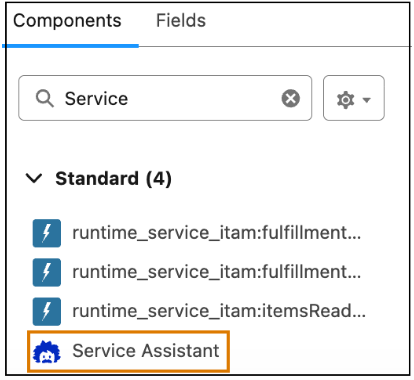
Under Components, search for Service Assistant.
-
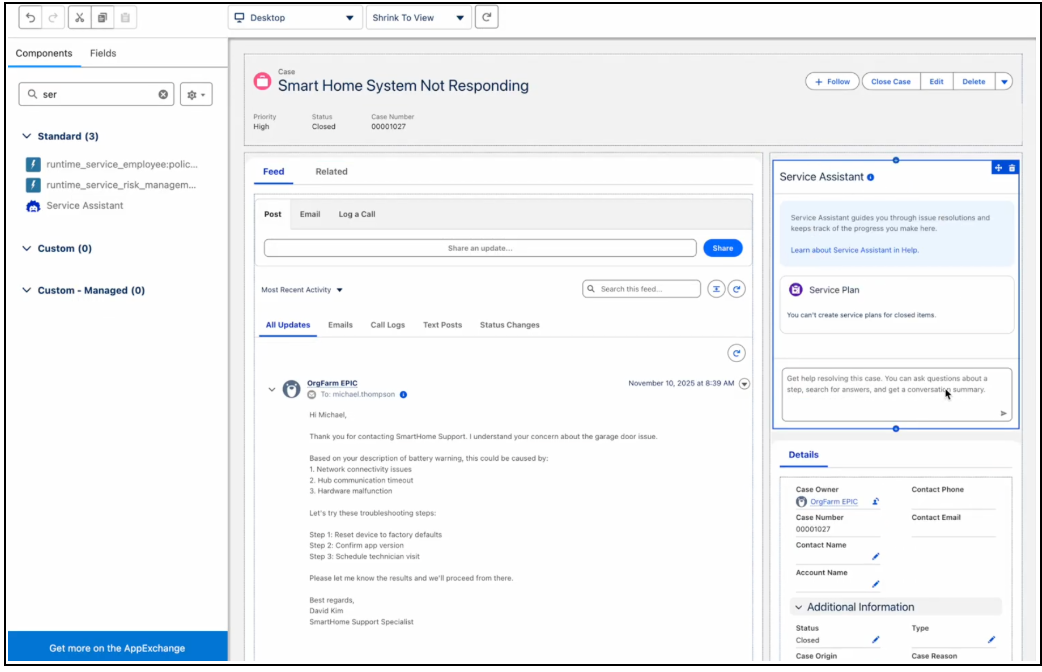
Drag the Service Assistant component to the page and save your changes.
- Click Activate.
- Click Assign as Org Default.
- Select form factors and click Next.
- Save your work.