
When you see an asterisk next to an action, it’s a step that’s important to complete. When you try to close a flow that’s mandatory before completing it, a reminder appears that it’s a required step.
Required Editions
| Available in: Lightning Experience |
|
Available in: Essentials, Professional, Enterprise, Performance, Unlimited, and Developer Editions Lightning console apps are available for an extra cost to users with Salesforce Platform user licenses for certain products. Some restrictions apply. For pricing details, contact your Salesforce account executive. |
| User Permissions Needed | |
|---|---|
| To run flows from the list: |
Run Flows OR Flow User field enabled on the user detail page OR Manage Flow |

Note The reminder appears for screen and field service mobile flows. We don’t show the reminder
for quick actions or autolaunched flows that are marked as mandatory.
-
To dismiss the warning and continue, click Cancel.
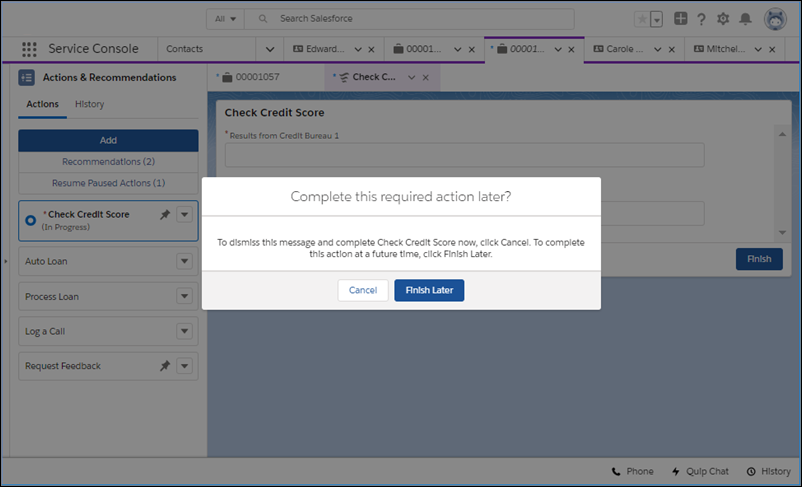
-
Otherwise, click Finish Later, which closes the tab or window.
You can start a new instance of the flow later.