
Use the navigation tab to select an object and view its home page.
Required Editions
| Available in: Salesforce Classic |
| Available in: Professional, Enterprise, Performance, Unlimited, and Developer Editions |
A Console’s Navigation Tab
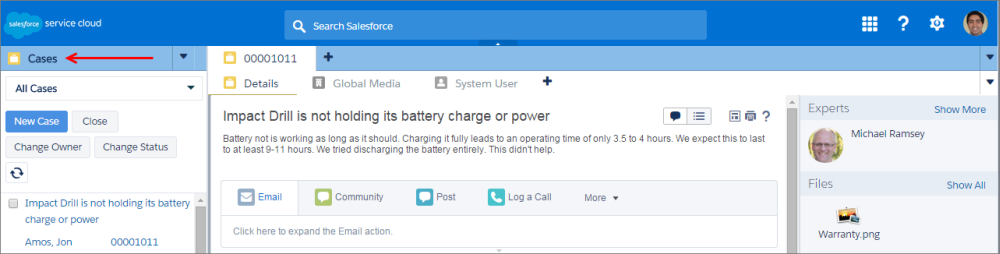
Each console displays one navigation tab. Your administrator determines the list of objects you can choose from a navigation tab, but if it’s turned on for you, you can click Customize My Tabs to hide, display, and organize the objects.
Most object home pages selected from a navigation tab display list views, which automatically appear as enhanced lists. A navigation tab doesn't display forecasts, ideas, answers, connections, portals, console, or buttons for customizing your Salesforce org.