Push notifications are visual indicators that appear when a record or field you’re
viewing was changed by others.
Required Editions
| Available in: Salesforce Classic |
| Available in: Professional, Enterprise, Performance,
Unlimited, and Developer Editions
|
After a Salesforce admin configures push
notifications, visual indicators for record or field changes appear on lists and detail pages.
When changes happen, detail pages automatically refresh and show updates, or notifications appear
as dialog boxes. Lists display notifications as:
Push Notifications for Lists
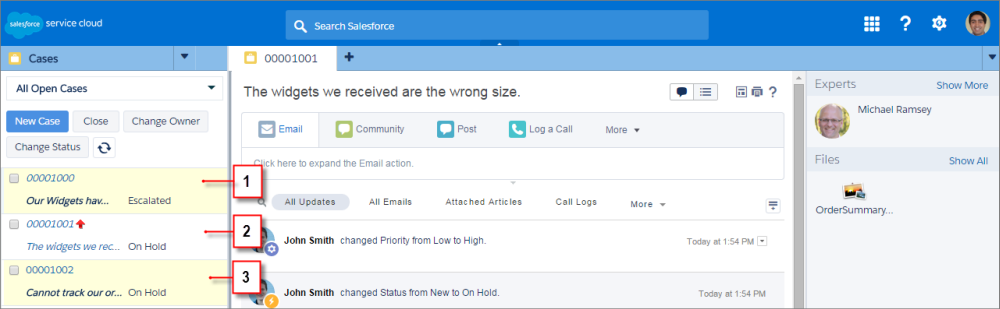
(1) Yellow when a record changes. (2) Blue if it’s the last item you viewed. (3) Bold and
italic when a field specified by an admin changes.
