Bots work best with supporting dialogs that help create a great customer experience. Learn about key dialogs: Agent Transfer, Anything else, Clear Memory, Confused, and End Chat. Explore intent data used for exact matching.
Required Editions
| View supported editions. |
Agent Transfer
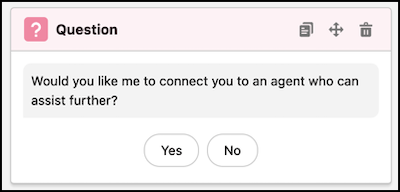
A key feature of service-oriented chatbots is the ability to transfer the user to a service rep if the bot is unable to resolve the user’s issue. The Transfer to agent dialog handles transfers to service reps from the bot. To avoid sudden transfers, the bot confirms that the user wants to be connected to a service rep before executing the transfer.
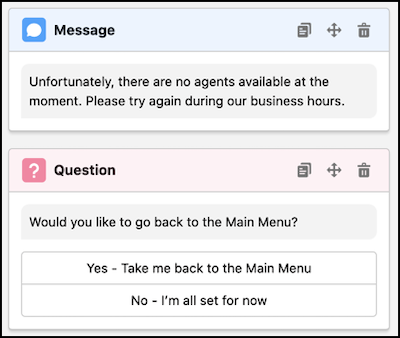
If no service reps are available, the bot automatically routes to the No Agent dialog. A next step is provided, “Unfortunately, no agents are available right now. Please try again later,” so the user has some guidance on what to do next. The user is also given the option to go back to the Main Menu.

Conversation Loopback: Anything Else & Clear Memory
The Anything else? and Clear memory dialogs are critical elements of bot conversation design because they allow the user to loop back through the bot and get another question answered or complete more tasks.
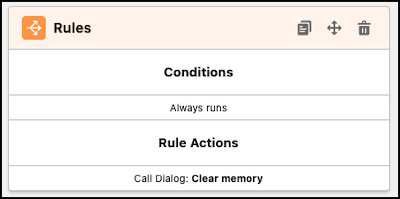
The Anything else? dialog is key because it gives the user an option to loop back to the Main Menu if they need further assistance. The Clear memory dialog is called immediately before the Main Menu to clear out the values of variables from the user’s previous run through the bot. Selectively clearing the bot’s memory allows the user to report another issue and look up other orders and cases.
Confused
If the bot doesn’t understand the user at any point in the bot’s conversation, the Confused dialog provides a message. This message is generic because it must apply to all scenarios where the bot can get confused:
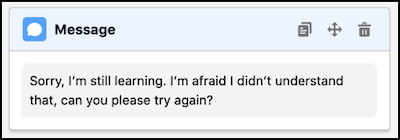
To learn more about when the Confused dialog is called in a bot conversation, visit Navigating Bot Conversations.
End Chat
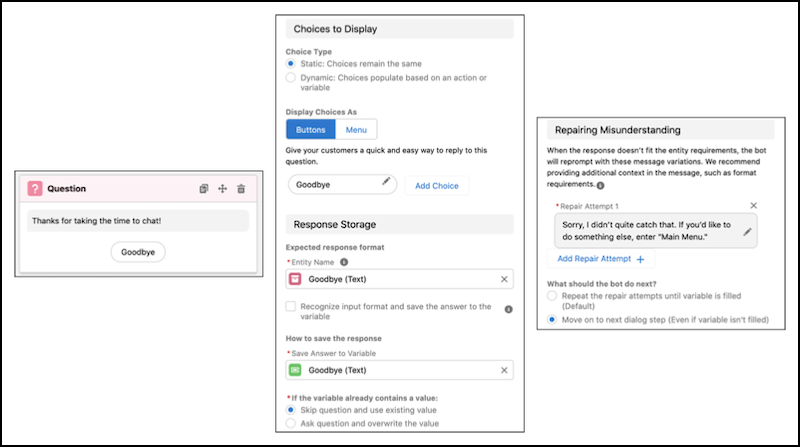
The End Chat dialog gives the user an out in case they don’t want to end the chat. If they respond to the message “Thanks for taking the time to chat!” with something that doesn’t match the Goodbye entity, the bot sends a conversation repair message. If the user again responds with an input that doesn’t match the Goodbye entity, they’re redirected to the Main Menu.
Exact Matching
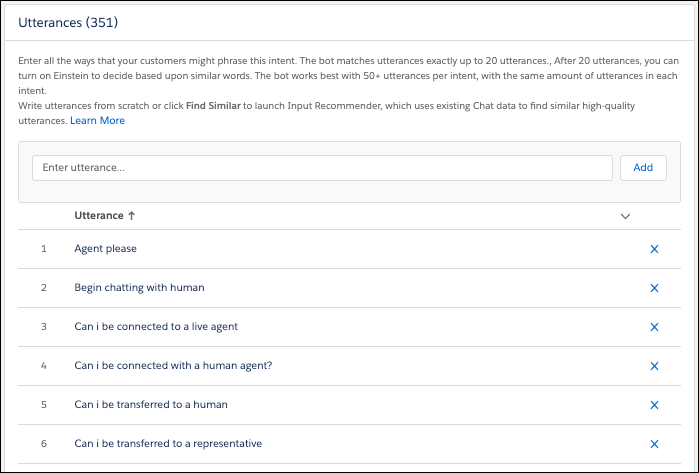
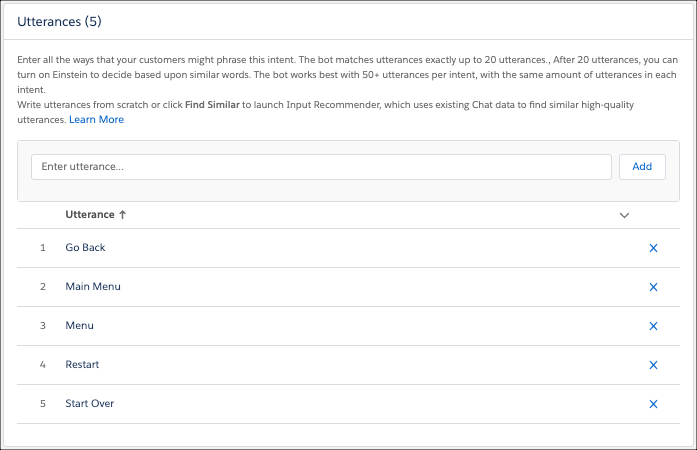
The Intro Template comes with intent data preloaded to allow for exact matching to dialogs. At any point in the conversation, the user can input any one of the utterances to be redirected to the Main Menu:
Similarly, entering one of the Transfer to Agent utterances starts the process of transferring to a service rep. The last thing we want to replicate is the experience of having to step through a long interactive voice response (IVR) system before you can finally talk to a human.