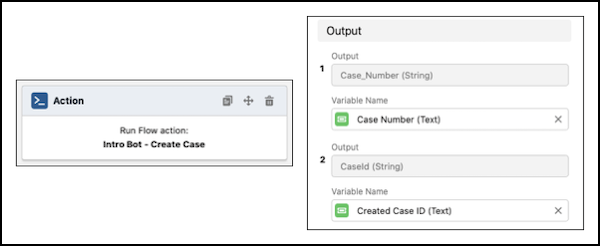
You can create cases from bot conversations using the Report an issue dialog and the Create Case dialog.
Required Editions
| View supported editions. |
The Report Issue dialog skill, the group of dialogs used to complete a task, assists your end users in getting their issues resolved by service reps. It can replace or augment an existing Web2Case form. The Report Issue dialog skill follows a similar pattern as Connect with Sales, with some key differences to allow users to report multiple issues in the same bot conversation.
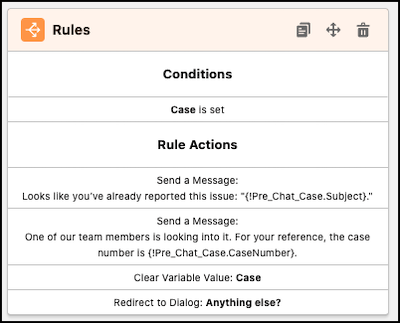
The first rule recognizes if a case was created through the pre-chat form. If so, the bot displays a custom message and allows the user to go back to the Main Menu to report another case, if needed.
Similar to the Create Lead dialog, the Create Case dialog also recognizes if information to create a case has been provided. Then the bot skips the Get user info dialog to ask the end-user questions.
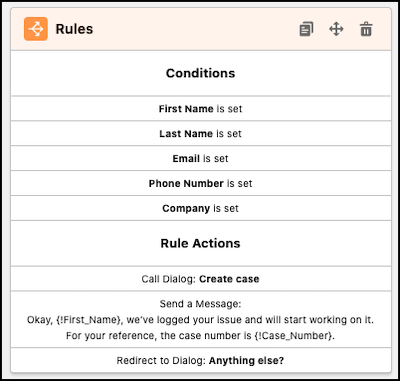
Create Case
The action dialog step, which creates a case, is built similarly to the Create Lead action. However, this flow also outputs the case number, so users can reference it later if they want to look up the case.