To use a question with dynamic options with your enhanced bot, create an autolaunched
flow to populate the options from the objects and fields you specify. The flow must return
an ID list variable as output for use with the bot.
Required Editions
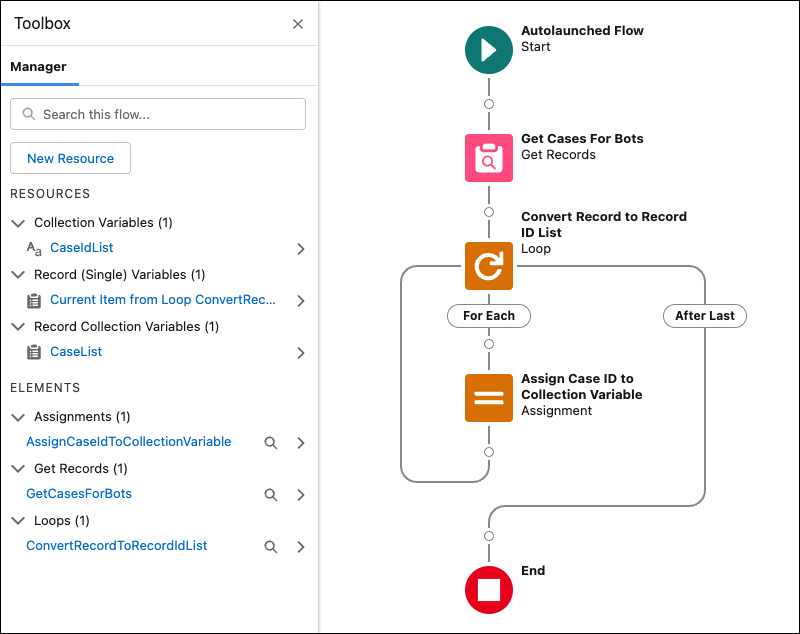
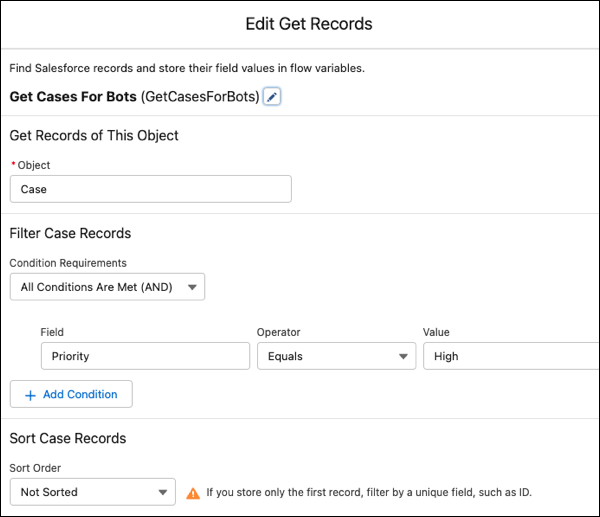
The Get Cases for Bots flow searches cases and filters by priority. It returns the three
most recent high-priority cases and stores the results in an ID list variable.
After you create a flow, in the bot, add a Flow action dialog step that references your
flow and store the output in an ID list bot variable. In the associated Question
(Dynamic) dialog step, reference the same ID list bot variable in the Record ID Options
input parameter.
A Closer Look at the Get Cases for Bots Example Flow
In this
example, the Get Records element, Get Cases For Bots, searches the Case object for
recent high-priority cases.
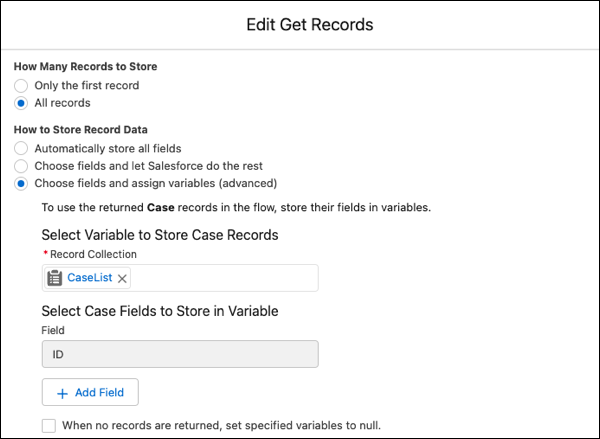
It selectively stores the ID field from the Case records in the CaseList record
collection (or record list) variable.
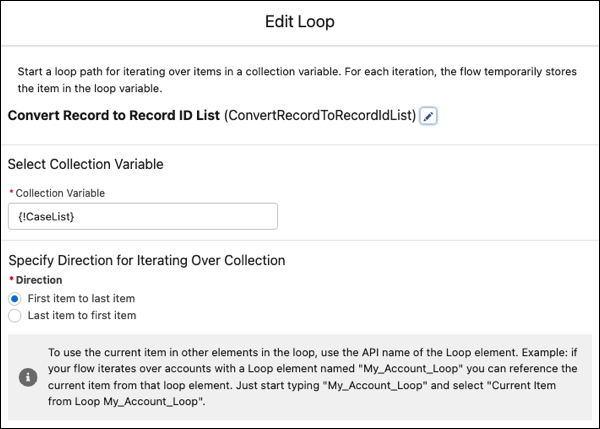
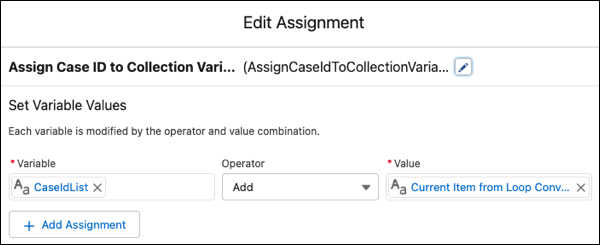
To convert the record collection to a record ID list, the flow uses the Loop
and Assignment elements. The Convert Record to Record ID List Loop element grabs the
ID field from each Case record stored in the CaseList record collection variable.
The Assign Case ID to Collection Variable Assignment element adds each record ID
field grabbed from the CaseList collection variable to the CaseIdList record ID list
variable.