
On the Einstein Bots setup page, turn on bots, create an Einstein bot, and access your list of bots.
Required Editions
| View supported editions. |
| User Permissions Needed | |
|---|---|
| To view the Einstein Bot Builder: |
View Setup OR Lightning User Experience |
| To build and manage Einstein Bots: |
Customize Application OR Modify Metadata OR Manage Bots |

Note Starting August 17, 2026, Einstein Bots is in Maintenance
Mode. Existing Einstein Bots continue to be supported and can be used after August 17, 2026.
However, no new features or enhancements will be added, and we recommend using Agentforce
for new AI agent implementations. See Upgrade Bots to Service Agent
and Learn about
Agentforce.
Before setting up bots, make sure you meet the Einstein Bots Requirements.
-
From Setup, in the Quick Find box, enter Einstein Bots, and then
select Einstein Bots.
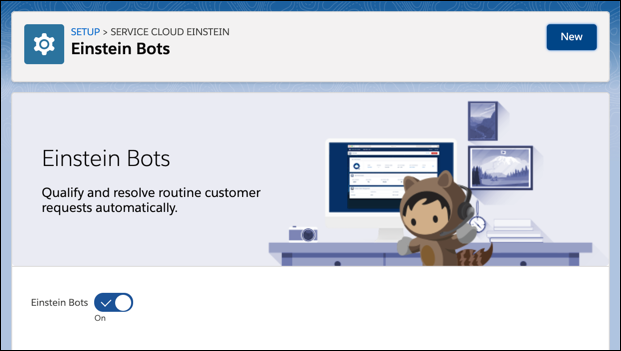
- To get started with Einstein Bots, click the toggle, and accept the terms.
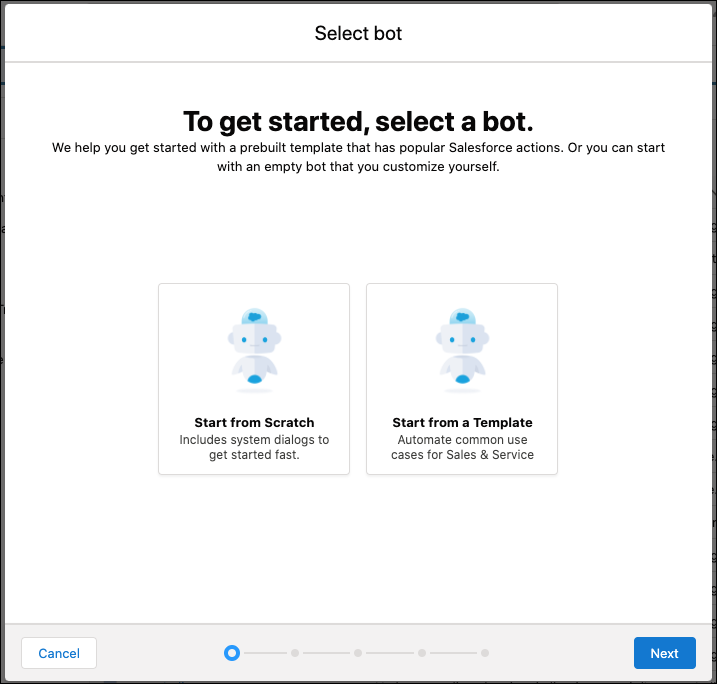
- Click New and then follow the guided setup. To start with a basic framework, select Start from Scratch. To create a bot with built-in dialogs that handle many common use cases, select Intro Template. Learn more about the options in Create an Einstein Bot.
-
After you complete the guided setup, you can edit specific settings about your bot on the
Bot Overview Page. Learn more about each setting in Update the Bot Overview Page.
- Enable Einstein Bots in a Scratch Org
You can quickly enable Einstein Bots in a scratch org using Salesforce DX.