---
schema_version: "1"
id: 0f338fdb67ebcff383abb9257baca19d4a8465637818fd480639169627511081
title: View and Edit Your Bot’s Name and Description
collection: admin
version: current
locale: en-us
portal_url: https://docs.salesforce.com/admin/current/en-us/service/264-0-0/bots_service_edit_bot_name.md
canonical_url: https://help.salesforce.com/s/articleView?id=service.bots_service_edit_bot_name.htm&release=264.0.0&type=5
source_site: help.salesforce.com
content_type: documentation
content_hash: a8f6dbe207c462aaf3be754a5598c59a035d3a8e86de899a8079d5cbd4291e3b
description: When you create a new bot, you give it a name and an optional description that’s not visible to customers. These details can be changed.
products:
  - Service Cloud
  - Service Intelligence
release: "264"
---
# View and Edit Your Bot’s Name and Description

When you create a new bot, you give it a name and an optional description that’s not visible to customers. These details can be changed.

### Required Editions

<table class="slds-table slds-table_bordered slds-max-medium-table_stacked slds-m-bottom_small edition"><colgroup><col></colgroup><tbody><tr class=""><td class="slds-cell-wrap" style="vertical-align:top;"><a href="https://help.salesforce.com/s/articleView?id=service.einstein_service_intro.htm&amp;language=en_US" target="_blank">View supported editions</a>.</td></tr></tbody></table>

<table class="slds-table slds-table_bordered slds-max-medium-table_stacked slds-m-bottom_small permission">
        <colgroup>
          <col style="width:50%">
          <col style="width:50%">
        </colgroup>
        <thead class="slds-text-title_caps ">
          <tr class="">
            <th scope="colgroup" class="slds-cell-wrap" colspan="2" style="text-align:center;vertical-align:top;" id="d55111e57">User Permissions Needed</th>
          </tr>
        </thead>
        <tbody>
          <tr class="">
            <td data-label="User Permissions Needed" class="slds-cell-wrap" style="vertical-align:top;" headers="d55111e57 ">To build and manage Einstein Bots:</td>

            <td class="slds-cell-wrap" style="vertical-align:top;" headers="d55111e57 ">
              <p>Customize Application</p>
              <p>OR</p>
              <p>Modify Metadata</p>
              <p>OR</p>
              <p style="margin-bottom:0;">Manage Bots</p>
            </td>

          </tr>
        </tbody>
      </table>

1. In the My Bots list, click **![Action menu](https://sf-zdocs-cdn-prod.zoominsoftware.com/tdta-service-support_intelligence-264-0-0-production-enus/dcd06a7b-b5ab-448b-a767-4e2e90481508/support_intelligence/images/bots/bots_service_actionmenu.png)** | **Edit** for your new bot.
2. In the Bot Information area, click Edit.

    
    ![Edit bot name and description](https://sf-zdocs-cdn-prod.zoominsoftware.com/tdta-service-support_intelligence-264-0-0-production-enus/dcd06a7b-b5ab-448b-a767-4e2e90481508/support_intelligence/images/bots/bot_service_edit_name.png)
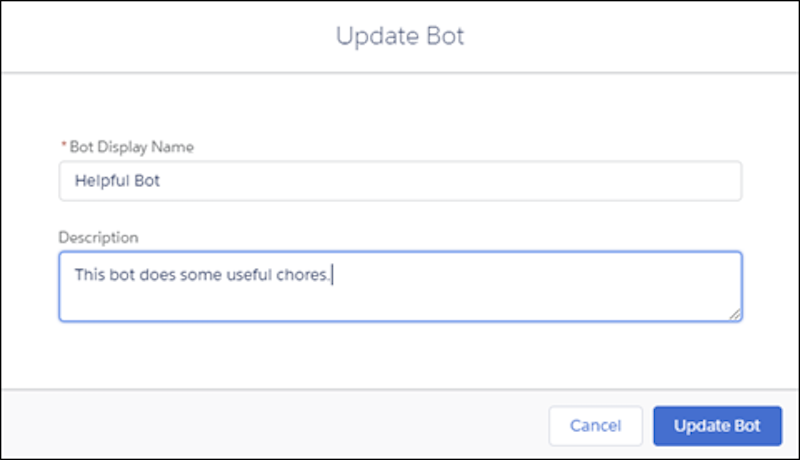
3. Update the name and description for your bot as needed.
    
    ![Update name and description](https://sf-zdocs-cdn-prod.zoominsoftware.com/tdta-service-support_intelligence-264-0-0-production-enus/dcd06a7b-b5ab-448b-a767-4e2e90481508/support_intelligence/images/bots/bots_service_edit_name2.png)