---
schema_version: "1"
id: 7383387973c33d262c7067ebd54fdfe180a7728c701cd85f7c8858e58f635772
title: Channel-Specific Rendering for Choices Components
collection: admin
version: current
locale: en-us
portal_url: https://docs.salesforce.com/admin/current/en-us/service/264-0-0/bots_service_channel_choices_rendering.md
canonical_url: https://help.salesforce.com/s/articleView?id=service.bots_service_channel_choices_rendering.htm&release=264.0.0&type=5
source_site: help.salesforce.com
content_type: documentation
content_hash: 50136ee3c88a75ca9a02959f5539f06a79bd95357590ea1820e7eabaa60be5b5
description: Choices components render differently depending on the messaging channel. Each channel supports unique interactive message types and limits.
products:
  - Service Cloud
  - Service Intelligence
release: "264"
---
# Channel-Specific Rendering for Choices Components

Choices components render differently depending on the messaging channel. Each channel supports unique interactive message types and limits.

### Required Editions

<table class="slds-table slds-table_bordered slds-max-medium-table_stacked slds-m-bottom_small edition"><colgroup><col></colgroup><tbody><tr class=""><td class="slds-cell-wrap" style="vertical-align:top;"><a href="https://help.salesforce.com/s/articleView?id=service.einstein_service_intro.htm&amp;language=en_US" target="_blank">View supported editions</a>.</td></tr></tbody></table>

<table class="slds-table slds-table_bordered slds-max-medium-table_stacked slds-m-bottom_small permission">
      <colgroup>
        <col style="width:50%">
        <col style="width:50%">
      </colgroup>
      <thead class="slds-text-title_caps ">
        <tr class="">
          <th scope="colgroup" class="slds-cell-wrap" colspan="2" style="text-align:center;vertical-align:top;" id="d43345e55">User Permissions Needed</th>
        </tr>
      </thead>
      <tbody>
        <tr class="">
          <td data-label="User Permissions Needed" class="slds-cell-wrap" style="vertical-align:top;" headers="d43345e55 ">To build and manage Einstein Bots:</td>

          <td class="slds-cell-wrap" style="vertical-align:top;" headers="d43345e55 ">
            <p>Customize Application</p>
            <p>OR</p>
            <p>Modify Metadata</p>
            <p>OR</p>
            <p style="margin-bottom:0;">Manage Bots</p>
          </td>

        </tr>
        <tr class="">
          <td data-label="User Permissions Needed" class="slds-cell-wrap" style="vertical-align:top;" headers="d43345e55 ">To add, edit, or delete channels</td>

          <td class="slds-cell-wrap" style="vertical-align:top;" headers="d43345e55 ">Customize Application</td>

        </tr>
      </tbody>
    </table>

## Channel-Specific Rendering Behavior

The table shows how choices components render across different messaging channels.

    
| Choices Component | WhatsApp | Facebook Messenger | In-App and Web Messaging | SMS |
| --- | --- | --- | --- | --- |
| Buttons | List Selector | Quick Replies | Buttons | Text |
| Menu with 3 or fewer options | Inline buttons | Menu | Menu | Text |
| Menu with more than 3 options | List Selector | Menu | Menu | Text |

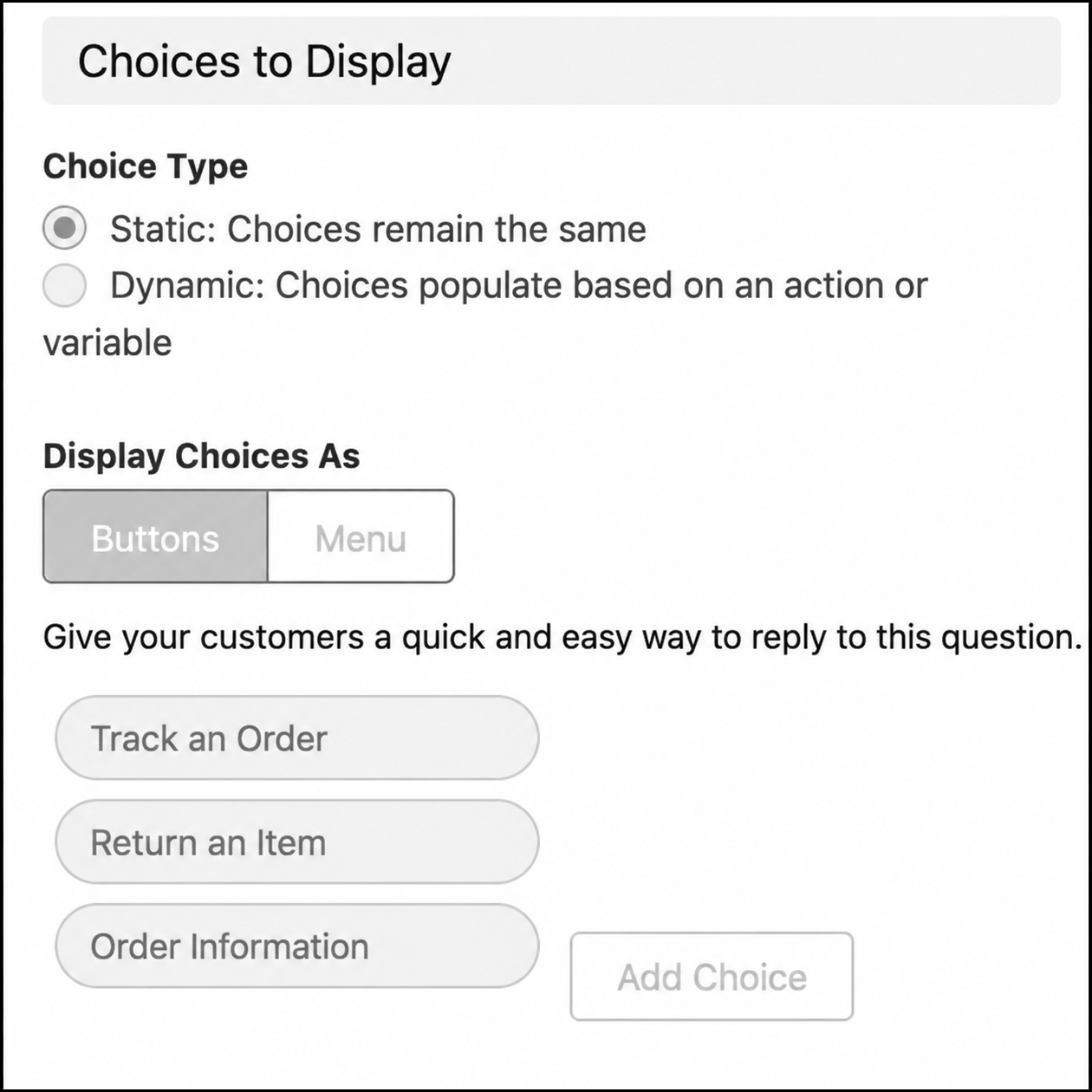
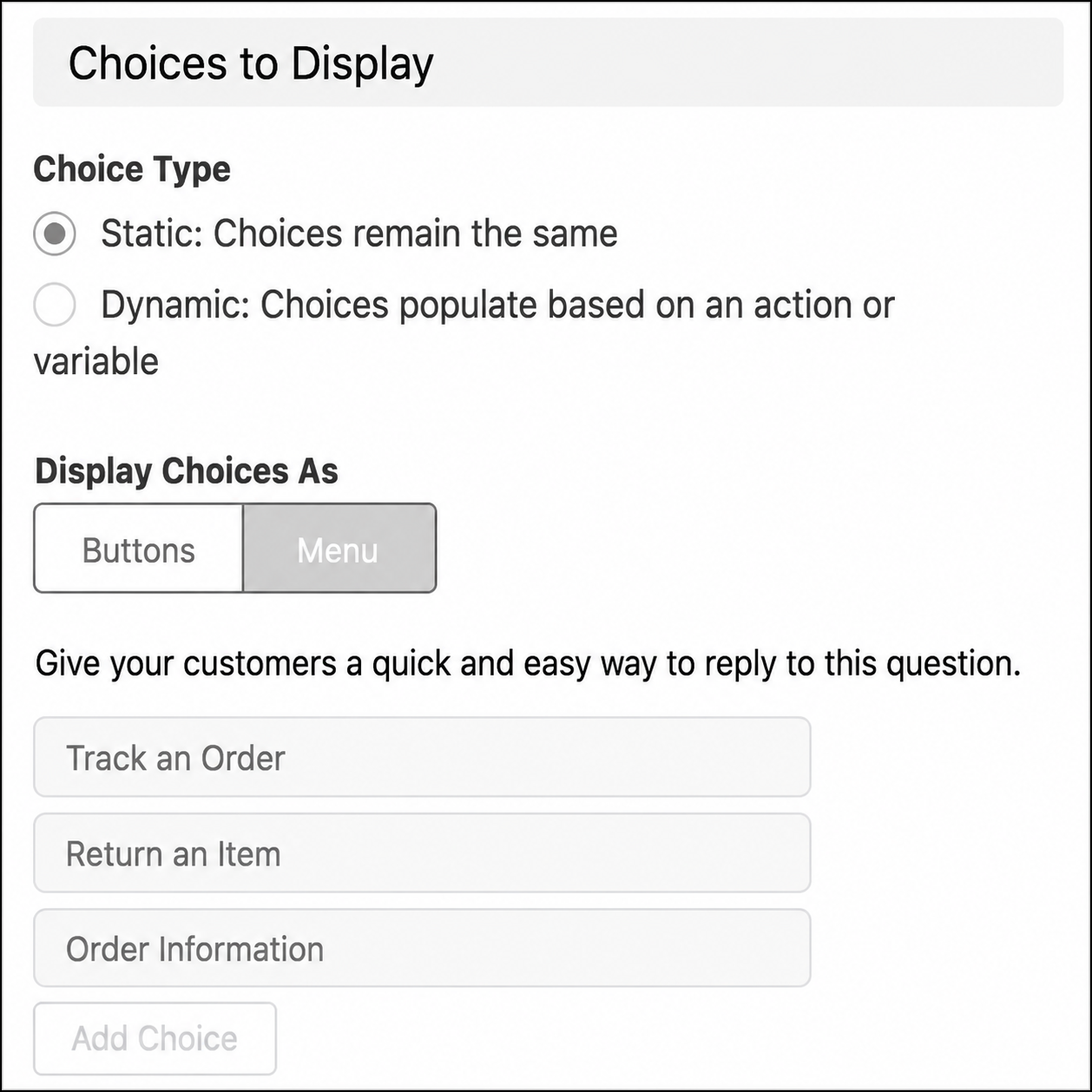
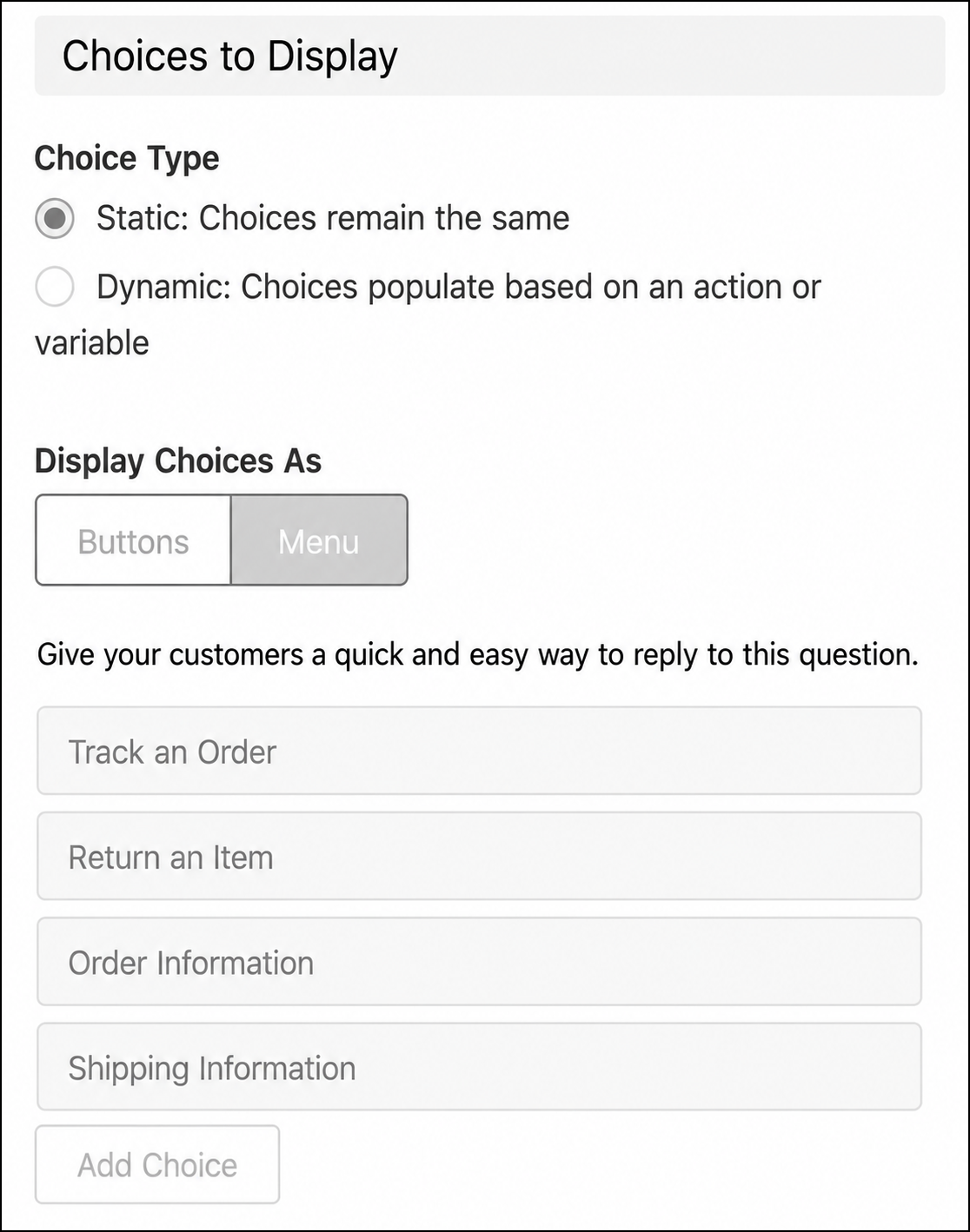
In Bot Builder, configure the choices component by selecting either Buttons or Menu from the **Display Choices As** setting. The rendering in WhatsApp depends on the selected option and the number of choices configured.

Buttons component
![Bot Builder showing Buttons selected with three choice options](https://sf-zdocs-cdn-prod.zoominsoftware.com/tdta-service-support_intelligence-264-0-0-production-enus/dcd06a7b-b5ab-448b-a767-4e2e90481508/support_intelligence/images/bots/bots_service_choices_config_buttons.png)

Menu component with 3 or fewer options
![Bot Builder showing Menu selected with three choice options](https://sf-zdocs-cdn-prod.zoominsoftware.com/tdta-service-support_intelligence-264-0-0-production-enus/dcd06a7b-b5ab-448b-a767-4e2e90481508/support_intelligence/images/bots/bots_service_choices_config_menu_three.png)

Menu component with more than 3 options
![Bot Builder showing Menu selected with four choice options](https://sf-zdocs-cdn-prod.zoominsoftware.com/tdta-service-support_intelligence-264-0-0-production-enus/dcd06a7b-b5ab-448b-a767-4e2e90481508/support_intelligence/images/bots/bots_service_choices_config_menu_four.png)

Bot Builder component names don't always reflect how the component renders in every messaging channel. Rendering behavior depends on channel capabilities and supported message layouts.

## WhatsApp Considerations

WhatsApp rendering behavior depends on supported interactive message types and platform limits.

- WhatsApp doesn't support Quick Replies.
- Inline buttons support up to 3 options.
- List Selectors support up to 10 rows.
- Buttons components renders as a List Selector.
- Menu components with 3 or fewer options renders as inline buttons.
- Menu components with more than 3 options renders as a List Selector.

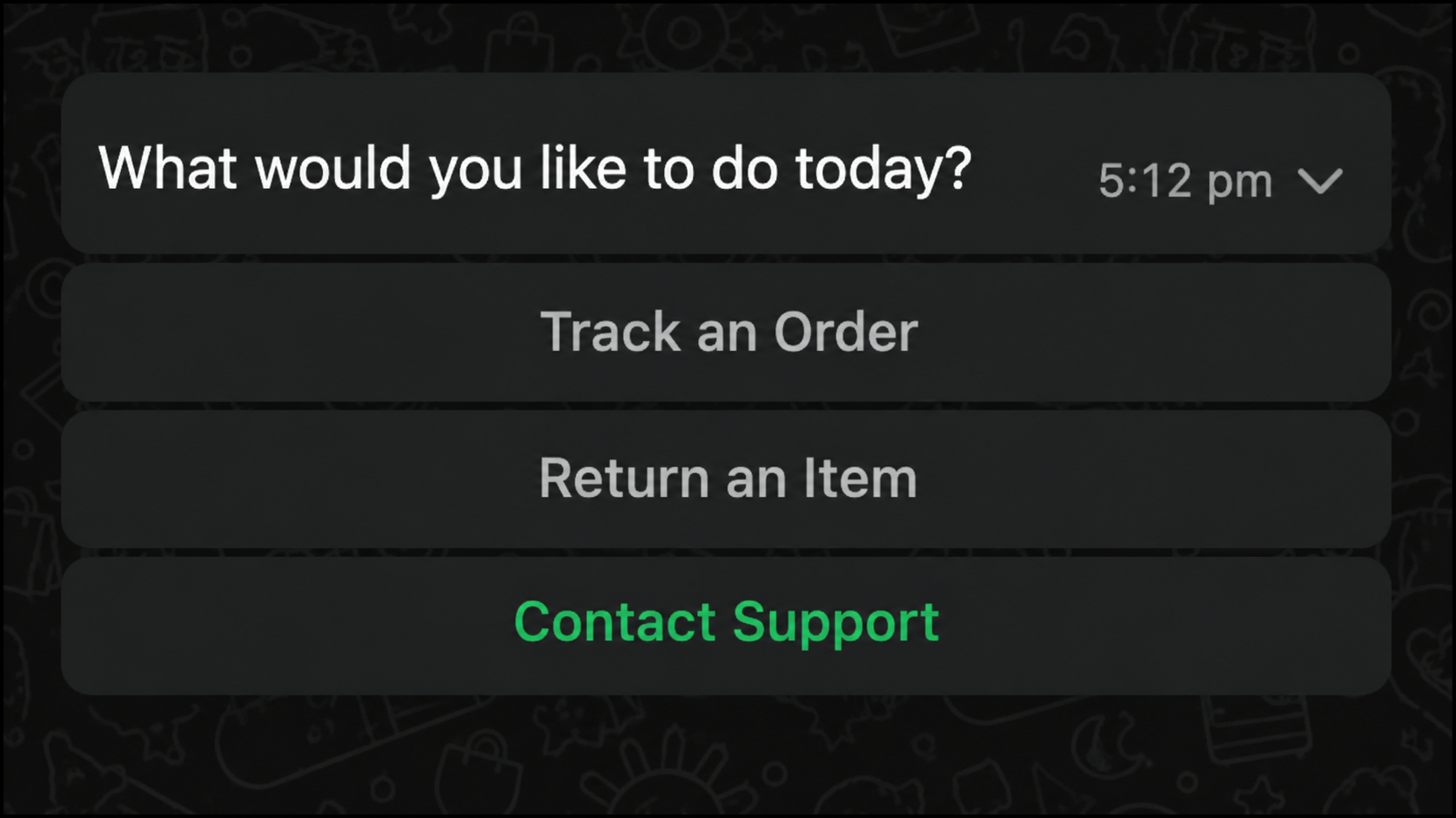
When you configure a Menu component with 3 options, WhatsApp renders them as vertical inline buttons.
![WhatsApp conversation showing three vertically stacked buttons](https://sf-zdocs-cdn-prod.zoominsoftware.com/tdta-service-support_intelligence-264-0-0-production-enus/dcd06a7b-b5ab-448b-a767-4e2e90481508/support_intelligence/images/bots/bots_service_whatsapp_three_buttons.png)

When you configure a Menu component with 2 short options, WhatsApp renders them as horizontal inline buttons.
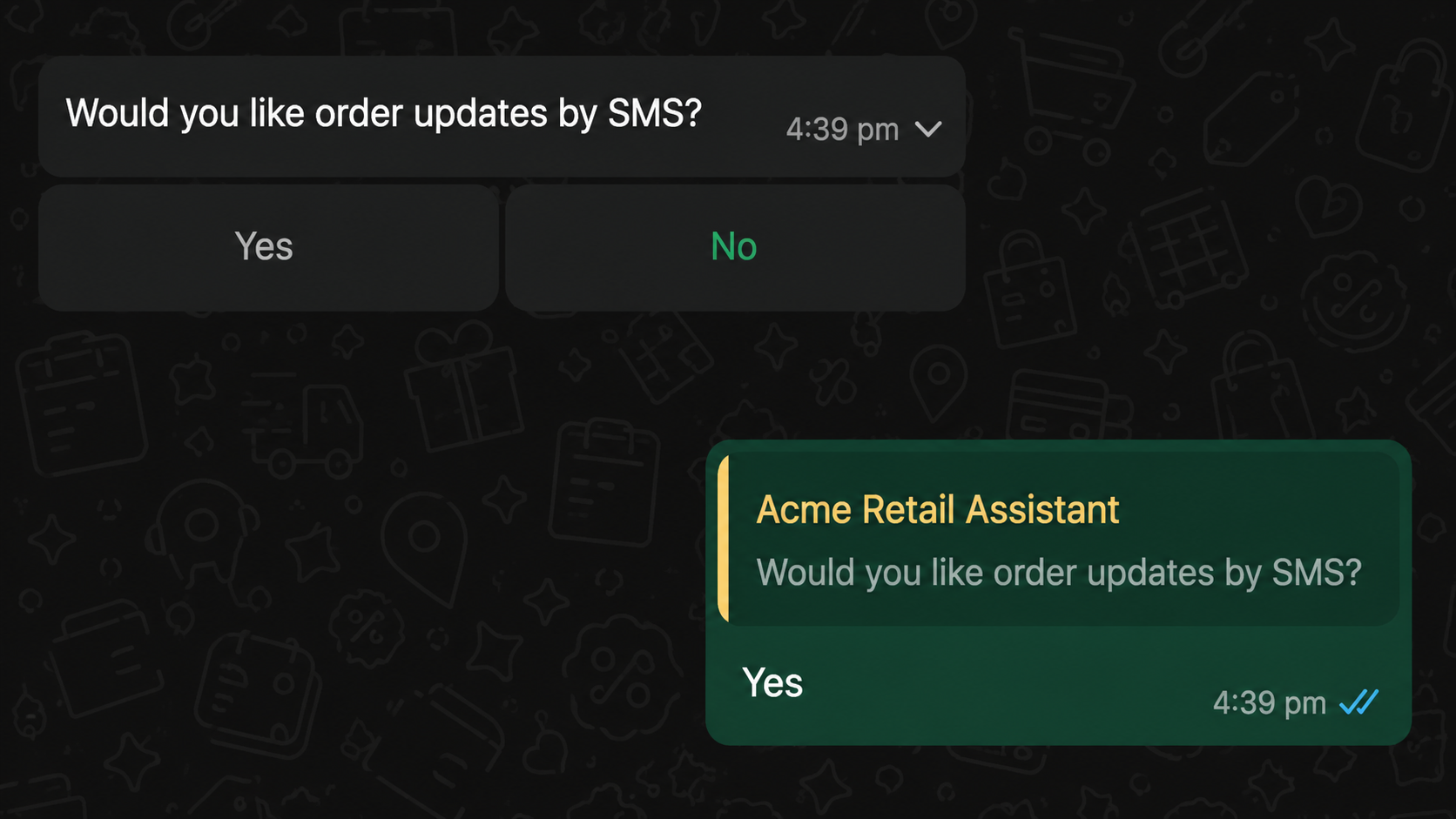
![WhatsApp conversation showing two horizontally arranged buttons](https://sf-zdocs-cdn-prod.zoominsoftware.com/tdta-service-support_intelligence-264-0-0-production-enus/dcd06a7b-b5ab-448b-a767-4e2e90481508/support_intelligence/images/bots/bots_service_whatsapp_two_buttons.png)

When you configure a Buttons component or a Menu component with more than 3 options, WhatsApp renders the component as a List Selector. The List Selector initially appears in a collapsed state.
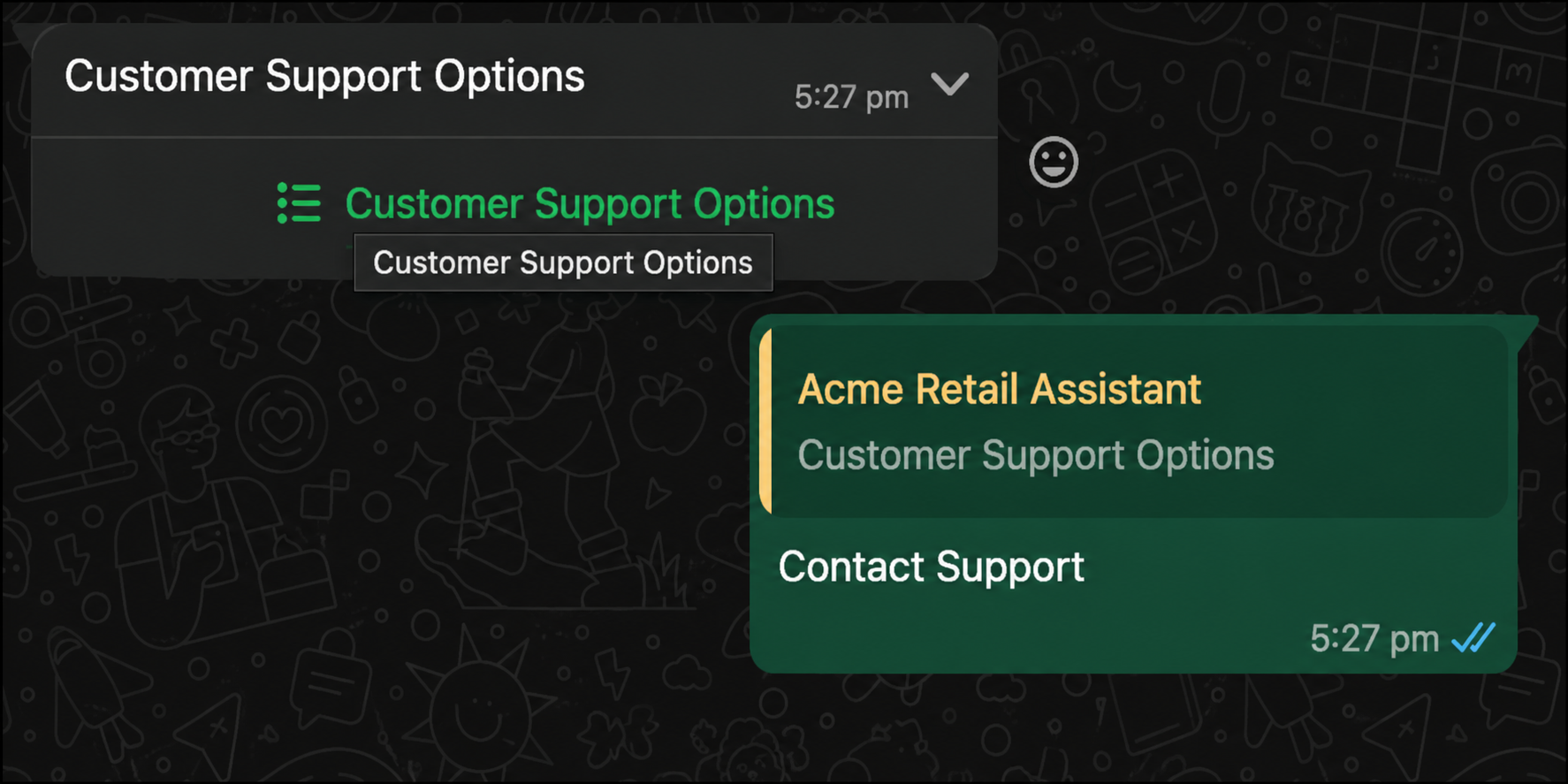
![WhatsApp conversation showing collapsed List Selector](https://sf-zdocs-cdn-prod.zoominsoftware.com/tdta-service-support_intelligence-264-0-0-production-enus/dcd06a7b-b5ab-448b-a767-4e2e90481508/support_intelligence/images/bots/bots_service_whatsapp_list_collapsed.png)

You can tap the List Selector to view all available options. The expanded List Selector displays all configured choices.
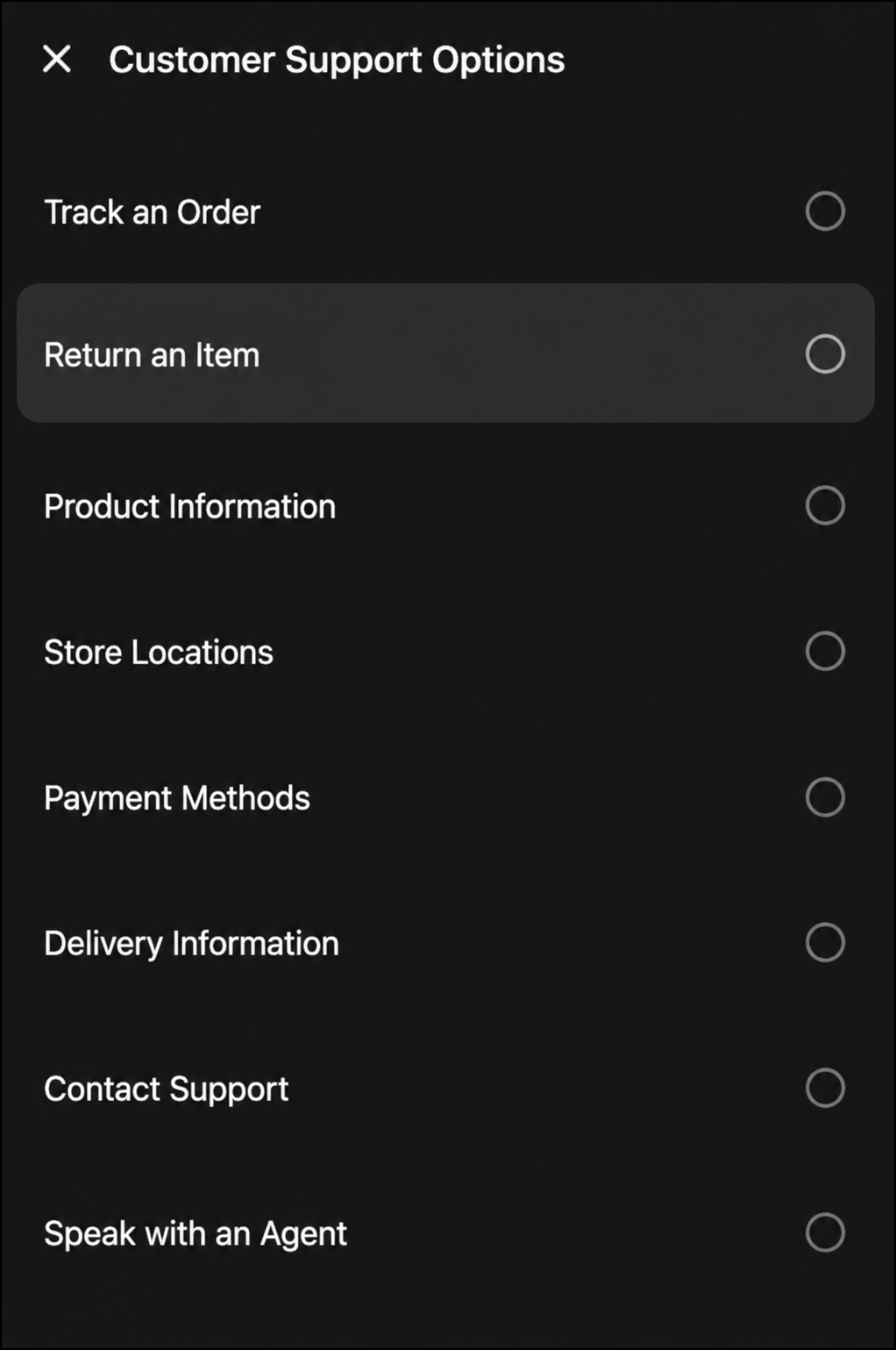
![WhatsApp conversation showing expanded List Selector with all support options](https://sf-zdocs-cdn-prod.zoominsoftware.com/tdta-service-support_intelligence-264-0-0-production-enus/dcd06a7b-b5ab-448b-a767-4e2e90481508/support_intelligence/images/bots/bots_service_whatsapp_list_expanded.png)

When you select an option, the selection appears in the conversation.
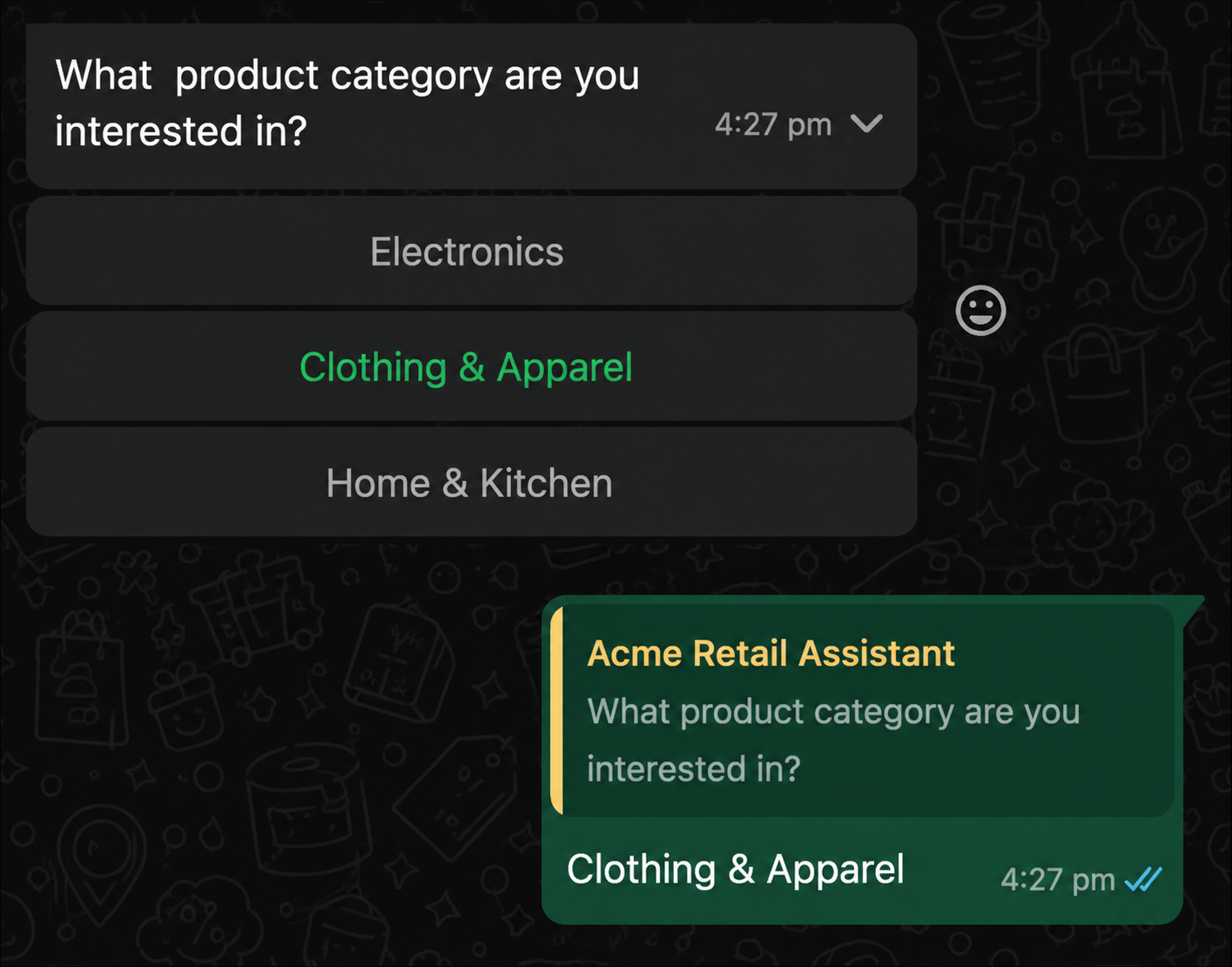
![WhatsApp conversation showing selected option in message bubble](https://sf-zdocs-cdn-prod.zoominsoftware.com/tdta-service-support_intelligence-264-0-0-production-enus/dcd06a7b-b5ab-448b-a767-4e2e90481508/support_intelligence/images/bots/bots_service_whatsapp_list_category_selected.png)

![Note](https://sf-zdocs-cdn-prod.zoominsoftware.com/tdta-service-support_intelligence-264-0-0-production-enus/dcd06a7b-b5ab-448b-a767-4e2e90481508/images/icon_note.png)

Note Meta's WhatsApp Business API defines interactive reply buttons as "type": "button" (maximum 3 buttons) and interactive list messages as "type": "list" (up to 10 rows). Bot Builder's Buttons and Menu component labels refer to the bot authoring experience, not the specific WhatsApp message type that renders. Einstein Bots automatically selects the best supported message format based on each channel's capabilities.

## Best Practices

- Test choices components in each supported messaging channel before deploying your bot.
- Use 3 or fewer options when designing WhatsApp inline button experiences.
- Use Menu components for larger option lists.
- Review channel-specific rendering behavior during conversation design.

#### See Also

- [Connect a Standard Bot to Channels](https://help.salesforce.com/s/articleView?id=service.bots_service_deploy_to_channels.htm&language=en_US)