Add a delay to bot responses on standard and enhanced channels to deliver multiple
messages to the customer at a natural pace. Maximize your customers’ time with a shorter delay,
or give your customers more time to read with a longer delay. The bot shows a typing indicator
to your customer during delays.
Required Editions
| User Permissions Needed |
| To build and manage Einstein Bots: |
Customize Application
OR
Modify Metadata
OR
Manage Bots
|
-
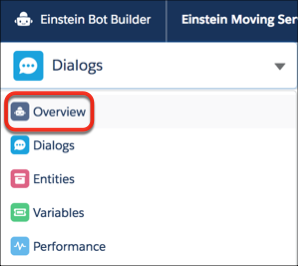
In the Bot Builder menu, click Overview.
-
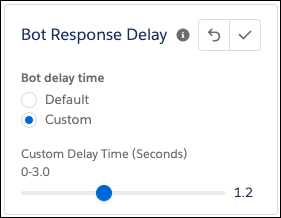
To edit the delay time before a bot messages, select the pencil icon for Bot Response
Delay in the Settings area. The default delay is 1.2 seconds. To save your changes, click
the checkmark.