---
schema_version: "1"
id: c93e2d296cd71b19d535b29d56ae2f57640c893593feea0fd8c7d2e164f0d138
title: Add a Value List Entity
collection: admin
version: current
locale: en-us
portal_url: https://docs.salesforce.com/admin/current/en-us/service/264-0-0/bots_service_add_entity_value_list.md
canonical_url: https://help.salesforce.com/s/articleView?id=service.bots_service_add_entity_value_list.htm&release=264.0.0&type=5
source_site: help.salesforce.com
content_type: documentation
content_hash: df2e893224fe7c3f1f08bf35e3ce16a02d1a56d67ad71a4e91d4bc8271fa2edf
description: A value list entity provides a way to extract the entity if there’s an exact match to a value or a synonym in a list of values.
products:
  - Service Cloud
  - Service Intelligence
release: "264"
---
# Add a Value List Entity

A value list entity provides a way to extract the entity if there’s an exact match to a value or a synonym in a list of values.

### Required Editions

<table class="slds-table slds-table_bordered slds-max-medium-table_stacked slds-m-bottom_small edition"><colgroup><col></colgroup><tbody><tr class=""><td class="slds-cell-wrap" style="vertical-align:top;"><a href="https://help.salesforce.com/s/articleView?id=service.einstein_service_intro.htm&amp;language=en_US" target="_blank">View supported editions</a>.</td></tr></tbody></table>

<table class="slds-table slds-table_bordered slds-max-medium-table_stacked slds-m-bottom_small permission">
        <colgroup>
          <col style="width:50%">
          <col style="width:50%">
        </colgroup>
        <thead class="slds-text-title_caps ">
          <tr class="">
            <th scope="colgroup" class="slds-cell-wrap" colspan="2" style="text-align:center;vertical-align:top;" id="d14455e57">User Permissions Needed</th>
          </tr>
        </thead>
        <tbody>
          <tr class="">
            <td data-label="User Permissions Needed" class="slds-cell-wrap" style="vertical-align:top;" headers="d14455e57 ">To build and manage Einstein Bots:</td>

            <td class="slds-cell-wrap" style="vertical-align:top;" headers="d14455e57 ">
              <p>Customize Application</p>
              <p>OR</p>
              <p>Modify Metadata</p>
              <p>OR</p>
              <p style="margin-bottom:0;">Manage Bots</p>
            </td>

          </tr>
        </tbody>
      </table>

For example, if you sell widgets in the colors red, green, and blue, you can create a value list entity called Color. Then create three value to value list pairs of alternates or synonyms for each color. The bot can recognize any value list value as a match for the color value. Bots with multiple languages can define their value list entities by language.

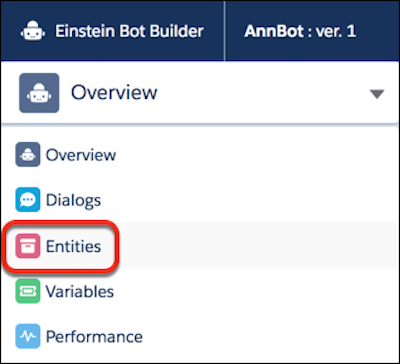
1. From the Bot Builder menu, click **Entities**.
    
    ![Entities option in Bot Builder menu](https://sf-zdocs-cdn-prod.zoominsoftware.com/tdta-service-support_intelligence-264-0-0-production-enus/dcd06a7b-b5ab-448b-a767-4e2e90481508/support_intelligence/images/bots/bots_service_builder_menu_entities.png)
2. In the Entities list view, click **New**.
3. Provide an entity name and select **Value List**.
4. Save the new entity.
5. In the All Entities list view, click **![Action menu](https://sf-zdocs-cdn-prod.zoominsoftware.com/tdta-service-support_intelligence-264-0-0-production-enus/dcd06a7b-b5ab-448b-a767-4e2e90481508/support_intelligence/images/bots/bots_service_actionmenu.png)** | **View** for the new entity.
6. Click **Add**. Enter each value and corresponding value list. Separate value list terms with commas.
7. Save the entity.