---
schema_version: "1"
id: fefcb521ad4e93c58639a1d25fe4ee1e370d02621a3b7e843078a1af965313b6
title: Activate or Deactivate Your Bot
collection: admin
version: current
locale: en-us
portal_url: https://docs.salesforce.com/admin/current/en-us/service/264-0-0/bots_service_activate_bot.md
canonical_url: https://help.salesforce.com/s/articleView?id=service.bots_service_activate_bot.htm&release=264.0.0&type=5
source_site: help.salesforce.com
content_type: documentation
content_hash: ecf632303ed1ecf9690b145d71be0171d6dfcc98590b2f88443eead0da288b1d
description: When you’re ready to put your bot to work, activate your bot and welcome your new agent to the team!
products:
- Service Cloud
- Service Intelligence
release: "264"
---
# Activate or Deactivate Your Bot
When you’re ready to put your bot to work, activate your bot and welcome your new agent to the team!
### Required Editions

Note Starting August 17, 2026, Einstein Bots is in Maintenance Mode. Existing Einstein Bots continue to be supported and can be used after August 17, 2026. However, no new features or enhancements will be added, and we recommend using Agentforce for new AI agent implementations. See [Upgrade Bots to Service Agent](https://help.salesforce.com/s/articleView?id=service.bots_service_asa_create.htm&type=5&language=en_US) and [Learn about Agentforce](https://trailhead.salesforce.com/content/learn/trails/design-and-implement-ai-agents-with-agentforce).
1. From any page in the Bot Builder menu, click **Activate**.
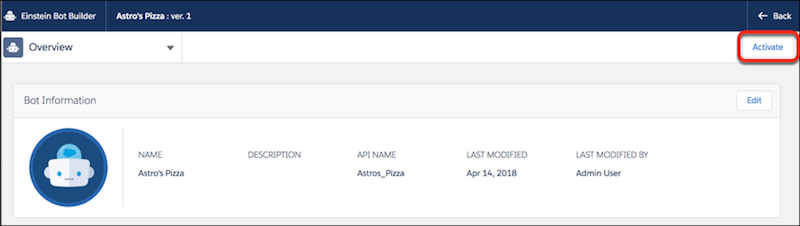
The **Activate** button changes to **Deactivate**.
2. To make changes to your bot, you must first deactivate it. Click **Deactivate**.
- **[Preview Your Bot](https://help.salesforce.com/s/articleView?id=service.bots_service_preview_bot.htm&release=264.0.0&type=5)**
Try out your bot before it’s visible to your customers with Text Preview. Or connect your bot to a Chat channel to preview your bot’s full content.