---
schema_version: "1"
id: 02f4bea26a85e804a59c691d1ecc24b14ee148ac257f5734cd4cf9275839c215
title: Schedule Timesheet Creation in Salesforce Maps
collection: admin
version: current
locale: en-us
portal_url: https://docs.salesforce.com/admin/current/en-us/sales/264-0-0/salesforce_maps_setup_timesheets_batch_creation.md
canonical_url: https://help.salesforce.com/s/articleView?id=sales.salesforce_maps_setup_timesheets_batch_creation.htm&release=264.0.0&type=5
source_site: help.salesforce.com
content_type: documentation
content_hash: e98e505bb61ec2977d738284c995011ed8c3e411bd76972346d5eb3181de6dcc
description: Ensure that reps get access to their timesheets so that they avoid interruptions while tracking activities and distances that qualify for reimbursement in Salesforce Maps.
products:
  - Sales
  - Salesforce Maps
release: "264"
---
# Schedule Timesheet Creation in Salesforce Maps

Ensure that reps get access to their timesheets so that they avoid interruptions while tracking activities and distances that qualify for reimbursement in Salesforce Maps.

### Required Editions

<table class="slds-table slds-table_bordered slds-max-medium-table_stacked slds-m-bottom_small edition"><colgroup><col></colgroup><tbody><tr class=""><td class="slds-cell-wrap" style="vertical-align:top;"><a href="https://help.salesforce.com/s/articleView?id=sales.salesforce_maps_editions.htm&amp;release=264.0.0&amp;type=5" title="Identify supported Salesforce editions, user interfaces, and product areas.">View supported editions</a>.</td></tr></tbody></table>

<table class="slds-table slds-table_bordered slds-max-medium-table_stacked slds-m-bottom_small permission">
        <colgroup>
          <col style="width:50%">
          <col style="width:50%">
        </colgroup>
        <thead class="slds-text-title_caps ">
          <tr class="">
            <th scope="colgroup" class="slds-cell-wrap" colspan="2" style="text-align:center;vertical-align:top;" id="d6867e62">User Permissions Needed</th>
          </tr>
        </thead>
        <tbody>
          <tr class="">
            <td data-label="User Permissions Needed" class="slds-cell-wrap" style="vertical-align:top;" headers="d6867e62 ">To configure installed packages:</td>

            <td class="slds-cell-wrap" style="vertical-align:top;" headers="d6867e62 ">Customize Application</td>

          </tr>
        </tbody>
      </table>

1. From Setup, in the Quick Find box, enter Installed Packages, and then select **Installed Packages**.
2. Click **Configure** next to the Salesforce Maps package.
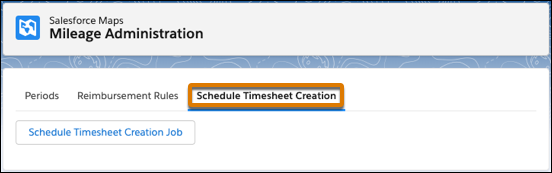
3. Select **Mileage Administration**.
4. Under Schedule Timesheet Creation, select **Schedule Timesheet Creation Job**.
    
    ![Option to schedule the creation of timesheets](https://sf-zdocs-cdn-prod.zoominsoftware.com/tdta-sales-salesforce_maps-264-0-0-production-enus/2addcda4-01f0-4f47-83c5-f499a45bf555/salesforce_maps/images/maps_settings_timesheets_batch_creation.png)