---
schema_version: "1"
id: 7c7d2727de9c3c8940cb7b5d6461931ec2f83f22a74c84cd46543990a46cb191
title: Manage Public and Private Email Templates in Lightning Experience
collection: admin
version: current
locale: en-us
portal_url: https://docs.salesforce.com/admin/current/en-us/sales/264-0-0/email_templates_use_public_lex.md
canonical_url: https://help.salesforce.com/s/articleView?id=sales.email_templates_use_public_lex.htm&release=264.0.0&type=5
source_site: help.salesforce.com
content_type: documentation
content_hash: 07ef356a19a3fbc25755cf667cba74f7fb6b6167904df402ab12bfd0e771a8f8
description: Everyone can edit their own private templates and any public templates that they own. If you have permission, you can also create, edit, and save public templates.
products:
- Sales Cloud
- Cross Cloud
- Service Cloud Voice
release: "264"
---
# Manage Public and Private Email Templates in Lightning Experience
Everyone can edit their own private templates and any public templates that they own. If you have permission, you can also create, edit, and save public templates.
### Required Editions
Available in: Lightning Experience
Available in: Essentials, Professional, Enterprise, Performance, Unlimited, and Developer Editions
User Permissions Needed
To create, edit, and save public email templates:
“Manage Public Lightning Email Templates”
Email templates inherit the sharing of the folder they are in.
Lightning email templates are saved in a private directory by default.
All users can edit their own private templates and any public templates that they own.
If you have the Manage Public Lightning Email Templates permission, you can also create, edit, and delete public templates.
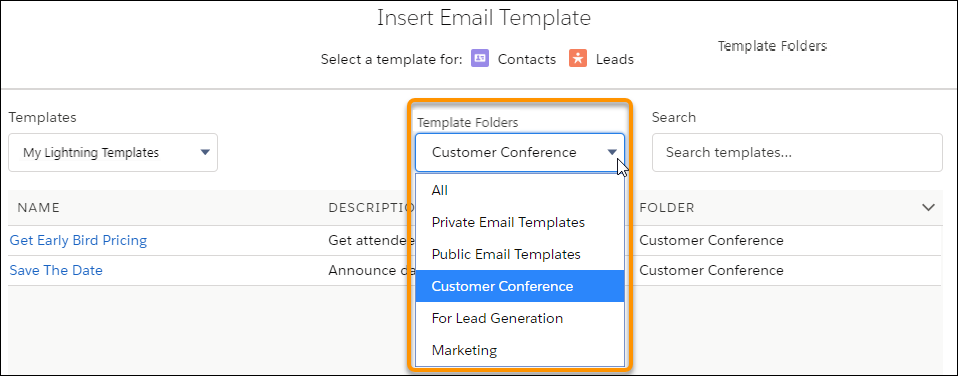
When a user inserts an email template, they can choose which folder to look in.