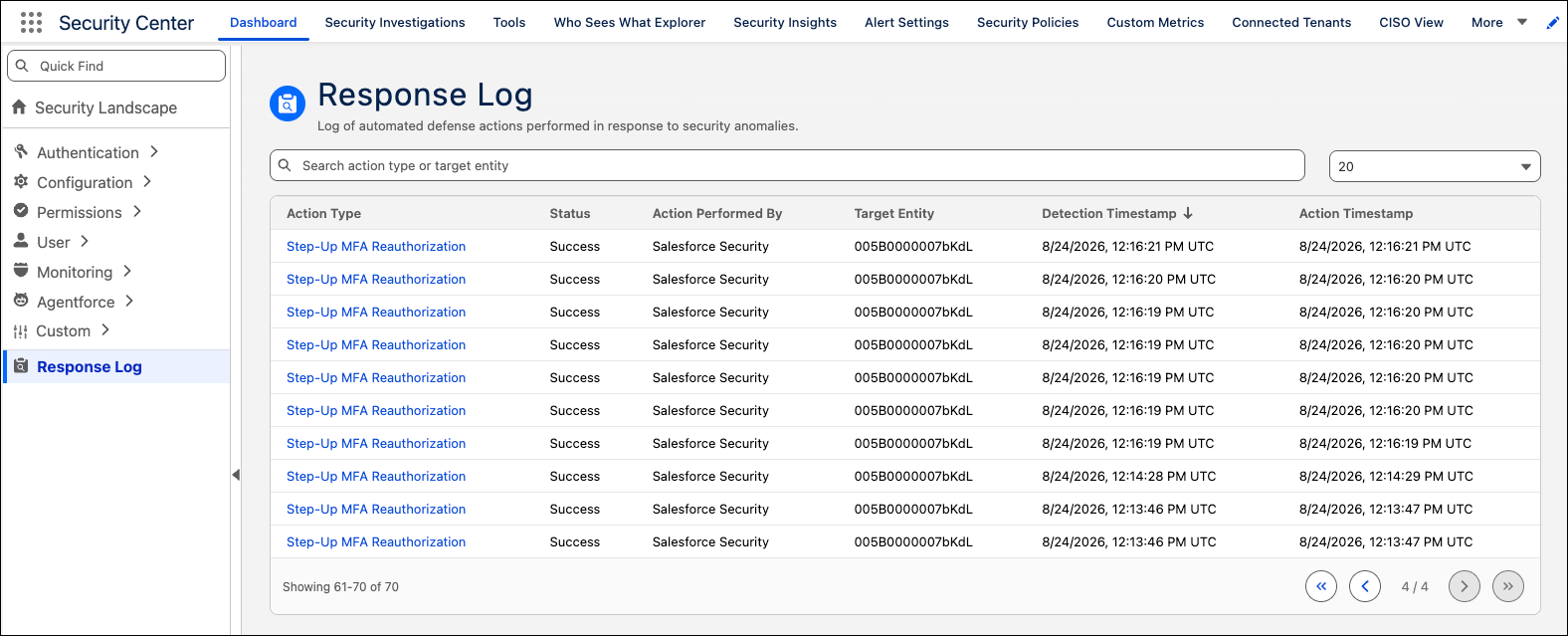
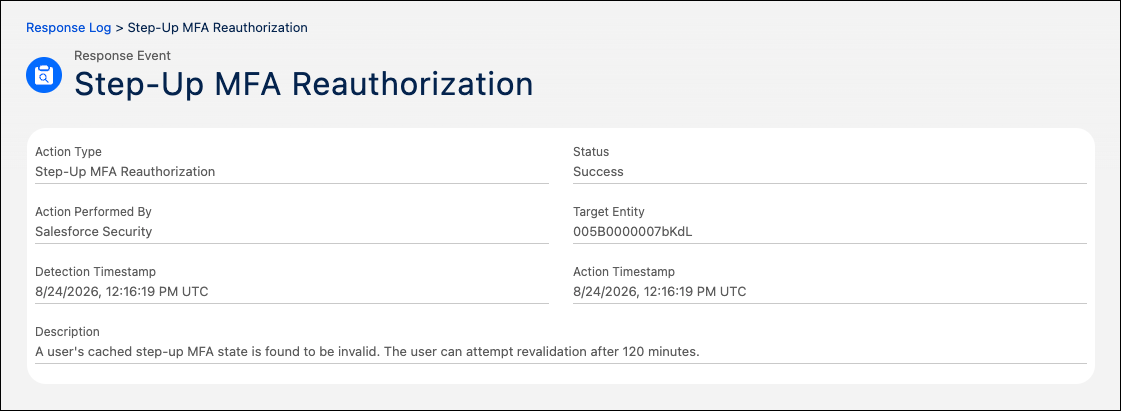
When Salesforce Security detects a threat, it automatically takes containment action on your behalf. The Response Log in Security Center shows each response in detail, including action type, status, target entity, and timestamps for the threat detection and the response. Because the log shows only completed actions, you can quickly distinguish resolved threats from items that still need your attention.
Where: This change applies to Lightning Experience in Enterprise and Unlimited editions with the Security Center add-on license. Available at no cost in Developer Edition.
When: This feature is available in mid-October 2026.
How: From the App Launcher, find and select Security Center. On the dashboard, under Security Landscape, click Response Log. To see details for a specific action, click the action's link.