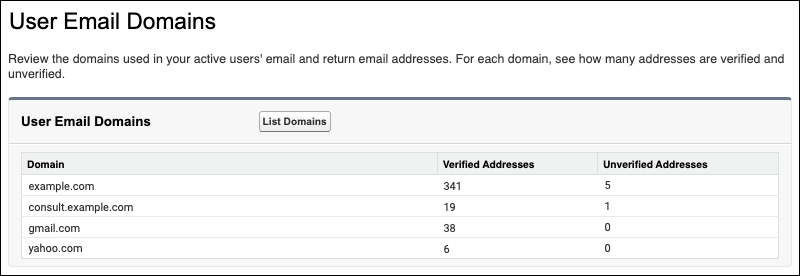
Get a list of the email domains used in your active users’ email addresses and return email addresses. The User Email Domains page in Setup also includes verified and unverified address counts for each domain.
Where: This change applies to Lightning Experience and Salesforce Classic in all editions except Database.com.
Why: Salesforce requires user-level and domain-level email verification. Users verify their email address via a verification link. Email domain verification requires an active DomainKeys Identified Mail (DKIM) key or a verified Authorized Email Domain for the email domain—the part after the at (@) symbol. If a user sets a different return email address, verification of that email address and email domain is also required.
Salesforce only sends email from a user’s email address when all verification requirements are met. Use the User Email Domains list to identify the email domains to verify. You can also use that information to decide whether to use a substitute email address for users with unverified email domains.
How: From Setup, in the Quick Find box, enter User Email Domains, and then select User Email Domains. To populate the table, click List Domains.