
If a trusted integration or admin manages your users’ email addresses in Salesforce, specify which domains require email address verification. By default, this user-level verification is always required to send email from Salesforce. For each authorized email domain, you can require email address verification only when users change their email address, or disable address verification entirely. Previously, you contacted Salesforce Customer Support to disable email address verification.
Where: This change applies to Lightning Experience and Salesforce Classic in all editions except Database.com.
Why: This feature affects users’ ability to send email from Salesforce. It has no impact on user account verification or the user’s ability to log in to Salesforce.
How: From Setup, in the Quick Find box, enter Authorized Email Domains, and then select Authorized Email Domains. Click Edit next to a domain, then for Require Address Verification to Send Email, select Always, For Updated Addresses Only, or Never.
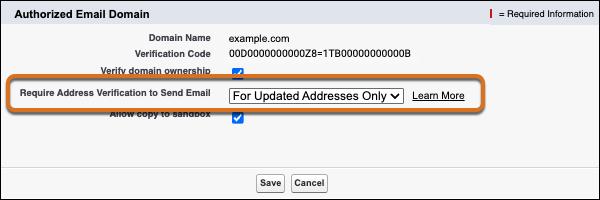
This setting affects verification for user email addresses, user return email addresses, and organization-wide email addresses.
If you select Never for one or more authorized email domains, Salesforce restricts email address updates to help protect against impersonation fraud. In that case, only users with the Manage Users or Modify All Data permission can update email addresses and return email addresses on user accounts.