
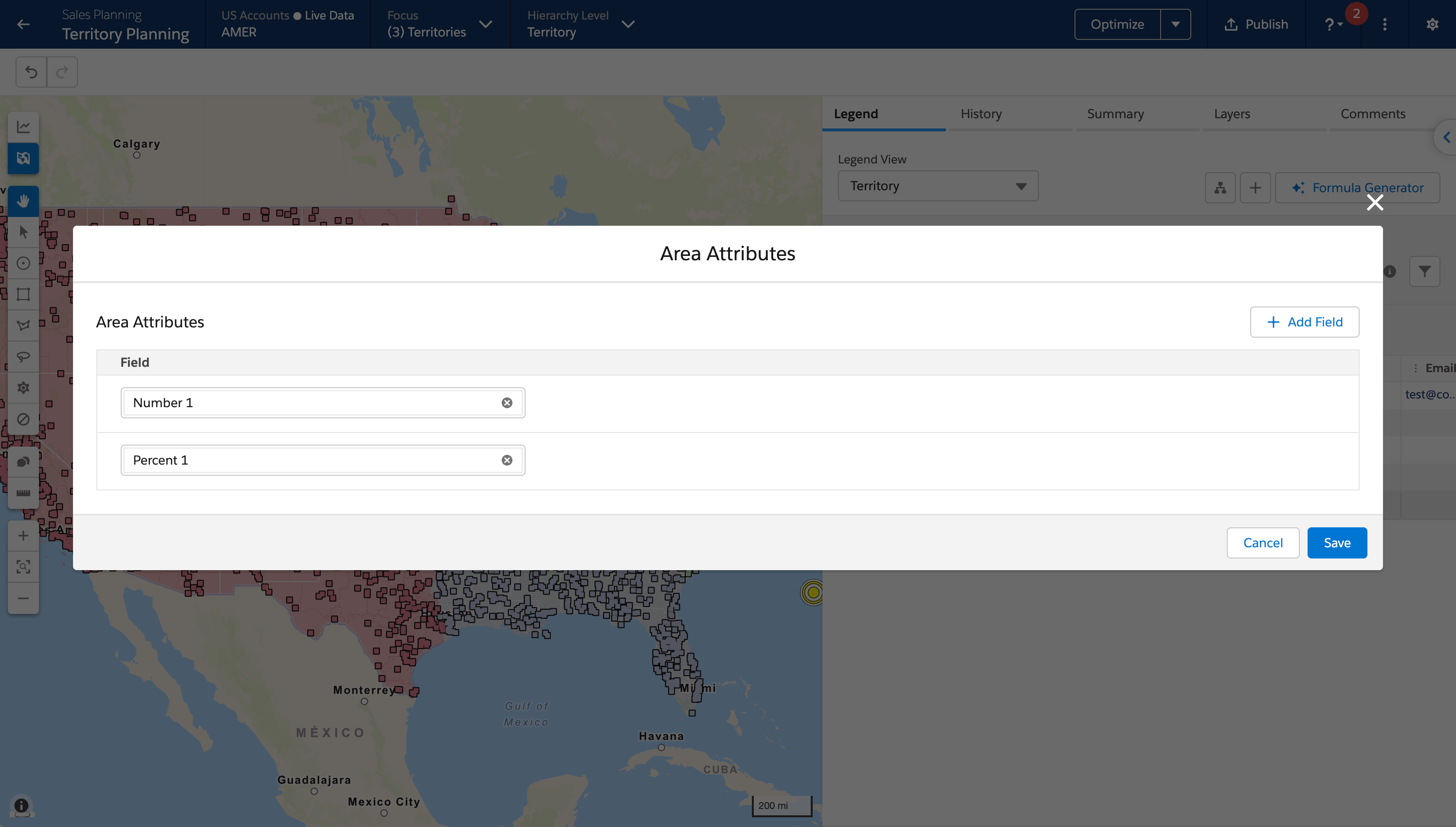
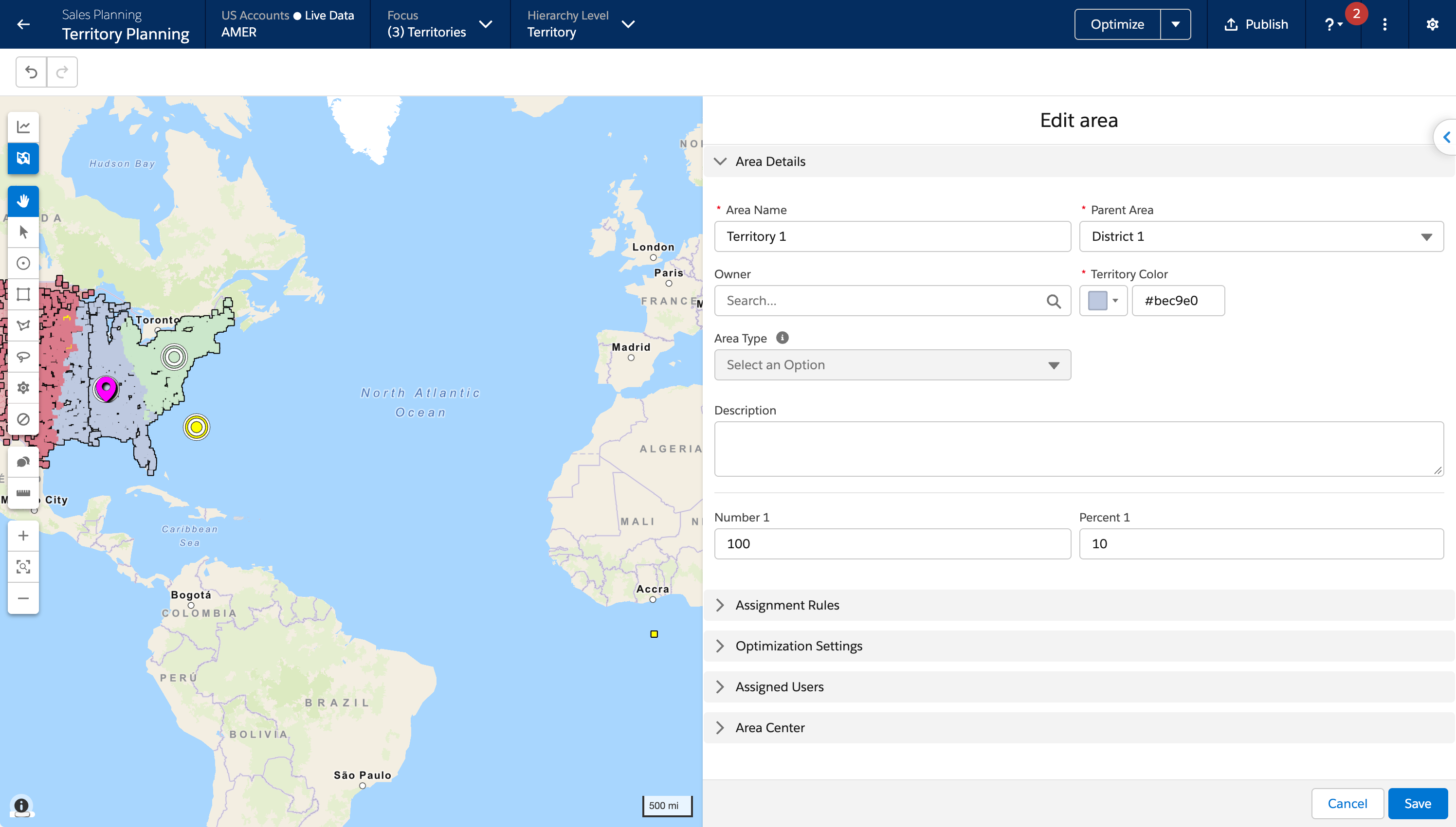
Import up to 20 custom fields from the Area object into an alignment, and then view and update the values while you plan. You see the fields in the legend and in the area editor, and you filter, sort, and search them the same way you work with other area attributes. Field-level security applies, so you edit only the fields you can access. Previously, area attributes came only from a CSV import.
Where: This change applies to Lightning Experience in Enterprise, Performance, and Unlimited editions. A Sales Planning add-on license is required.
When: This change is available in sandbox orgs in late October 2026 and in production orgs in early November 2026.
How: From an open alignment, select Settings, and then
Attributes. At the area level, select Import from
Area, select the fields, and apply your changes. Supported field types include
auto-number, lookup, formula, checkbox, currency, date, email, geolocation, number, percent,
picklist, multi-select picklist, and text. Formula fields and auto-number fields are
read-only. You can remove an imported field from the alignment. Publish actions that already
include area fields also include these fields. Cloned alignments include them too.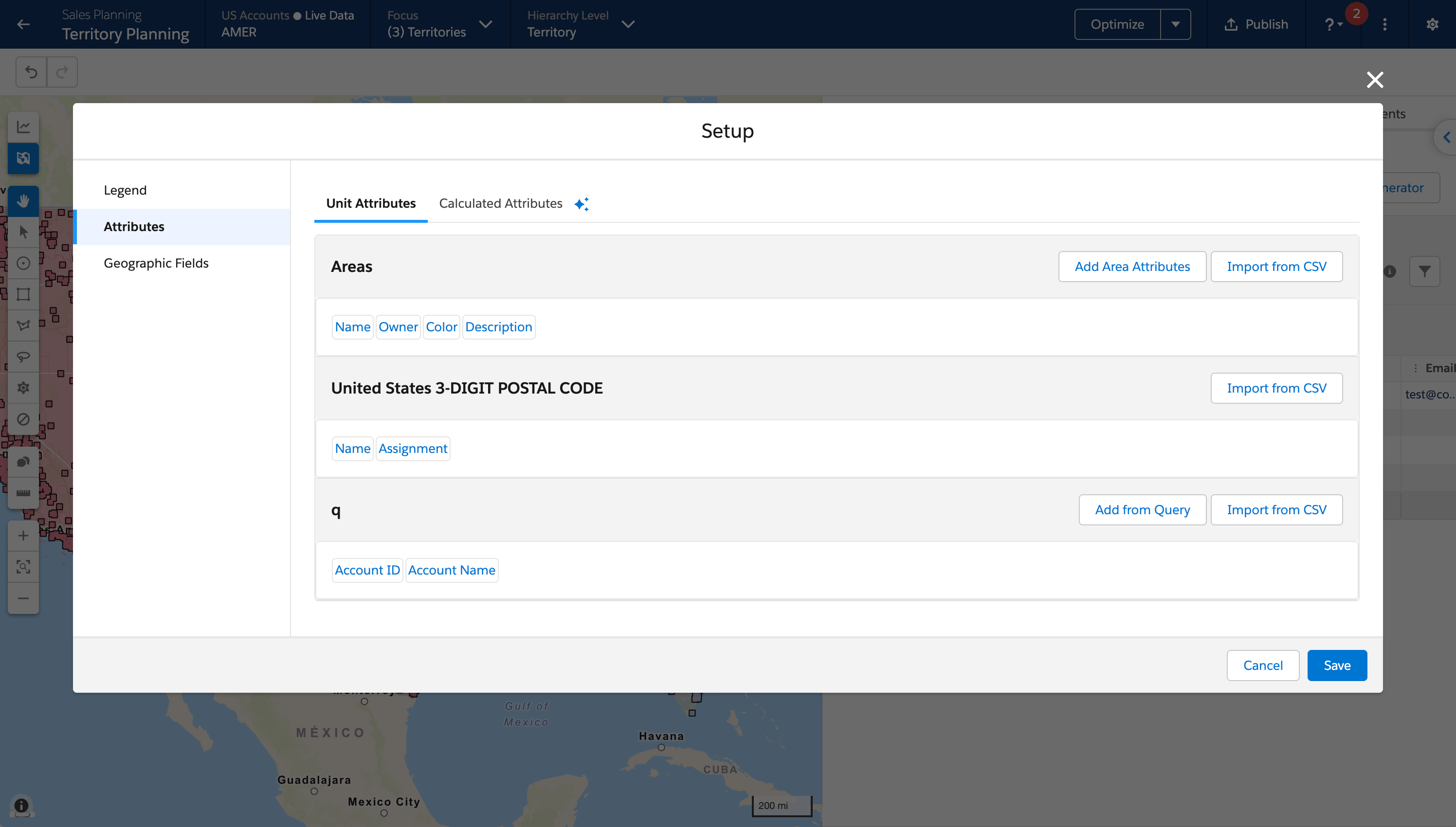
See Also: Add Area Attributes to Alignments