Automatically turn customer praise from recorded sales calls into short, shareable video clips. When Smart Clips detects praise in a recorded call, it generates a clip with the customer’s video, account name, transcript quote, and a link to the full call. Smart Clips then posts the clip to a Slack channel that your team follows.
Where: This change applies to Lightning Experience with Enterprise, Performance, Unlimited, and Agentforce 1 Sales editions. Smart Clips requires Momentum with call recording enabled and a connected Slack org.
When: This feature is available in late November 2026.
Why: With clips delivered to Slack, your team can review customer praise without searching call records or watching complete recordings. Sales managers review real customer feedback, and sales reps learn from teammates’ clips and identify talk tracks and positioning that resonate with customers.
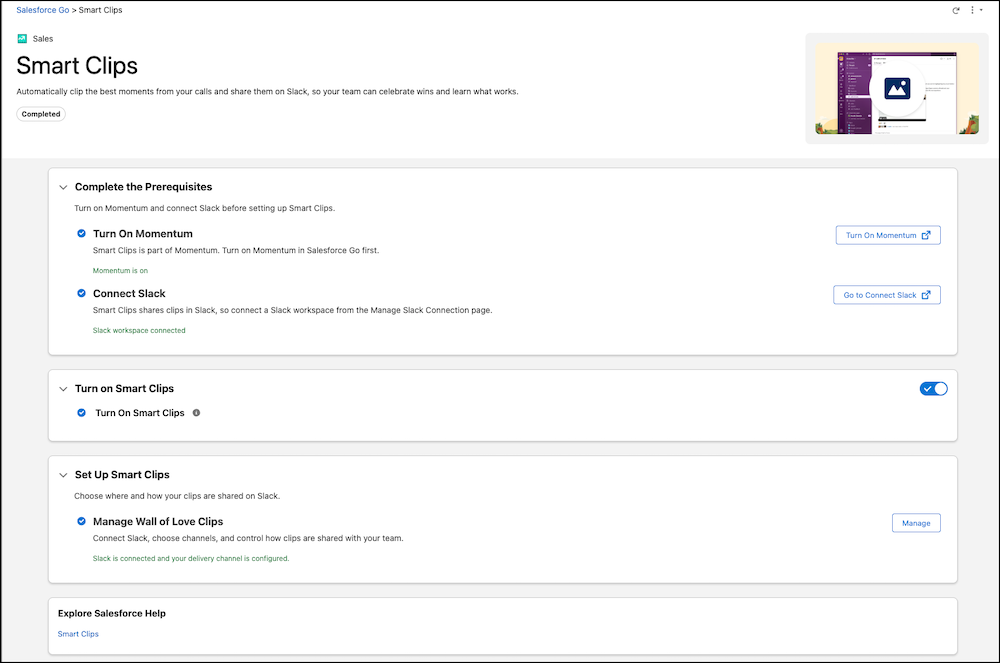
How: From Salesforce Go, navigate to the Smart Clips page under Features. As prerequisites, turn on Momentum and connect a Slack workspace to your Salesforce org. Then turn on Smart Clips.
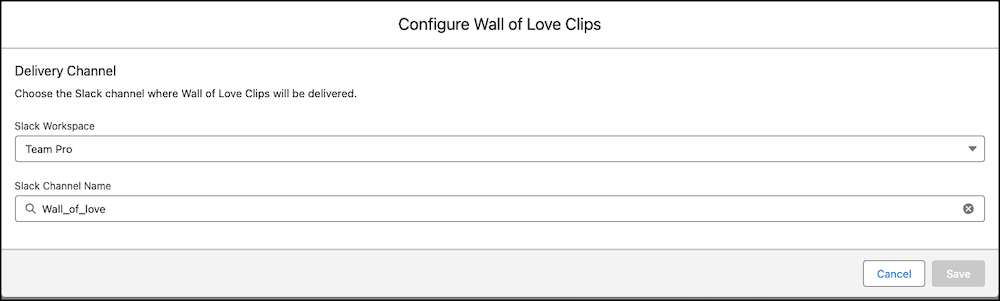
To deliver clips, configure Wall of Love Clips (ready-to-use clip type that captures customer praise). Select a connected Slack workspace and an existing Slack channel, or create a Slack channel.