
Give your sales reps time back by automating the field updates that normally eat into their day. Momentum works with Pipeline Management and Account Management to turn relevant information from calls into field updates, so reps spend less time on data entry and more time selling. Choose whether to apply updates automatically or show suggestions for reps to review in Pipeline Inspection or the Account Intelligence View. If you use Sales Methodology with Pipeline Management, you can also get suggestions for updating sales methodology criteria.
Where: This change applies to Lightning Experience in Agentforce for Sales or Agentforce 1 Edition.
When: This functionality is available in November 2026.
How: From Salesforce Go, go to the Agentforce for Sales page. To set up field updates or suggestions for opportunity fields, turn on Pipeline Management. To set up field updates or suggestions for account fields, turn on Account Management. After turning on the feature, go to the Automate Field Updates section to manage your field updates.
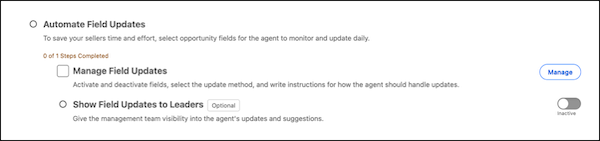
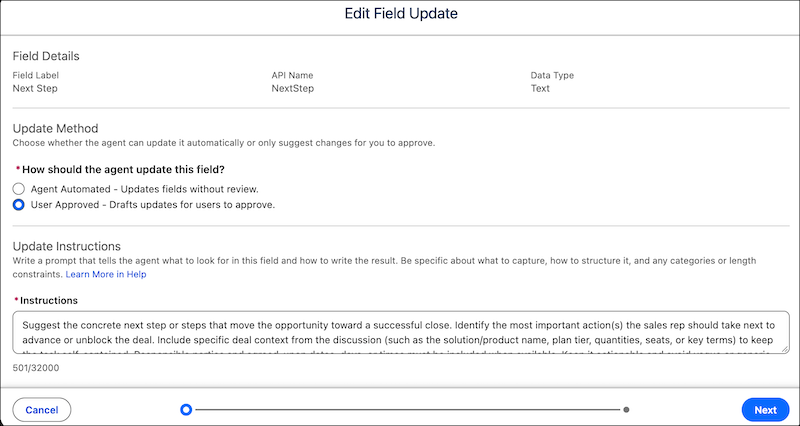
A guided setup walks you through configuring your fields, selecting the update method, and adjusting the instructions for how to structure the output.
To enable suggestions for Sales Methodology criteria updates, set up both Pipeline Management and Sales Methodology. These updates require user approval and can’t be customized.