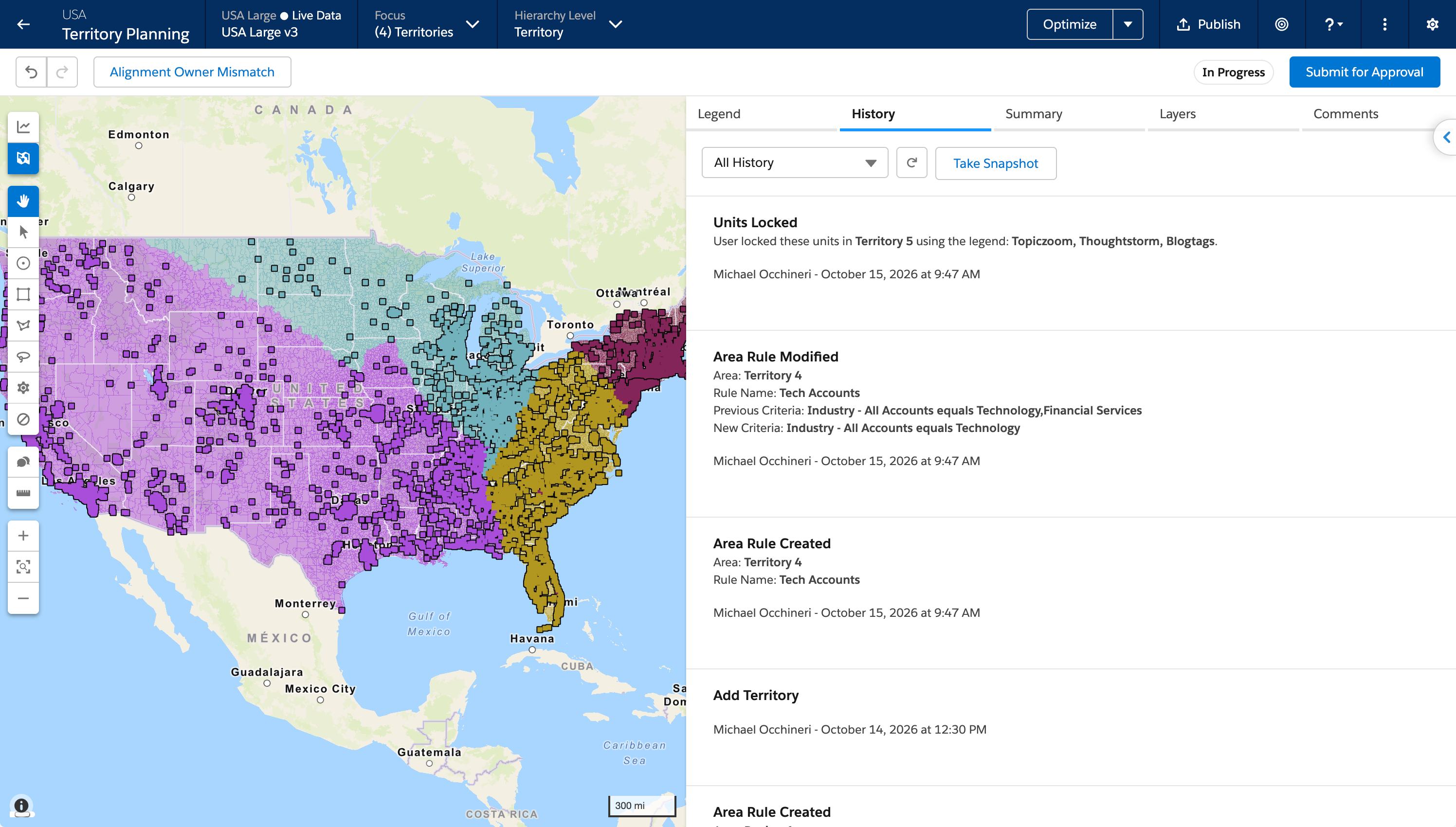
In alignment history, review the assignment-rule criteria that changed and see when a rule is deleted. History also records when units are locked or unlocked. Previously, a rule event stated that something changed but did not include the criteria, and lock and unlock actions were not recorded.
Where: This change applies to Lightning Experience in Enterprise, Performance, and Unlimited editions. A Sales Planning add-on license is required.
Why: Alignment history includes this detail:
- History records create, modify, and delete as separate events. When several parts of a rule change, history lists the previous and current values for each change.
- History records a lock or unlock event for each area. It lists up to 10 unit names, then a count of any additional units, and it records the method, such as a legend action or a CSV import. A CSV import includes the file name.
How: Open the History tab on an alignment, or open Territory Planning Home, after a rule change or a lock or unlock.