
Create Native Mobile Apps for Employees and Customers with Agentforce (Generally Available)
Skip months of development and design work: Describe the app that you want, using natural language, and Agentforce builds a mobile app for you. Quickly build apps for your employees or for your customers, by using natural language prompts. Design and preview the layout, publish to the App Store and Google Play, and analyze usage, all in one connected flow.
Where: This change applies to Lightning Experience in Enterprise, Performance, Unlimited, and Developer editions with Foundations or Agentforce 1 editions.
When: This feature was available as a limited release, and is generally available the week of October 12, 2026.
How: To get started, enable Agentic Mobile Apps in Setup, and describe the app you want to build with Agentforce. Here's an overview of how Agentic Mobile Apps works.
After you answer a few clarifying questions, Agentforce builds an app with screens that you can customize, either manually or with the help of Agentforce.
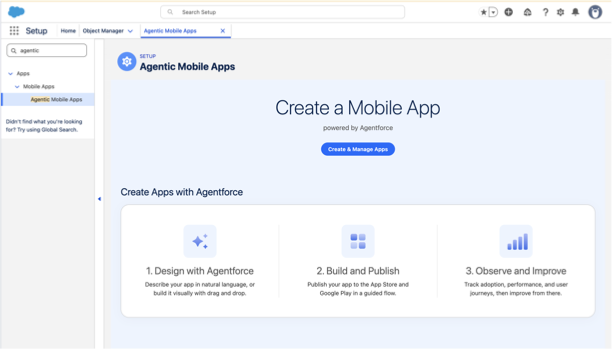
For a customer-facing app, select which Experience Cloud site the app is based on, so that it draws on your existing content and data. From there, refine the layout and components in the Design stage, and describe the changes you want in the Agentforce panel, and even add Figma designs as a starting point.
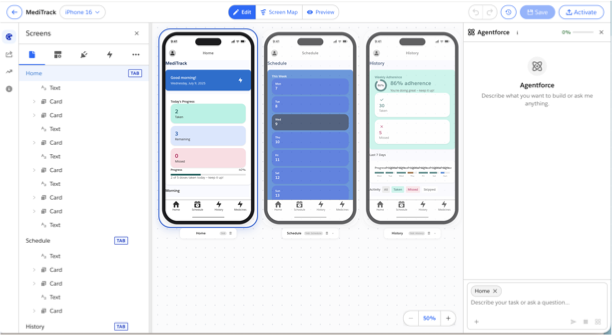
For the first time, creating mobile apps in Salesforce happens in three connected stages:
- Design: Lay out screens, add components, and shape the experience, guided by natural language. Refine the layout with prompts or drag components directly to the canvas and preview the app. Preview the app before going live.
- Publish: Push your app to the people who need it through the built-in iOS and Android publishing flows for the App Store and Google Play.
- Analyze: See how your app is used and where it makes an impact, so you can keep improving it.