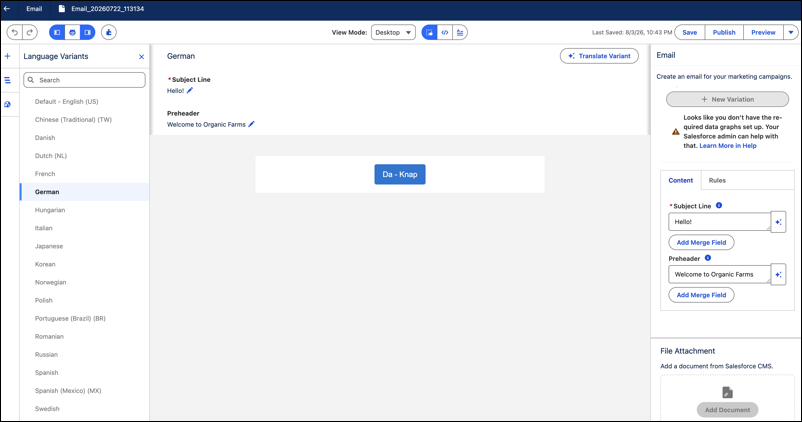
Marketers can now manage multilingual email content directly in Email Builder without disrupting layout. Translate an email into a target language using a built-in agent, and refine each variant in the component, code, or text view. Confirm that localized content looks right for each variant before sending.
Where: This change applies to Salesforce Enterprise and Unlimited editions with:
- Marketing Cloud Next Growth and Advanced editions with the Salesforce Foundations add-on
- Marketing Cloud Account Engagement Growth, Plus, Advanced, or Premium editions with the Salesforce Foundations add-on
- Any Marketing Cloud Engagement+ edition with the Salesforce Foundations add-on
How: In Email Builder, open the Language Variants panel from the sidebar, and select a language to preview and edit content, including subject lines. Click Translate Variant in the canvas header to generate translations with the built-in content agent. Use Code View to adjust attributes or custom styling for individual language variants.
The Language Variants panel in Email Builder with a German variant selected, showing editable subject line and preheader fields.