
Salesforce Go is now your primary setup experience for Foundations, putting key setup options on one page. Marketing setup items, like Marketing Cloud enablement and Profile Unification, move to a dedicated setup page that you access from the Foundations on Go page. The previous Foundations Setup node stays in Setup and redirects you to the Foundations on Go page, where previously enabled features show as turned on.
Where: This change applies to supported editions for Salesforce Foundations.
Who: Accessing the Foundations on Go page requires your Salesforce Foundations license, which grants you access to the Home app, Email Builder, and the Foundations navigation. Other licenses, such as Data Cloud and Agentforce, don't control access to the page, and features that need those licenses show their own messages.
How: From Setup, enter Foundations in the Quick Find box and select Salesforce Foundations. Click Get Started, and then turn on features directly from the setup page. Marketing-related setup items, such as Marketing Cloud enablement and Profile Unification, use a separate configuration process from the linked Marketing Foundations setup page.
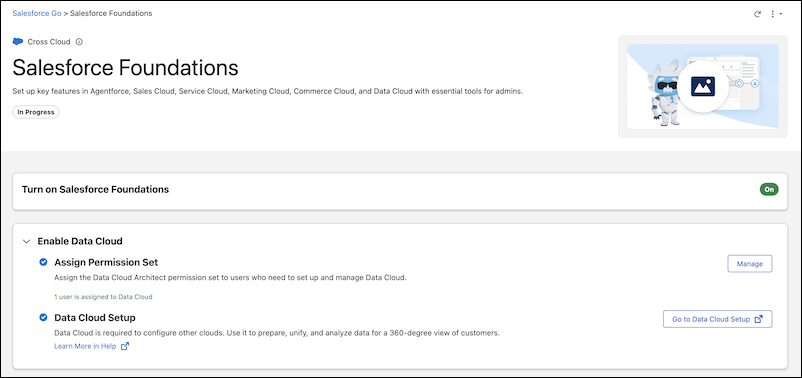
Turning off individual options within a feature group doesn't change the feature's overall status as enabled. To turn off a feature completely, turn off all its options. After you turn on a feature, refresh the Foundations on Go page to see its updated status.
If you selected only some of the recommended licenses on the previous Foundations setup page, the Foundations on Go page shows a Prerequisites section. Click Update Licenses to add the missing licenses. For more information, see Salesforce Foundations Setup.