
Guard against relay interception by sending sensitive emails from your site directly from Salesforce Mail Transfer Agent (MTA) instead of your corporate email relay. To ensure emails that contain sensitive data, like the Forgot Password email, follow a more secure path, set up a verified secondary sender address. Use secondary sender to meet strict security requirements and align with Domain-based Message Authentication, Reporting, and Conformance (DMARC) standards without modifying your primary domain’s DomainKeys Identified Mail (DKIM) settings. Secondary sender was first released in late Summer ’26.
Where: This change applies to Aura, LWR, and Visualforce sites accessed through Lightning Experience and Salesforce Classic in Enterprise, Performance, Unlimited, and Developer editions.
How: In Setup, verify the email-sending subdomain for your secondary sender email address. System-generated emails from an unverified email-sending domain aren’t delivered, even if you verify the From email address.
To add a secondary sender email address, go to for your site. Select Secondary Sender Email and enter an email address.
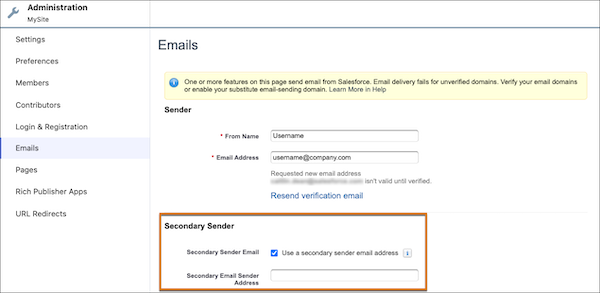
After you verify the email address, emails that contain sensitive information are sent directly from Salesforce via the secondary sender email address and don't route through your company's Simple Mail Transfer Protocol (SMTP) server. Site emails that don’t contain sensitive information—such as Welcome New Member messages sent to existing internal or single sign-on (SSO) users who don't require password credentials—are sent via your configured email relay and network sender address.