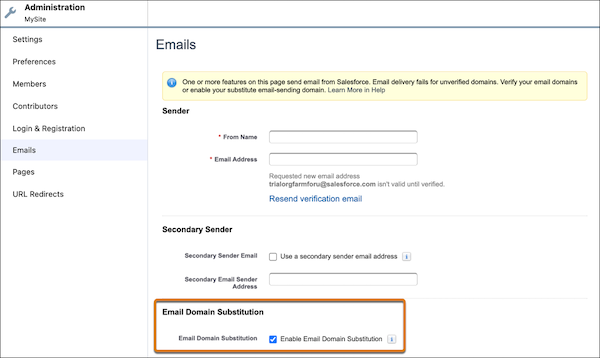
Specify the From address that each Experience Cloud site uses to send email on behalf of a user with an unverified email domain. If your org has more than one site or brand, you can match each site's outgoing email to its own branding, instead of using a single org-wide address. Substitution is off by default, and you turn it on per site, so you decide where it applies.
Where: This change applies to Aura, LWR, and Visualforce sites accessed through Lightning Experience and Salesforce Classic in Enterprise, Performance, Unlimited, and Developer editions.
Why: Salesforce offers two ways to set the From address for email sent on behalf of a user with an unverified email domain. An org-wide substitute email address, set on the Deliverability Setup page, applies across your org. This site-specific setting lets you specify a From address for each Experience Cloud site. In either case, the sender email address must be verified and use a verified email domain, or the email fails.
If you turn on email domain substitution for a site, that site's verified sender email address takes precedence, even when your org uses a substitute email address. If you don't turn on email domain substitution for a site, Salesforce uses your org's substitute email address instead, when one is set. If you don't turn on either option, Salesforce suppresses email sent on behalf of a user with an unverified email domain.
How: In Experience Workspaces, go to , and then select Enable Email Domain Substitution. Substitution uses the address in your site's Sender Email Address field, so verify that address and its domain first.