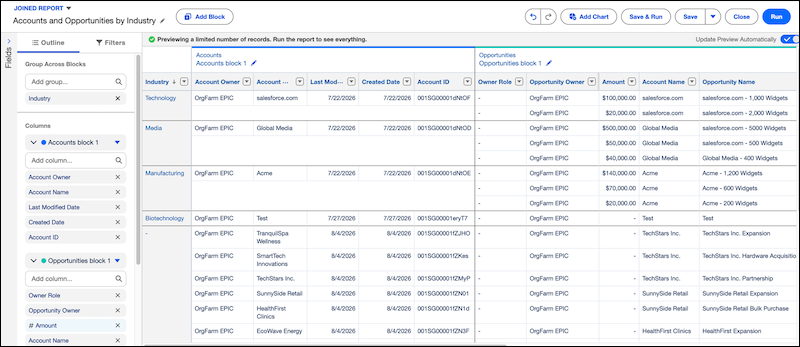
Analyze data from multiple Data Model Objects (DMOs) in one joined report instead of exporting data to a spreadsheet. Build separate blocks from report types based on different DMOs, and group them across blocks using a shared field to compare data side by side. For example, compare the Accounts report type and the Opportunities report type side by side, grouped by Industry, to identify market sectors with active opportunities and highlight potential untapped accounts.
Where: This change applies to Data 360 in Developer, Enterprise, Performance, and Unlimited editions.
How: Create or open a Data 360 report based on a data model object (DMO). In edit mode, change the report format to Joined, and then click Add Block to add another report type that shares common fields with the base block.