
You no longer have to turn on Salesforce with Agentforce to monitor your orgs health and usage metrics. Org Health and Usage is now available in Setup for all admins. It provides insights into the health of your org and opportunities to improve it. It shows metrics for security, performance, trust, usage, and more. It also ranks the metrics based on severity, so the metrics that need your attention appear first.
Where: This change applies to Lightning Experience.
How: Go to Setup to see Org Health and Usage. Click Go to Page on a metric card to open the related Setup page and act on it. For more information about specific metric cards, see Monitor Org Health and Usage in Setup
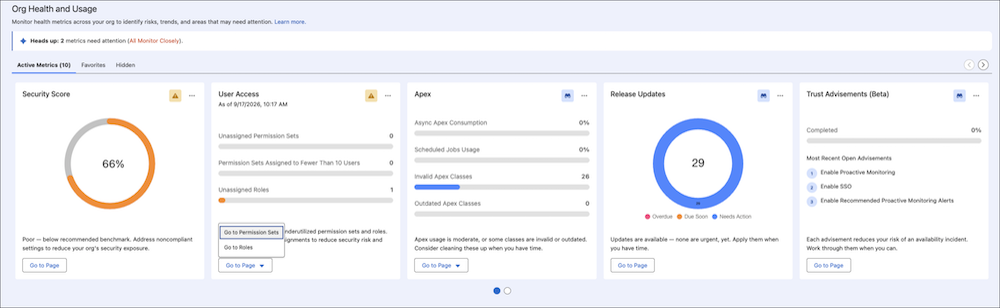

If you turn on Setup with Agentforce, the cards that show metrics include an Ask Agentforce chat option. Ask Agentforce chat gives you the power to explore your metrics with an agent. For more information about Org Health and Usage in Setup with Agentforce, see Org Health and Usage in Setup with Agentforce.