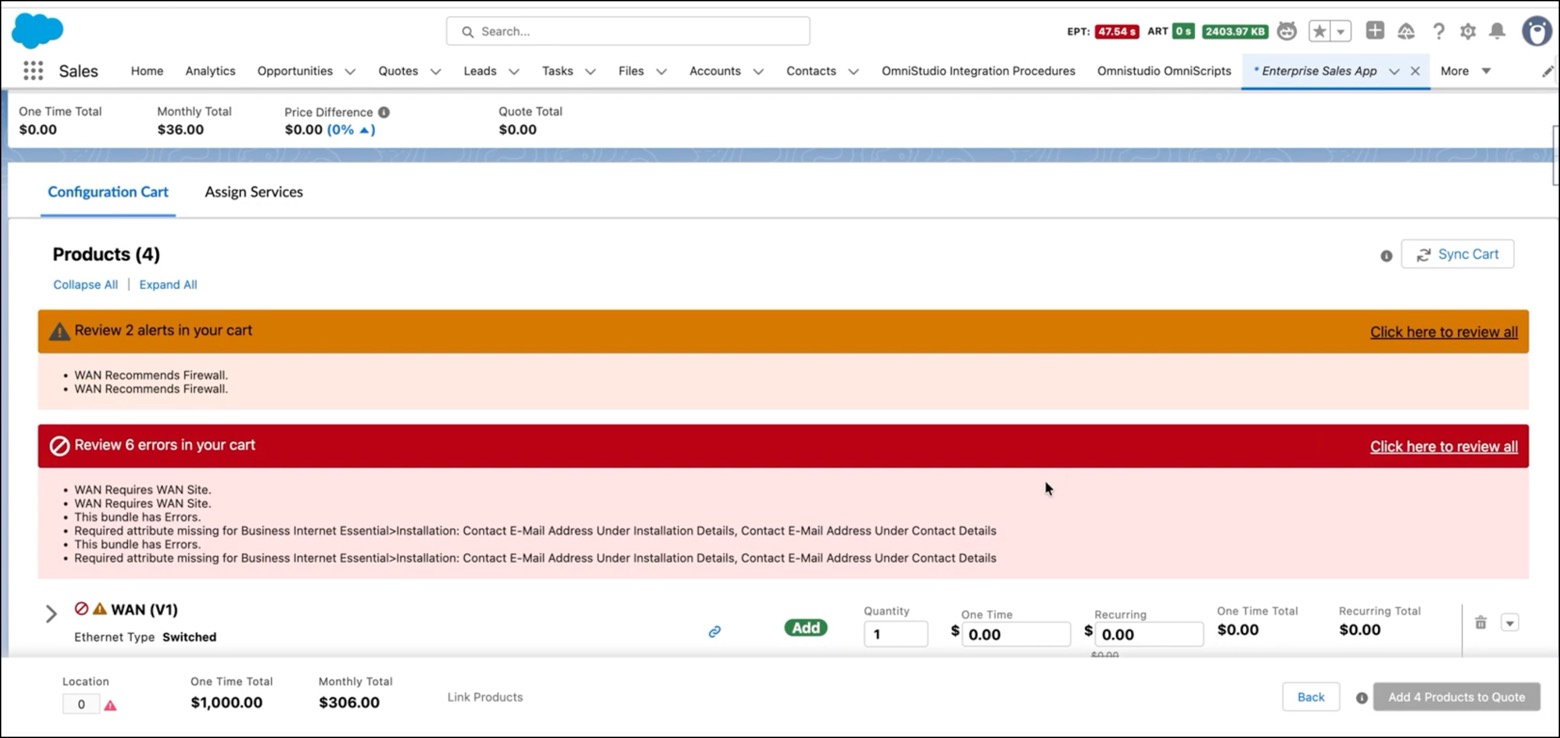
See what blocks cart submission and what you can bypass in your Enterprise Sales Management working cart. The cart now separates mandatory blocking errors from warnings using distinct visual indicators—red for errors that prevent submission, orange for warnings you can acknowledge and bypass. These alerts appear at both the cart and line-item levels, with banners showing alert counts and expandable details linked to affected products. Acknowledge warnings to proceed with incomplete configurations, or resolve errors to submit so you can quickly identify which issues require immediate action.
Where: This change applies to Lightning Experience in Enterprise, Performance, Unlimited, and Developer editions with Enterprise Sales Management.
How: The The following screenshot shows errors and alerts in the working cart.