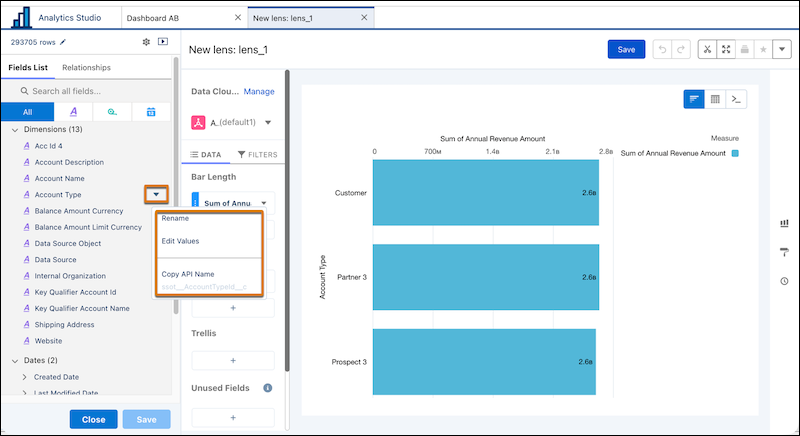
Create consistent analytics experiences by customizing how Data 360 fields appear in CRM Analytics lenses and dashboards. Rename fields, edit field values, and assign chart colors for data lake objects, data model objects, and calculated insight objects. These customizations apply to all lenses and dashboards that use the data source without changing the underlying Data 360 data.
Where: This change applies to CRM Analytics in Lightning Experience. CRM Analytics is available in Developer Edition and for an extra cost in Enterprise, Performance, and Unlimited editions.
How: In the lens explorer, click the dropdown menu next to the data source name and select Show Fields Panel. Then, click a field’s action menu to rename fields, edit field values, and assign chart colors.