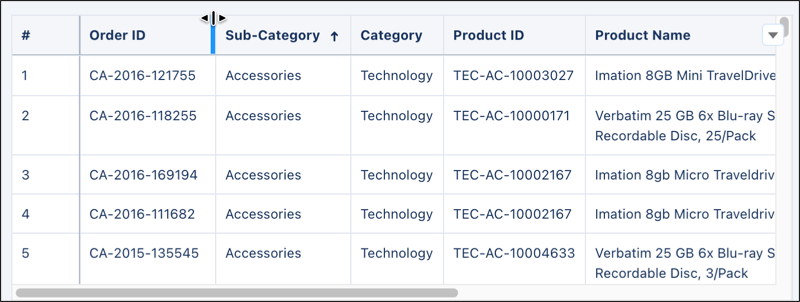
Customize CRM Analytics table views by dynamically hiding and reordering columns. Adjust visible columns within the table widget to focus on relevant data without modifying the dashboard. Dashboard authors can also define specific column widths directly in the table during edit mode. Previously, table structures were fixed, which required multiple dashboard versions for different user needs.
Where: This change applies to CRM Analytics in Lightning Experience. CRM Analytics is available in Developer Edition and for an extra cost in Enterprise, Performance, and Unlimited editions.
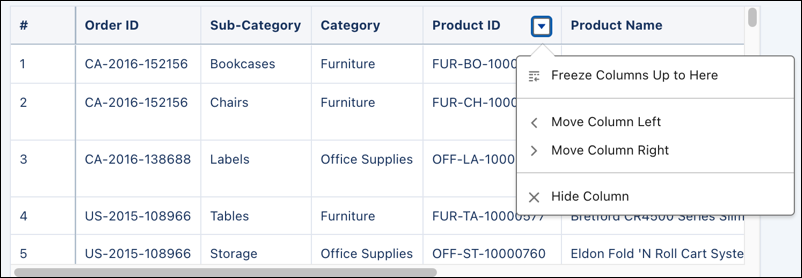
How: To customize a table layout, hover over a column header and click the action menu. To adjust your table view, select options such as freezing or moving columns.
To adjust column widths directly in the table, hover over the divider line between two-column headers until the resize cursor appears. Drag the divider line to narrow or expand a column.