
Protect Your Work with a Dedicated CRM Analytics Recycle Bin (Generally Available)
Safeguard your critical analytics by moving deleted dashboards and lenses to a dedicated recycle bin instead of losing them forever. View, manage, and restore these assets to their original state while automatically pausing associated subscriptions and notifications during the retention window.
Where: This change applies to CRM Analytics in Lightning Experience. CRM Analytics is available in Developer Edition and for an extra cost in Enterprise, Performance, and Unlimited editions.
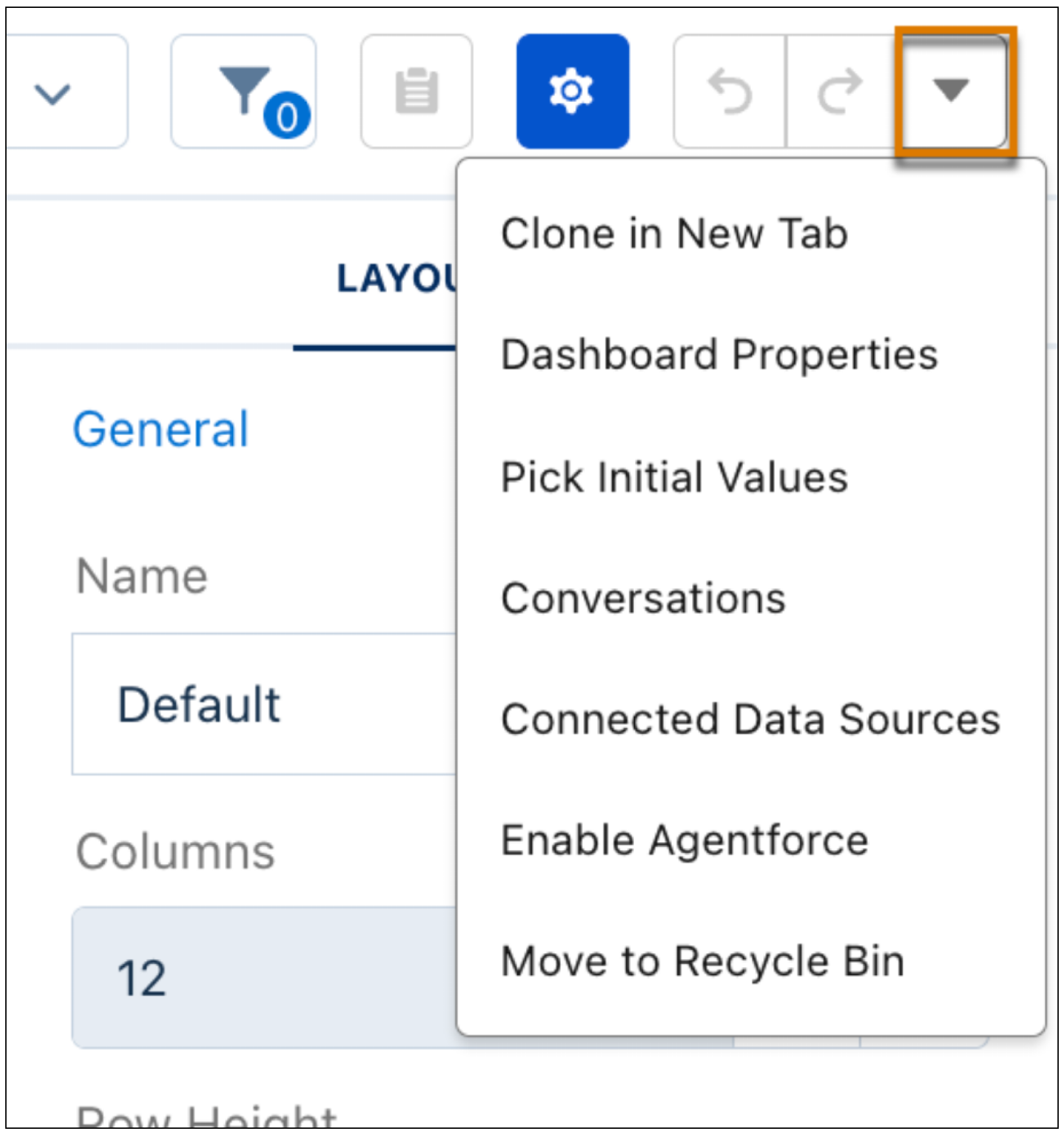
How: To recycle a dashboard or lens, in edit mode, select Move to Recycle Bin from the Action menu.
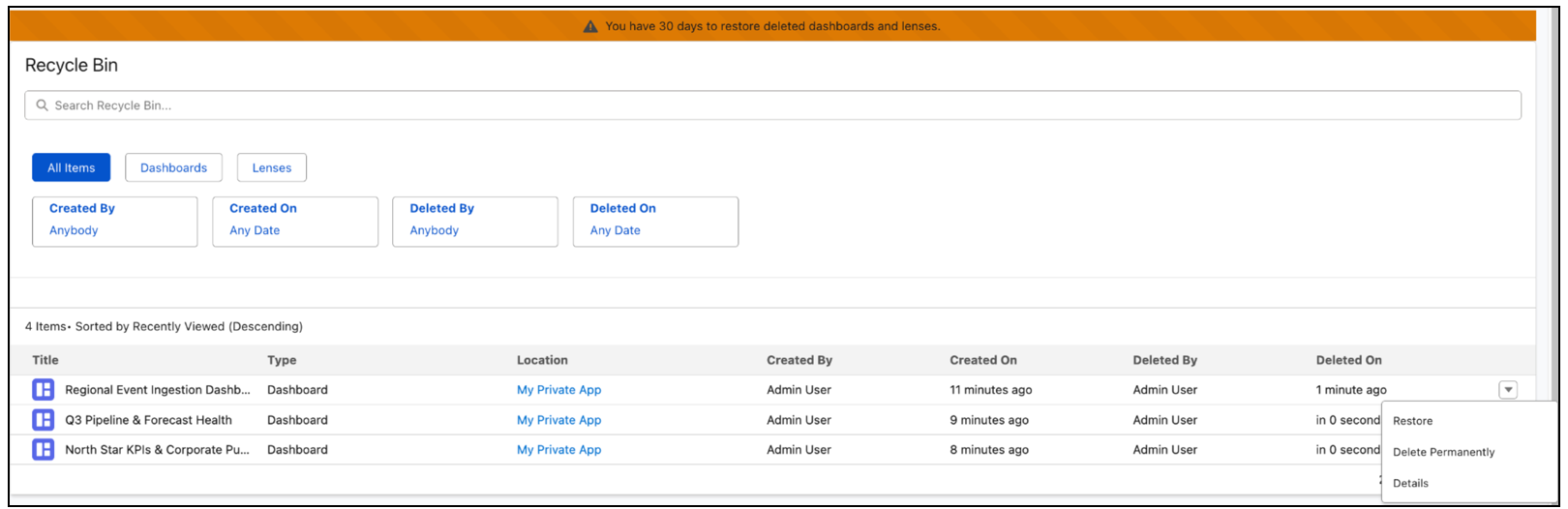
Access the Recycle Bin on the Home page to manage your deleted assets. You have a 30-day window to restore items before they are permanently removed.
Starting in Winter ’27, moving a dashboard or lens with a Slack subscription to the Recycle Bin hides the subscription instead of permanently deleting it. When you restore the asset, the subscription resumes automatically.