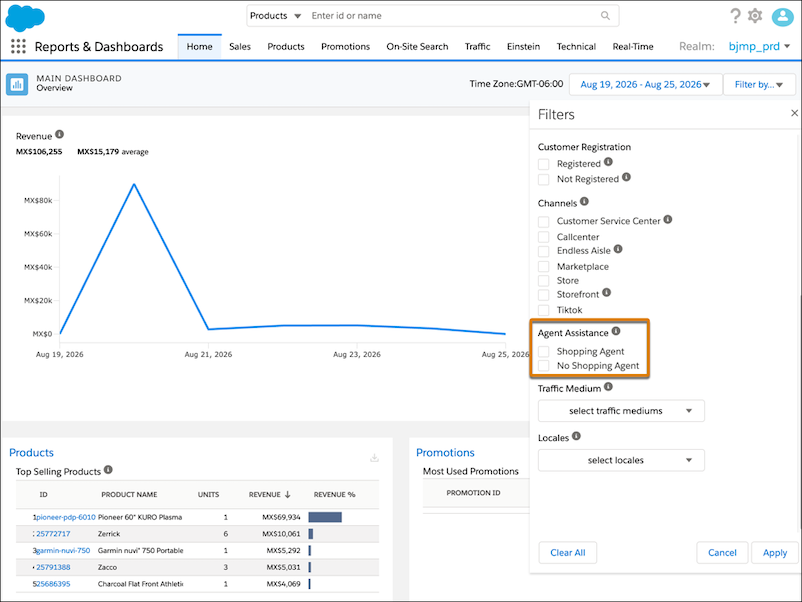
Understand how much conversion and revenue your B2C Shopper Agent drives across your Storefront Reference Architecture (SFRA) storefront. Track agent-influenced orders, the conversion rate, and average order value (AOV) in one place. Compare agent-influenced performance against your site-wide baselines to see how much impact the agent drives. Analytics data comes from the Agentforce Commerce Client, now delivered by the plugin_commerce_client cartridge, which replaces the retired plugin_shopper_agent cartridge.
Where: This change applies to SFRA storefronts for B2C Commerce.
When: This feature is available August 31, 2026.
How: To collect agent analytics, install or redeploy the latest
plugin_commerce_client cartridge from the Salesforce CommerceCloud repository.
Then, to view your metrics in Business Manager, click App Launcher, and select Reports
& Dashboards. Open the Filters panel, and under Agent Assistance, select whether
agent-assisted and non-agent-assisted data appears in the dashboard.