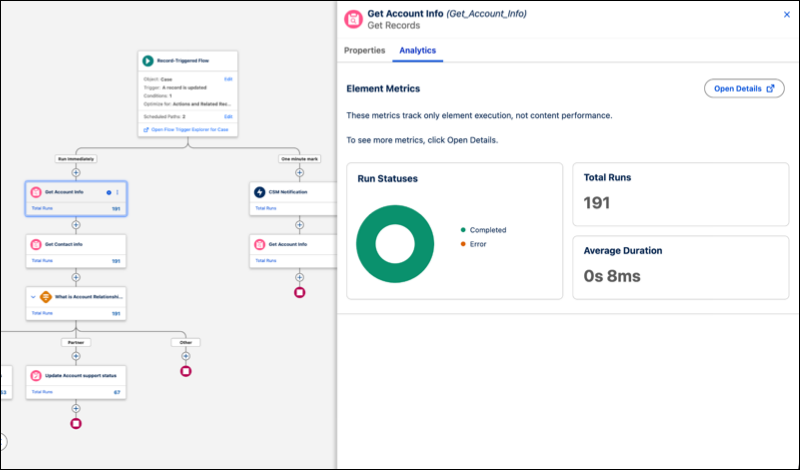
View flow performance data directly on the Flow Builder canvas to identify performance bottlenecks without relying on logs or external reporting tools. Previously, on-canvas insights were available only for flows triggered by Data 360. Embedded analytics aren't available for screen flows or Flow Orchestration.
Where: This change applies to Lightning Experience in Essentials, Pro Suite, Professional, Enterprise, Performance, Unlimited, and Developer editions.
How: In Setup, go to Process Automation Settings and select Log occurrences for all flow executions. In Flow Builder, open an active or previously run inactive flow to see aggregated run data on supported canvas elements. Click an element and select the Analytics tab for detailed metrics, including average duration, total runs, and run status. Start and End elements don't support analytics.