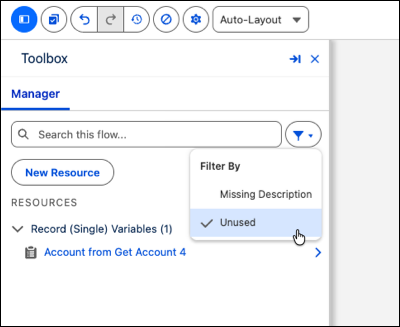
Identify and remove unneeded resources from your flows by using the new Unused filter in the Flow Builder Toolbox. When you make significant changes to large and complex flows, unused resources often remain behind and clutter your workspace. Narrow the list to items with no recorded usage, making it faster to find what you need.
Where: This change applies to Lightning Experience in Essentials, Professional, Enterprise, Performance, Unlimited, and Developer editions.
How: In Flow Builder, click Filter in the Toolbox and select Unused. The Toolbox updates to show only resources with no recorded usage. To clear the filter, deselect Unused. The filter also clears when you close Flow Builder. This feature is available in both auto-layout and free-form modes.