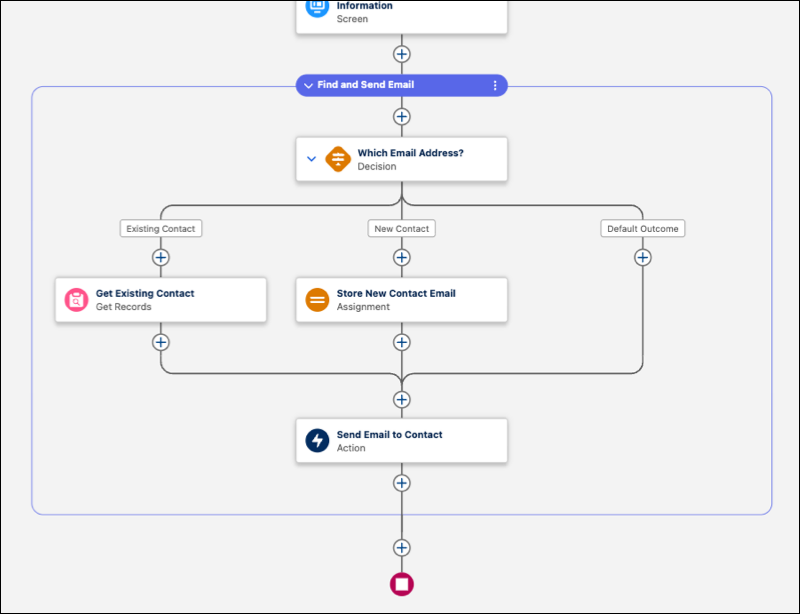
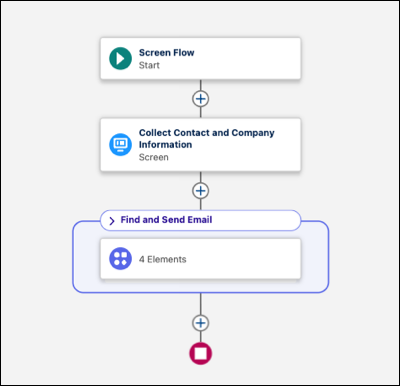
Organize related elements into named, collapsible groups to simplify complex flows. Label and describe logical sections of your flow by using groups, then collapse them to hide detail and focus on the larger picture.
Where: This change applies to Lightning Experience and Salesforce Classic in Essentials, Professional, Enterprise, Performance, Unlimited, and Developer editions.
When: This functionality is available on a rolling basis starting in Winter '27.
How: In auto-layout mode, select Add to Flow, then select Group. Enter a name and description for your group, then add elements to the canvas within the group. Use the collapse icon in the group header to show or hide the group's contents. Flow Builder saves your collapsed or expanded preferences automatically.