Handle larger datasets and perform more complex operations without hitting heap constraints. Increased Apex heap limits reduce the chance of encountering runtime limit errors that interrupt business processes. The Apex heap limit for synchronous transactions increases from 6 MB to 10 MB, and the limit for asynchronous transactions increases from 12 MB to 25 MB.
Where: This change applies to Lightning Experience and Salesforce Classic in all editions that run custom Apex or managed Apex.
When: Increased Apex heap limits are enabled automatically in all orgs according to the Winter ’27 release schedule. To get the major release upgrade date for your instance, go to Trust Status, search for your instance, and click the maintenance tab.
How: To confirm your org’s Apex heap limits, use the Limits.getLimitHeapSize() method.
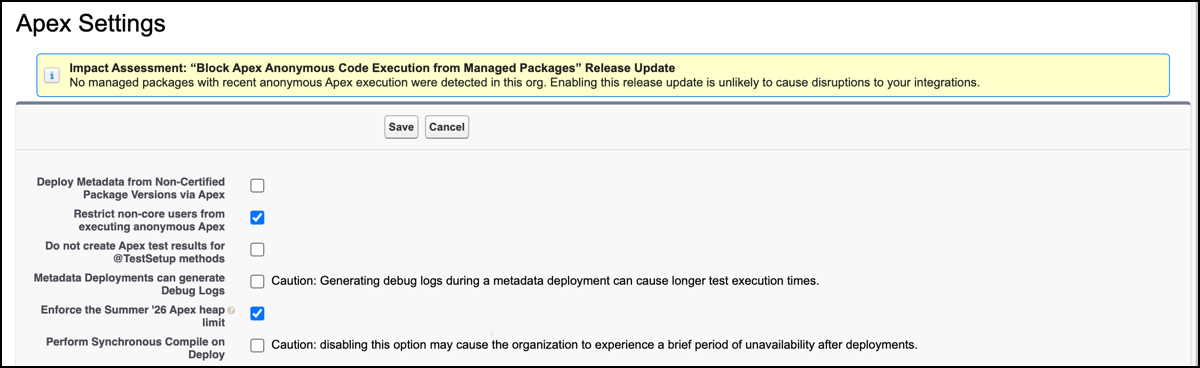
If you plan to deploy features built in Winter ’27 nonproduction orgs to Summer ’26 production orgs, you can temporarily restrict nonproduction orgs to the older Apex heap limits. In a sandbox, Developer Edition, or scratch org, from Setup, enter and select Apex Settings in the Quick Find box. Then select Enforce the Summer ’26 Apex heap limit. With this setting enabled, the nonproduction org uses the lower Apex heap limits, so that you can verify that transactions succeed in Summer ’26 production environments.