Preview Custom Lightning types (CLTs) in Agentforce Builder for actions you create or customize directly in an agent. CLTs are used to customize the UI for agent action inputs and outputs for a more branded, interactive experience. Previously, CLTs didn't render in preview for actions created or customized in an agent in Agentforce Builder. You had to recreate the action in the asset library. You also had to commit your agent before CLTs rendered at all. Now, CLTs render for actions in preview no matter where you created or modified them, or whether your agent is in a draft or committed state.
Where: This change applies to Lightning Experience in Enterprise, Performance, Unlimited, and Developer Editions with Foundations or Agentforce 1 Editions. Setup for AI agents is available on the desktop site.
When: This change is available in Salesforce orgs upgraded to Winter ’27 starting the week of September 21, 2026. Go to trust.salesforce.com for exact dates.
How: Add a CLT to your agent action. You can create an action in your agent in Agentforce Builder or modify an existing action and add a CLT to it. You can still add a CLT to an action in the asset library and add the action to an agent.
From the Preview panel in Agentforce Builder, start a preview conversation with your agent in live test mode. Your agent can be in a draft or committed state.
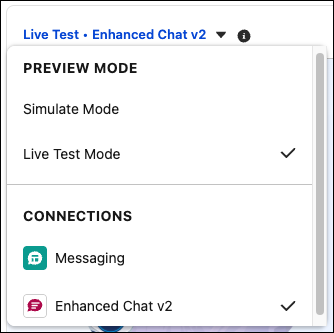
To preview CLTs for Agentforce Service agents, add the Enhanced Chat v2 connection to your agent. Then in the Preview panel, from the Preview Mode dropdown, select Enhanced Chat v2.