Add trusted users as Install Request Approvers. When you turn on the feature in Setup, you're added as an approver automatically, and you can add, search, or remove approvers anytime. Approvers get an email and an in-app notification when a builder submits an install or update request. The requester gets an email and an in-app notification when the install or update completes.
Where: This change is available in Setup, under AgentExchange.
Who: This change impacts users with permission to install apps who use this feature to configure the approver list.

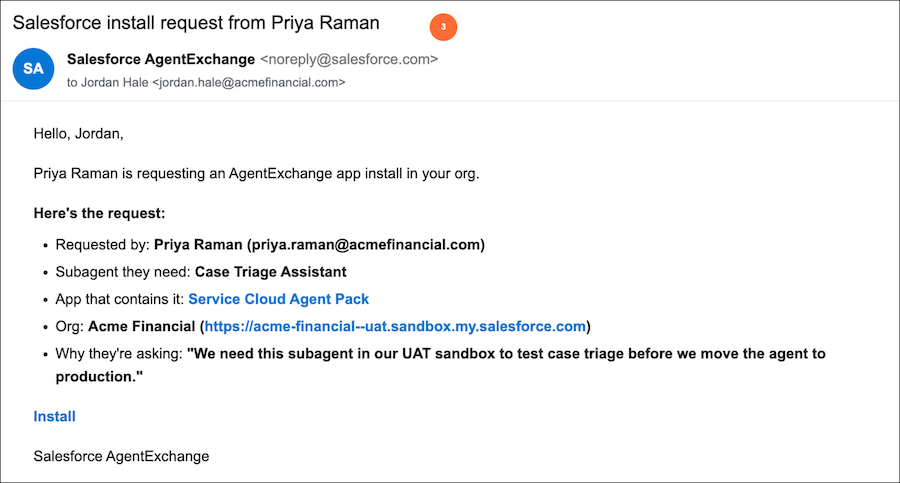
How: From Setup, in the Quick Find box, enter Install Request Approvers, and then select Install Request Approvers (1).
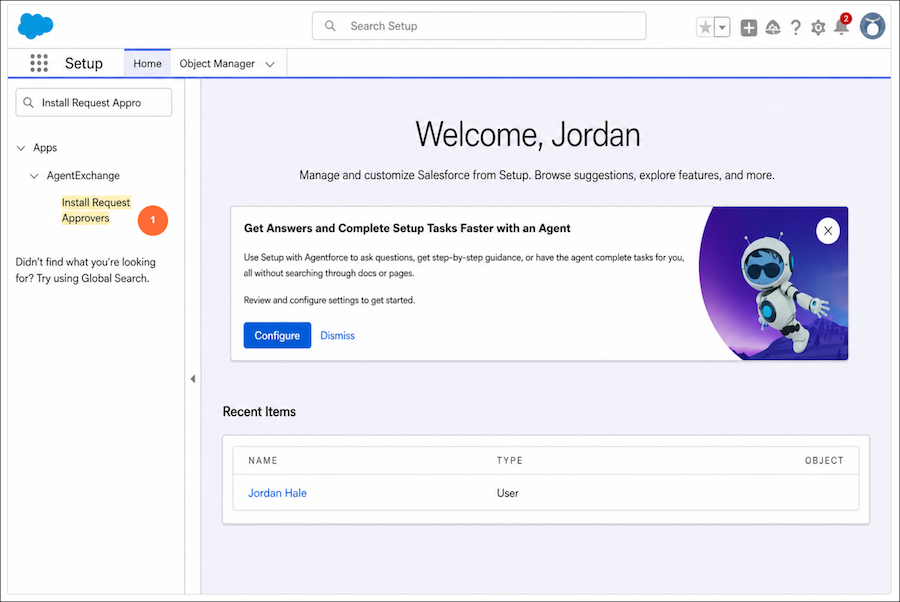
Turn on the feature, then click Add Approver (2). Add users who can install AgentExchange apps for others in your org, and search or remove them from the list anytime.
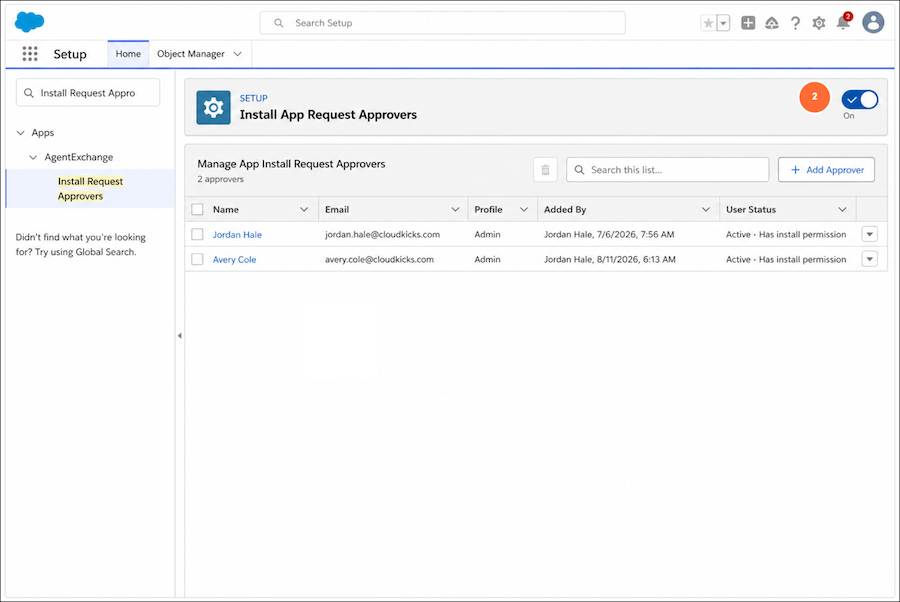
Approvers click Install in the email they receive for each install or update request (3). The email includes the requester, the asset they need, the app, and the org.