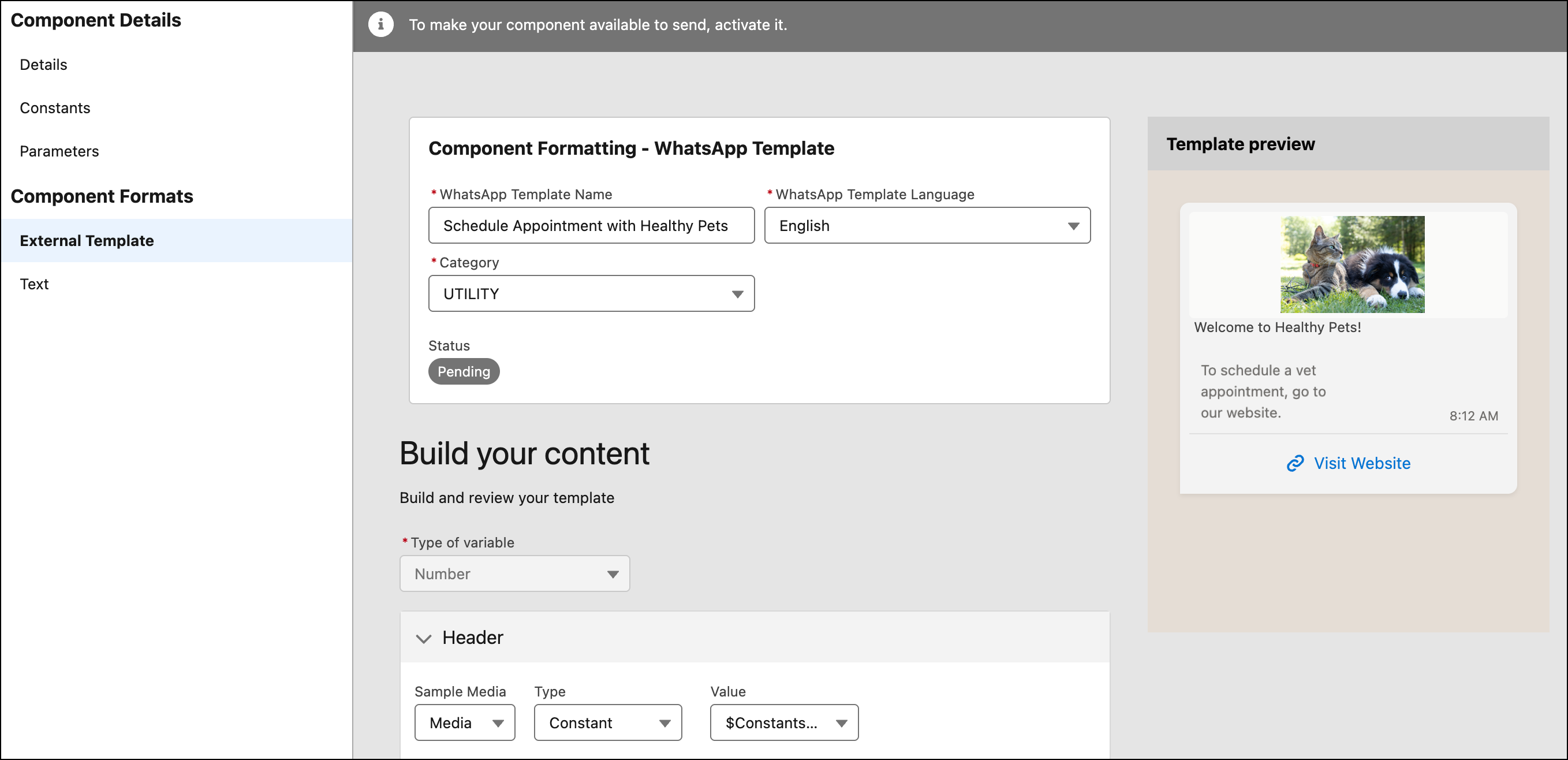
Build and manage Utility and Marketing WhatsApp templates directly in Salesforce. You can now create, edit, submit for approval, publish, and delete these template types in Messaging Component Builder. By managing WhatsApp templates directly in Salesforce, you save time and minimize synchronization issues with your WhatsApp Business Account (WABA). Previously, you had to create the WhatsApp templates and manage them in your WhatsApp Business account, and then import them into Salesforce.
Where: This change applies to enhanced WhatsApp channels. View required editions.
How: First, make sure that the org where you create the template has a unique WhatsApp Business Account (WABA) associated with it. A sandbox org and production org should each be associated with separate WABAs, for example. This ensures that Meta knows where to send the approved template.
To create a new template, in the Messaging Component Builder, apply the External Template format to a Notification messaging component. To submit it to Meta for approval, activate the template.