When you extend a semantic model with additional calculations, data objects, or modified relationships, update the original semantic model to its extended version in existing visualizations. Tableau Next automatically maps matching fields based on their API name, object name, and data type. Preserve existing visualizations while simultaneously making new fields available for analysis. Unmapped fields remain available in the Data pane so you can add or replace them in the visualization. If Tableau Next doesn't map a field automatically, drag the corresponding field from the extended semantic model to replace it.
Where: This change applies to Tableau Next in Enterprise, Performance, and Unlimited editions.
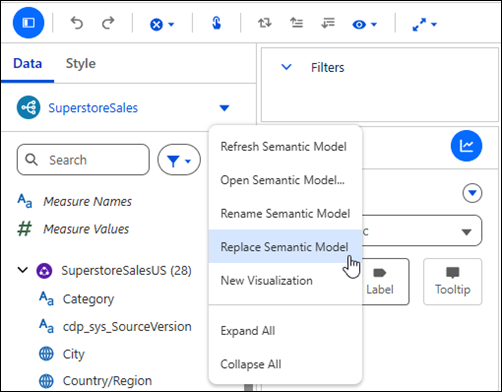
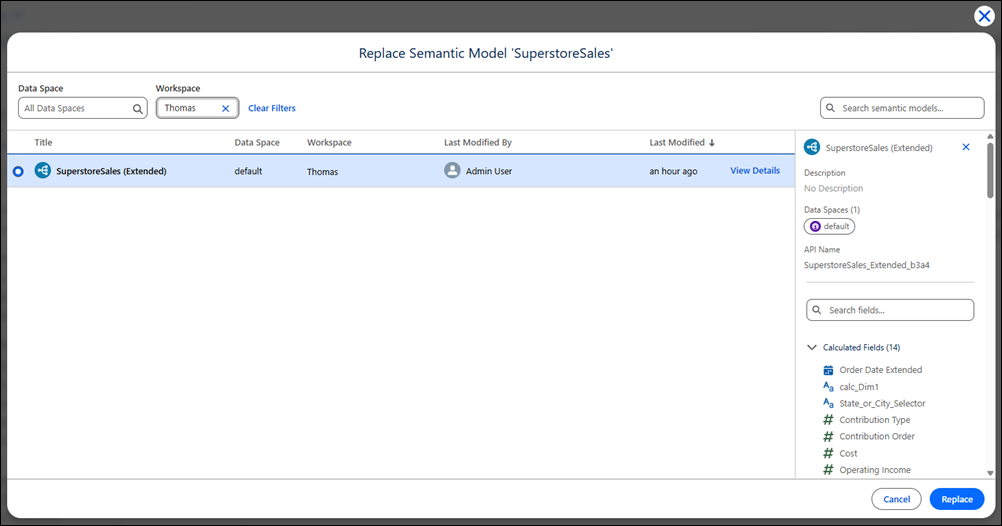
How: From the semantic model's context menu in a visualization, click Replace Semantic Model. Select the extended semantic model and click Replace.